How I drew a 4D tesseract in Three.js
A four-dimensional cube that rotates in planes our space doesn't have, drawn with a single stroke of light. The 16 vertices, the rotation through W, the perspective, and what it took to stop it looking like a cage.

Jonás Javier Encarnación12 min read
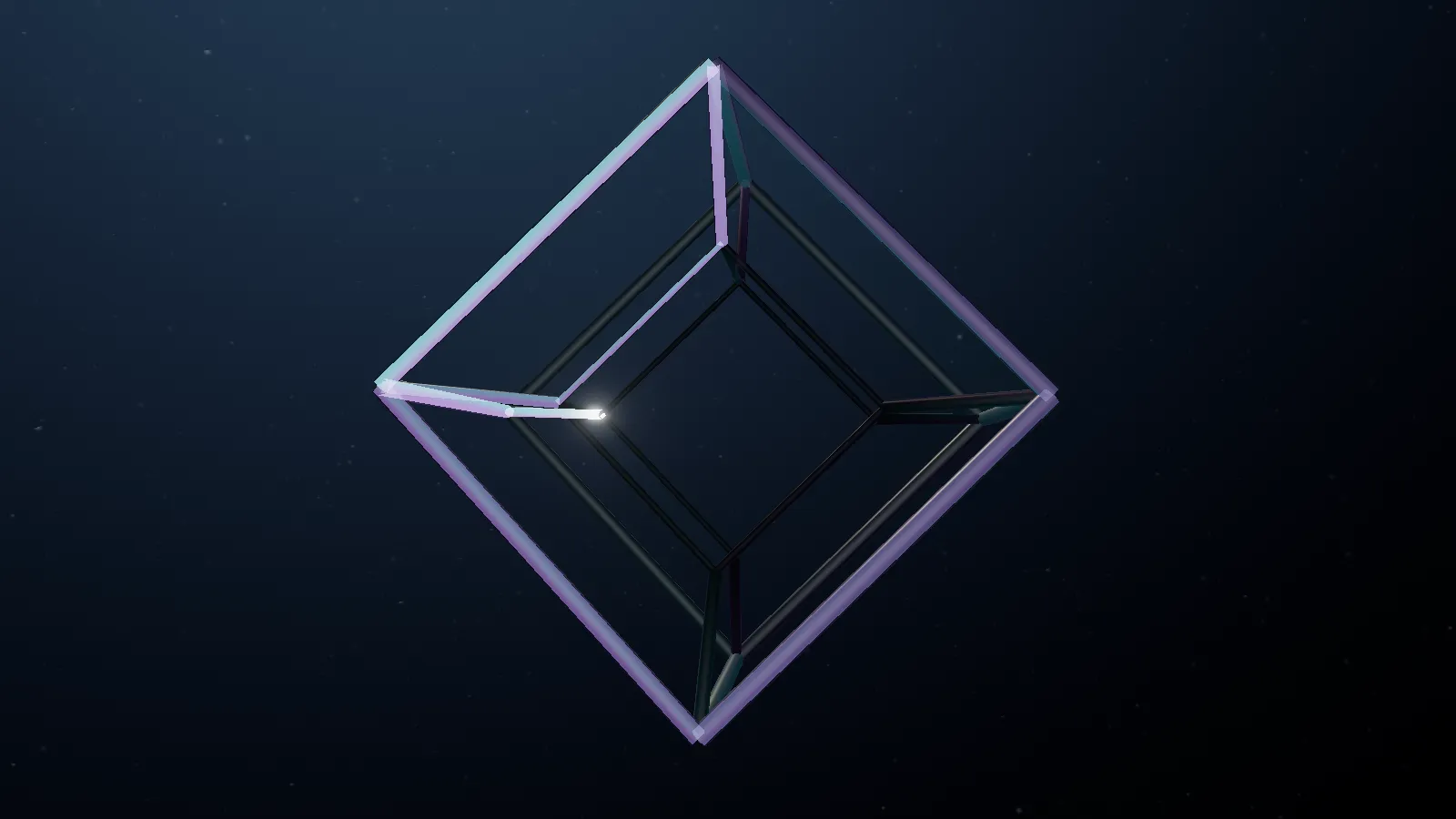
The Tesseract is the Experiments world on this site: a glass hypercube floating next to Gargantua that you can look at full screen in the Observatory. It isn't an animated 3D model. It's a four-dimensional object that rotates in four dimensions and is projected, every frame, into the three a screen can show. This post covers how it's built, from the sixteen vertices to the stroke of light that traces it.
What a tesseract is
A square is a segment dragged in a new direction. A cube is a square dragged in a direction perpendicular to the two it already has. A tesseract is the same move one step further: a cube dragged in a fourth direction, perpendicular to the three of our space, which I'll call W.
Counting it is easy even if picturing it isn't. Every time you drag a shape, its vertices double and a new edge appears for each original vertex. A square has 4 vertices and 4 edges; a cube, 8 and 12; a tesseract, 16 vertices and 32 edges, with 24 square faces and 8 cubic cells. What you see on screen — a cube inside a cube, joined at the corners — is that object's shadow in three dimensions, the same way a drawing of a cube on paper is its shadow in two.
Sixteen vertices from four bits
The cleanest way to generate a tesseract is to think in bits rather than coordinates. Each vertex is a number from 0 to 15, and each of its four bits says whether it sits on the negative or positive side of an axis: bit 0 is X, 1 is Y, 2 is Z and 3 is W. The coordinates are ±0.5.
With that numbering, two vertices share an edge exactly when their numbers differ in a single bit. XOR finds them without searching:
const edges: [number, number][] = [];
for (let vertex = 0; vertex < 16; vertex++) {
  for (let axis = 0; axis < 4; axis++) {
    const other = vertex ^ (1 << axis);
    if (vertex < other) edges.push([vertex, other]);
  }
}
Out come the 32 edges, eight per axis. The eight along W are the ones joining the inner cube to the outer one, and they're the most interesting to watch: they run in a direction that doesn't exist in the room you're sitting in.
One stroke: the Eulerian circuit
On the site the tesseract doesn't appear all at once: a point of light draws it edge by edge, like a pen. For that pen never to lift or jump from one vertex to another, the path has to cover all 32 edges exactly once and return to its start. That's an Eulerian circuit, and graph theory says when one exists: when every vertex has even degree.
In a tesseract every vertex touches four edges, one per axis. Four is even, so the circuit exists, and Hierholzer's algorithm builds it with a stack in a dozen lines:
const remaining = edges.map(() => true);
const stack = [0];
const circuit: number[] = [];
while (stack.length) {
  const vertex = stack[stack.length - 1];
  const index = edges.findIndex(([a, b], i) => remaining[i] && (a === vertex || b === vertex));
  if (index < 0) circuit.push(stack.pop()!);
  else {
    remaining[index] = false;
    stack.push(edges[index][0] === vertex ? edges[index][1] : edges[index][0]);
  }
}
circuit.reverse();
It runs once when the module loads, and a test checks the three things that matter: the stroke is continuous, no edge repeats and every vertex keeps degree four. The point of light covers all 32 edges every 18 seconds and leaves a trail that fades over about thirteen of them.
Rotating in four dimensions
In three dimensions we say something rotates "around an axis". In four that sentence stops working: what makes sense is rotating in a plane. A rotation in the XY plane moves X and Y and leaves Z and W alone. There are six possible planes (XY, XZ, XW, YZ, YW, ZW), and the three that don't touch W are ordinary rotations: they show nothing new.
So the site's tesseract only rotates in the three planes that mix one of our axes with W: XW, YW and ZW. Those are the rotations that make the inner cube grow, pass through the outer one and come out the other side. Each is a two-coordinate rotation, applied in sequence:
const t = rhythm(seconds);
const angles = [t * 0.19 + 0.35, t * 0.137 + 0.48, t * 0.083 + 0.16];
// …
for (let axis = 0; axis < 3; axis++) {
  const a = p[axis], w = p[3];
  p[axis] = a * cos[axis] - w * sin[axis];
  p[3] = a * sin[axis] + w * cos[axis];
}
The three speeds (0.19, 0.137 and 0.083 radians per unit of time) have no simple ratio between them, so the shape doesn't repeat the same sequence of poses every few seconds.
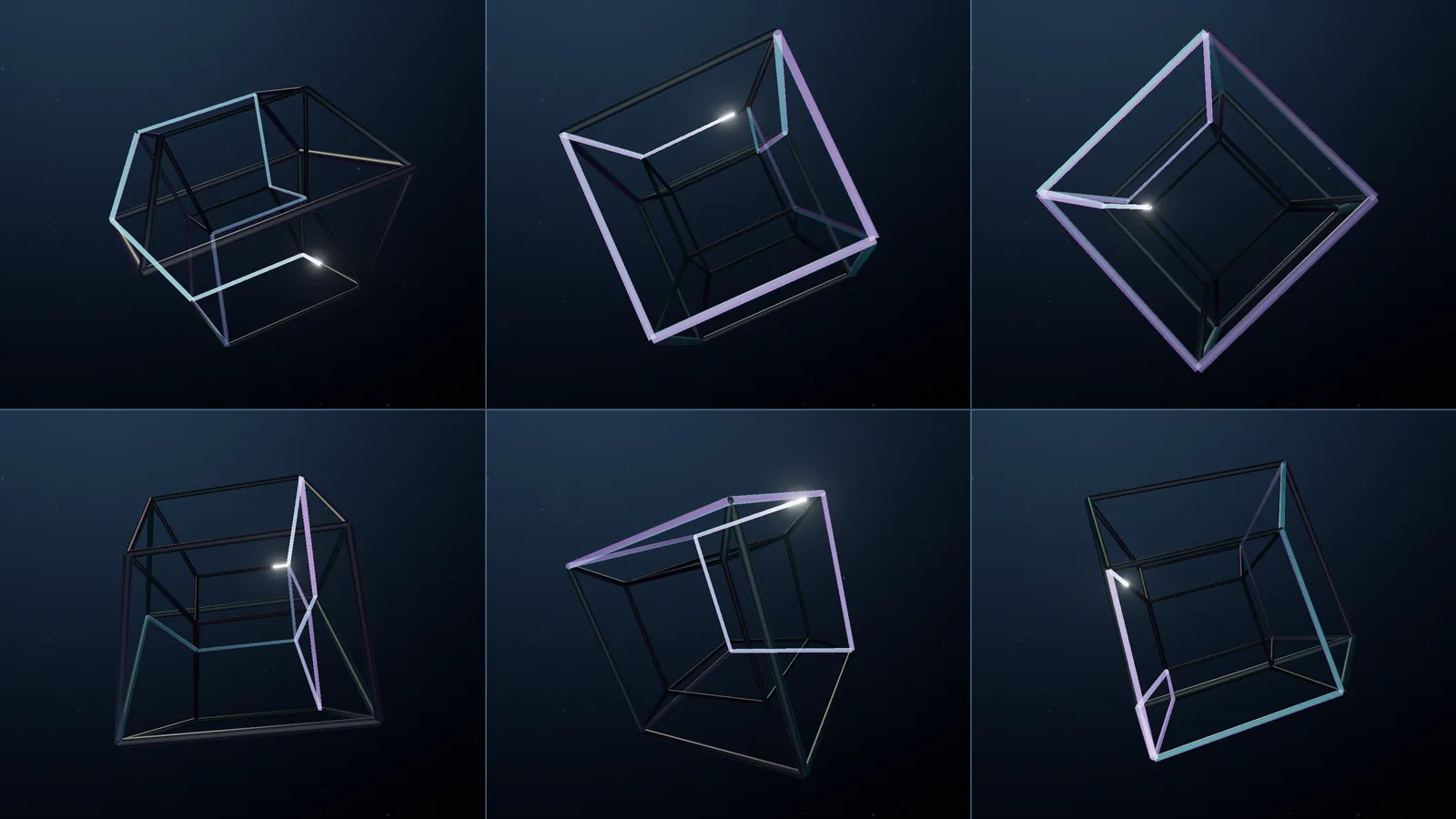
Two decisions in that function aren't obvious, and both matter.
Time is absolute. The pose is computed from elapsed seconds, not by adding an increment every frame. If it added increments, a 120 Hz screen would spin the shape twice as fast as a 60 Hz one. With absolute time, the same moment gives the same pose on any device, and a test checks it up to six hours in.
The clock has rhythm. At a constant speed, after a few seconds the brain decides "fine, it's spinning" and stops looking at the shape. And the path isn't even: some poses read instantly — the cube inside the cube — and some stretches flatten the projection into confusion. So time is warped with two harmonics:
function rhythm(seconds: number): number {
  return seconds
    + 0.3151 * Math.sin((2 * Math.PI * (seconds - 7.5)) / 18)
    + 0.2722 * Math.sin((2 * Math.PI * (seconds - 3.5)) / 9);
}
The measured result: the shape moves at 0.71 of its average speed on the readable poses, 1.21 on the confusing ones, and never drops below 0.7. Since the speed never reaches zero, the clock never runs backwards: an animation that rewinds half a second reads as a bug, not as rhythm. With a single harmonic the peaks and troughs landed nine seconds apart and missed the poses that needed slowing down; the second one, at half the period, moves them into place.
From four dimensions to three: perspective from W
After rotating, each vertex still has four coordinates. To see it you have to project it, and the projection is the same idea as an ordinary camera's perspective, one dimension up: a camera at W = 1.65 looking at the origin. Whatever is closer to it in W looks bigger.
const perspective = 1.65 / (1.65 - p[3]);
const x = p[0] * perspective, y = p[1] * perspective, z = p[2] * perspective;
That's the whole secret of the "cube inside a cube": there aren't two cubes of different sizes, there are two identical cells at different distances from the camera in the fourth dimension. Then a fixed pose presents it diagonally in 3D (0.6, 0.45 and 0.28 radians), and each sample is re-centred and scaled so the farthest vertex always sits 1.5 units from the centre. Without that normalisation the shape "breathes" as it rotates, and the click area and the brackets that target it on the map would move with it.
Not a cage
The first version with all of this working was unreadable. Thirty-two edges of the same thickness and brightness don't read as a four-dimensional object: they read as a wire cage. Raising the exposure didn't help; it just made a brighter cage.
What fixed it was hierarchy. The same perspective that sets the size also says how close each vertex is in W, and that value, normalised from 0 to 1 every frame, drives the thickness and light of each edge:
- Each tube's radius goes from 0.58 to 1.42 times the base depending on its depth in W, so the near cell is thick and the far one thin.
- In the shader, brightness follows the same scale:
0.26 + 0.52 · cell + 0.22 · nearness.
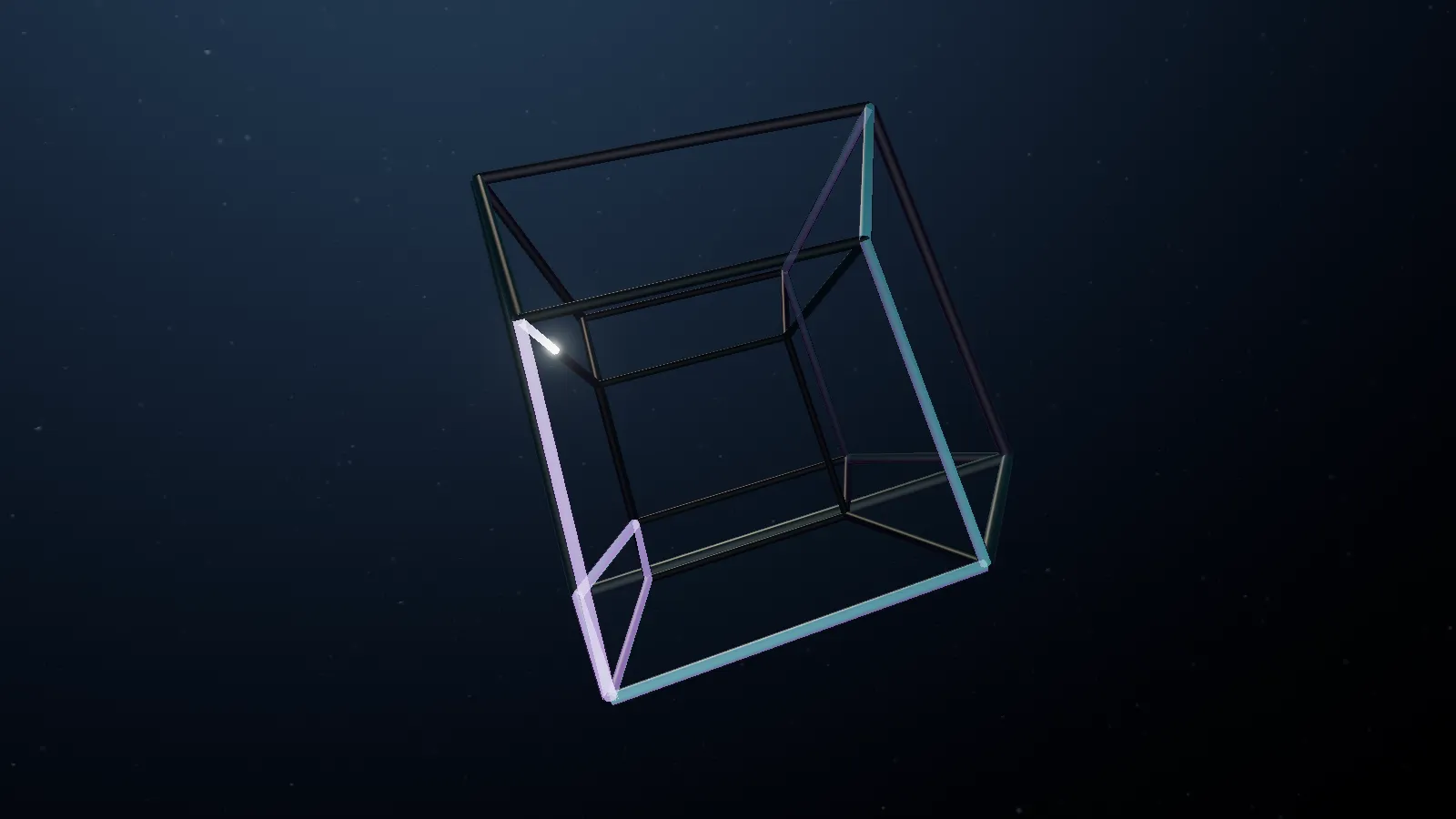
It's normalised every frame rather than against a fixed range for a specific reason: the spread in W changes with the rotation, and with a fixed scale the hierarchy vanished exactly in the poses where the cube faces you most squarely.
Four meshes, one shader
The tesseract is drawn with four Three.js meshes that share the same GLSL and
are told apart by a uniform, uLayer:
| Layer | What it is | How it blends |
|---|---|---|
| Glass edges | Six-sided tubes, near-black body with a Fresnel rim | Opaque, writes depth |
| Stroke light | The point and its trail | Additive, no depth test |
| Glass sheets | Six of the 24 faces | Transparent, double-sided |
| Occluder | A ribbon that only writes depth | No colour |
A few details that took more work than they look:
- Only six glass faces. With all 24 the shape filled in and stopped reading by its edges. Empty space has to stay the dominant surface.
- Per-corner normals, not per-face. With flat normals the six-sided tubes look faceted; with each corner's radial normal they shade round without a single extra triangle.
- The occluder is a ribbon, not a tube. Edges in front had to hide the trail on the edges behind. A full tube would have pushed the scene from 19,500 to 20,001 vertices and broken a budget a test enforces; a ribbon of four vertices per edge, turned to face the camera in the vertex shader, costs 128.
Rebuilding the geometry every frame
Because the shape changes form — not just position — its vertices are rewritten every frame: the two tubes (768 vertices each), the occluder ribbon and the sheets, about 1,700 vertices in all. That sounds expensive and isn't, with three precautions:
- Every buffer that changes is created with
DynamicDrawUsage, which tells WebGL it will be rewritten often. UVs and indices never change and are left alone. - Temporary vectors are allocated once outside the loop: the loop creates no objects and the garbage collector has nothing to do.
- Bounding spheres are fixed at a radius of 1.56 instead of being recomputed: since the shape is already normalised, that radius never changes.
Without WebGL: the same tesseract in SVG
Not everyone sees the 3D scene. Without WebGL2, on a software GPU or with
effects turned off, the site shows a flat atlas drawn in SVG. The tesseract in
that atlas isn't a separate drawing: it calls the same function with
seconds = 0, uses the same topology — the same six faces and the same
32-edge circuit — and projects the vertices into a 140 × 140 viewBox. Each
line's width and opacity come from the same depth in W.
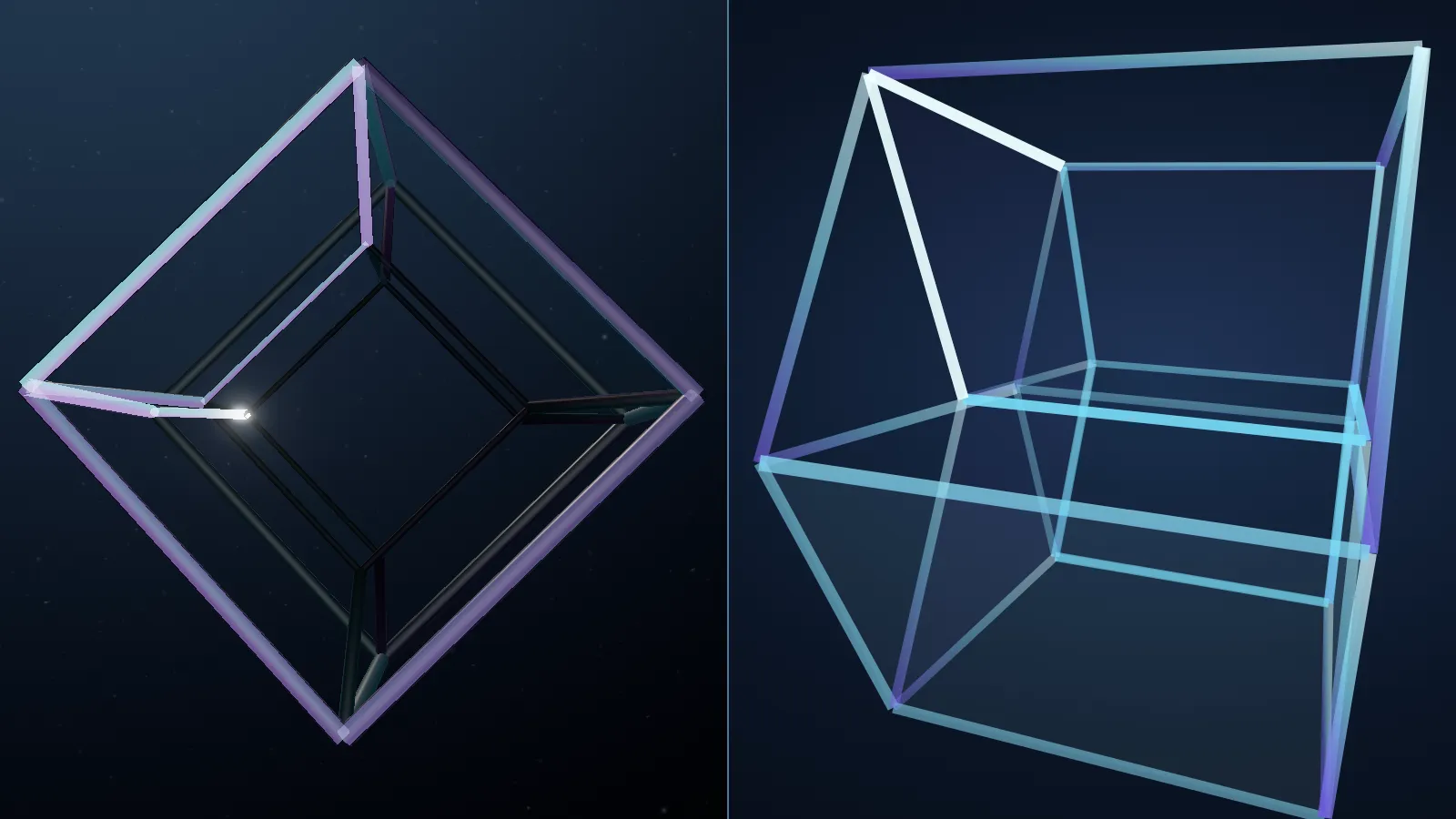
Having both profiles say the same thing was a requirement, not a detail: if the Experiments destination were an animated cube on one device and something else on another, the site would be telling two different stories depending on who was looking.
Pointing at the fourth dimension
In the Observatory, in Study mode, there's an instrument only the tesseract has: the probe. Move the pointer near an edge and it marks it and tells you which one it is, which axis it runs along, how deep it is in W and how far away it sits. It's the only place on the page where you can literally point at the fourth dimension.
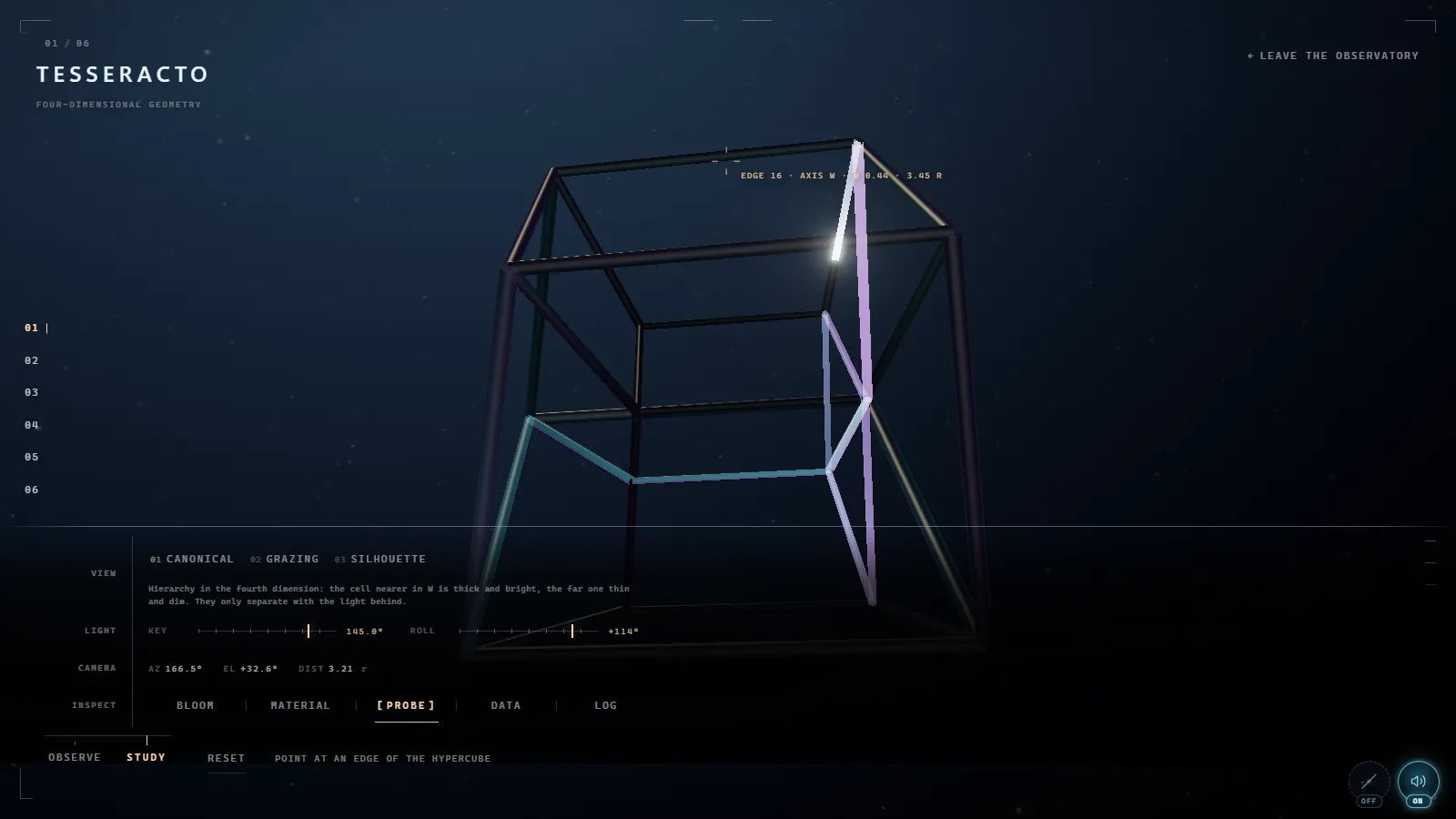
It doesn't use Three.js's Raycaster. It re-samples the shape at the same
instant, projects the 16 vertices to screen pixels and measures the pointer's
distance to each of the 32 segments. That's 32 point-to-segment checks: cheaper
than casting rays against tubes and exact for the question being asked. In the
first version the reading appeared in the top-left corner, far from the edge,
and came across as a message rather than a measurement. Now it sits next to the
reticle and flips side near the screen edge.
What I left out
- A corridor of frames. The first idea was architectural: a corridor of frames repeating inwards. It became a hypercube of glass edges traced by a line of light, which is more honest about what a tesseract is.
- Particles, rays and glows. Anything added around it competed with the shape. They stayed out.
- A "ghost" trail of previous poses. It was proposed as an A/B test with one condition: if it looked like an After Effects effect, it wouldn't go in. It didn't.
Try it
The tesseract is in the Observatory: switch to Study, try the three views and turn the probe on over the edges that join the two cubes. If you want to know how the rest was made, the black hole has its own post.
And if you're thinking about something like this for your product — a 3D visualisation, an interactive piece or a website people remember — here's how I work and what I do.