A bilingual Next.js site without middleware
How this site works in English and Spanish on the Next.js 16 App Router: translated routes, a single source for every URL, hreflang, sitemap, a language switcher and not one line of middleware.

Jonás Javier Encarnación12 min read
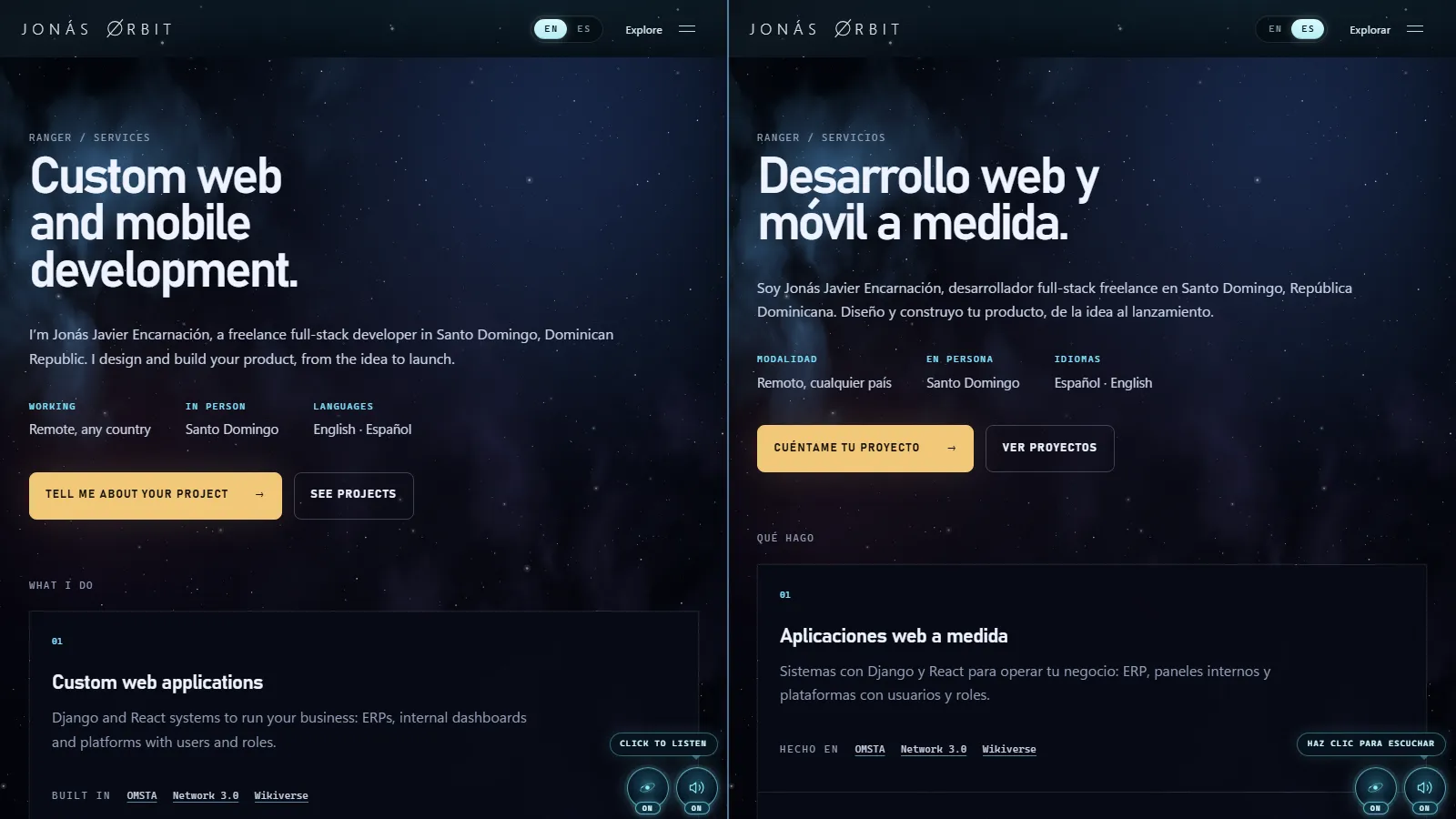
This site is fully in English and Spanish. English is the default and Spanish
is one click away, in the header. Every page has its own address in each
language — /en/about and /es/sobre-mi, /en/contact and /es/contacto —
and Google knows they're the same page in two languages, not two pages
competing with each other.
All of it is built on the Next.js 16 App Router, with no internationalisation library and no middleware. This post walks through how, with the real code, and above all why each decision is the way it is.
Three decisions before writing any code
Each language has its own URL. No serving English or Spanish at the same
address depending on who's asking. A page that changes with the
Accept-Language header can't be cached reliably, can't be linked knowing what
the other person will see and — most importantly for search — is always
crawled in the same language. Half the site vanishes from the index.
Routes are translated. /es/sobre-mi, not /es/about. People searching in
Spanish type in Spanish, and the URL is part of what they see in the result.
It's more work — a static folder can only have one name — and most of this post
is about paying that cost once.
One explicit default language. The root / goes to /en, and the
x-default in hreflang points to English. Spanish isn't a second-class
translation: it's the language the content is written in first. But the
audience reaching the site from outside the Dominican Republic searches in
English.
The language is the first segment
The whole site hangs from app/[locale], and that segment holds the root
layout, the one that writes <html>. That matters for a specific reason:
the lang attribute has to be in the served HTML, not patched in later with
JavaScript. It's what screen readers and search engines read.
export function generateStaticParams() {
  return PUBLISHED_LOCALES.map((locale) => ({ locale }));
}

// Only published languages exist: `/fr` or `/xx/contacto` are a straight
// 404, never rendered on demand.
export const dynamicParams = false;
dynamicParams = false makes any language not on the list an immediate 404.
Without that line, Next.js would try to render /fr on demand and cache it.
There's a price: with one root layout per language, switching language reloads
the whole document. I accepted it. It's something you do once per visit, and in
exchange each language's HTML is right from the first byte. The other
consequence is that a route outside any language has no layout to render its
404; that's what app/global-not-found.tsx is for, currently enabled with
experimental.globalNotFound.
Translated routes with one dynamic folder
The obvious way to have /es/proyectos and /en/projects is two folders. That
works for a one-off page — privacy has privacidad/ and privacy/, each only in
its own language — but it doesn't scale: every child page would have to be
duplicated, and its code with it.
The usual alternative, a rewrite (in next.config or middleware), has a trap:
usePathname returns one route on the server and another on the client, and
any component that marks "you are here" ends up out of sync.
So sections are a dynamic segment: app/[locale]/[mundo], with children in
[mundo]/[sub] and [mundo]/[sub]/[objeto]. Each section's slug lives in the
frontmatter of its content, per language:
# content/es/worlds/endurance.mdx
id: endurance
slug: proyectos

# content/en/worlds/endurance.mdx
id: endurance
slug: projects
The two versions are joined by id, never by slug. Segments that don't belong
to any section — servicios/services, gracias/thanks,
observatorio/observatory — live in a separate module with no dependencies,
so client code can read them too:
export const PATH_SEGMENTS = {
  observatory: { es: "observatorio", en: "observatory" },
  thanks: { es: "gracias", en: "thanks" },
  services: { es: "servicios", en: "services" },
  privacy: { es: "privacidad", en: "privacy" },
  blog: { es: "blog", en: "blog" },
} as const satisfies Record<string, Record<Locale, string>>;
Every dynamic page declares its generateStaticParams in both languages and
also sets dynamicParams = false. The result: the whole site is generated at
build time, and /en/proyectos — the Spanish slug under English — is a 404, not
a duplicate page.
Name pages, not URLs
This is the piece that makes everything else easy. Nowhere in the code is a page named by its route. It's named by what it is:
export type PageRef =
  | { kind: "home" }
  | { kind: "world"; id: WorldId }
  | { kind: "project"; id: ProjectId }
  | { kind: "services" }
  | { kind: "observatory"; id: WorldId }
  | { kind: "blog" }
  | { kind: "article"; id: ArticleId }
  | { kind: "privacy" };
One function turns a PageRef into its route for a language, and another
returns the same page in every published language:
export function pageAlternates(page: PageRef): Record<Locale, string> {
  return Object.fromEntries(
    PUBLISHED_LOCALES.map((locale) => [locale, pagePath(page, locale)]),
  ) as Record<Locale, string>;
}
The language switcher, each page's hreflang, the sitemap and internal links
all draw from that function. Nobody builds a URL by hand. If /es/proyectos
were renamed /es/trabajo tomorrow, one line of frontmatter changes and
everything else — header links and sitemap included — follows.
Because PageRef is a discriminated union, the switch that walks it is
exhaustive: adding a new page without saying what its route is becomes a
TypeScript error, not a broken link in production.
hreflang and x-default
Without hreflang, Google sees /es/sobre-mi and /en/about as two pages on
the same topic and picks one, or alternates between them. With it, it knows
they're the same page and shows each person the one in their language.
Each page's metadata comes from the same source:
export function pageAlternatesMetadata(page: PageRef, locale: Locale) {
  const alternates = pageAlternates(page);
  return {
    canonical: alternates[locale],
    languages: { ...alternates, "x-default": alternates[DEFAULT_LOCALE] },
  };
}
Each page states its canonical URL — its own, in its language — and declares
its siblings. x-default tells the search engine what to show someone who
searches in neither language: English.
Two details that are easy to forget:
- The relationship must be reciprocal. If the English version points to the Spanish one, the Spanish one has to point back. Since both come from the same function, they can't disagree.
- Open Graph has a language too. Each page declares
og:locale(en_USores_DO) and the other one asog:locale:alternate, so a social preview knows what it is.
The sitemap says it as well
Search engines read the sitemap before crawling, so the language relationship
goes there too. Next.js generates each entry's xhtml:link rel="alternate"
from alternates.languages:
export default function sitemap(): MetadataRoute.Sitemap {
  return PAGES.flatMap(({ page, priority, changeFrequency }) => {
    const alternates = pageAlternates(page);
    const languages = Object.fromEntries(
      Object.entries(alternates).map(([locale, path]) => [locale, absoluteUrl(path)]),
    );
    return PUBLISHED_LOCALES.map((locale) => ({
      url: absoluteUrl(alternates[locale]),
      changeFrequency,
      priority,
      alternates: { languages },
    }));
  });
}
One deliberate choice: the sitemap has no lastModified. Stamping every
URL with the build date would claim a change that didn't happen, and search
engines learn to ignore an unreliable lastmod.
The language switcher is made of links
The EN | ES switcher in the header isn't a button that flips some state. It's
two <a> links to the same page in the other language:
<a
  href={languages[locale]}
  hrefLang={locale}
  lang={locale}
  aria-current={locale === current ? "true" : undefined}
  onClick={() => {
    document.cookie = `${LANGUAGE_COOKIE}=${locale}; path=/; max-age=31536000; samesite=lax`;
  }}
>
That brings several things a button doesn't: it works without JavaScript, it can be opened in another tab, search engines follow it and screen readers announce it for what it is. Its accessible name is the language's name in that language — "English", "Español" — because that's how people recognise it.
They're plain <a> rather than Next.js <Link> on purpose: switching language
switches root layout, and Next.js would reload the document anyway. A <Link>
would only add a useless prefetch.
The root: a redirect, not middleware
All JavaScript adds to the switcher is remembering the choice in a cookie. What
for? The root. Someone who chose Spanish and comes back through
jonasjavier.dev should land in Spanish. Two static redirects in
next.config.ts handle that, without middleware:
async redirects() {
  return [
    {
      source: "/",
      has: [{ type: "cookie", key: LANGUAGE_COOKIE, value: "es" }],
      destination: "/es",
      permanent: false,
    },
    { source: "/", destination: "/en", permanent: false },
  ];
}
Both are temporary (307): the root hasn't moved, it just depends on a
preference. And Accept-Language isn't consulted, for the reasons at the top:
a home page that changes with who's asking can't be cached or linked safely,
and the search engine always sees the English one, which is what x-default
declares.
With no middleware there's no code running before every request, and pages are still generated at build time.
Interface text lives with its component
There are two kinds of text. Content — each section's prose, the case
studies, these posts — lives in content/es and content/en as MDX, compiled
by Velite. Interface text — buttons, labels, states — lives in the
component itself, in an object with both languages:
export function defineCopy<T>(table: { es: T; en: NoInfer<T> }): Record<Locale, T> {
  return table;
}

const COPY = defineCopy({
  es: { label: "Idioma" },
  en: { label: "Language" },
});
NoInfer is the important part. Without it, TypeScript would infer the type
from the union of both objects, and a key forgotten in English would slip
through. With it, Spanish fixes the type and English has to match it: a missing
key fails the typecheck.
For content, the guarantee is in the build. Velite checks that every piece exists exactly once in each published language and that no two pieces share a slug in the same language. If a section's translation is missing, the site doesn't ship.
What isn't translated word for word
The English titles and descriptions aren't translations of the Spanish ones: they're written for English searches. «Desarrollador full-stack en República Dominicana» doesn't become "Developer full-stack in Dominican Republic": in English people search for "Full-Stack Developer", in a different order.
Structured data follows the same logic: the person behind the site has a single
@id in both languages — it's the same person — but their job title and
description are in the page's language.
How it's tested
A Playwright suite covers what can break: that the root goes to English and,
with the cookie, to Spanish; that each pair of routes has its lang, canonical
and crossed hreflang; that a route in one language is a 404 in the other; that
the switcher leads to the same page and remembers the choice; that English pages
speak English; and that the contact form validates in the page's language. And
a unit test requires every internal link in these posts to point to a page that
exists, in the post's language.
Try it
Switch language in the header from any page: you land on the same page in the other language, not on the home page. If you're building something that needs to speak two languages, here's how I work. And if you're curious about the 3D side of the site, start with the black hole.