
01 / 05Case study
OMSTA — ERP and mobile app for a travel agency
A production ERP for a Dominican travel agency — bookings, payments, double-entry accounting, tax reporting, payroll and branches — with a native mobile app for the team.
- My role
- Sole developer; architecture, backend, web, mobile app, deployment and maintenance
- Stack
- Python · Django · Django REST Framework · PostgreSQL · Redis · Django Q2 · React Native · Expo · TypeScript · Railway
- Status
- In daily production · mobile app in development
Scope
- 19Django apps in a modular monolith
- 150domain models
- 54screens in the mobile app
The challenge
An agency sells eight kinds of product, gets paid in pesos and dollars and files with the DGII, the Dominican tax authority. Sales, money and accounting needed one system, with no data typed in twice.
- What I built
- I designed and built, on my own, a 19-app Django monolith — from booking to tax report — plus a React Native and Expo app that runs on the same services as the web.
- Key technical decision
- Every economic event is captured once and then propagated: atomic, idempotent services, invariants in the model and PostgreSQL as the single source of truth.
Design decisions
- Problem
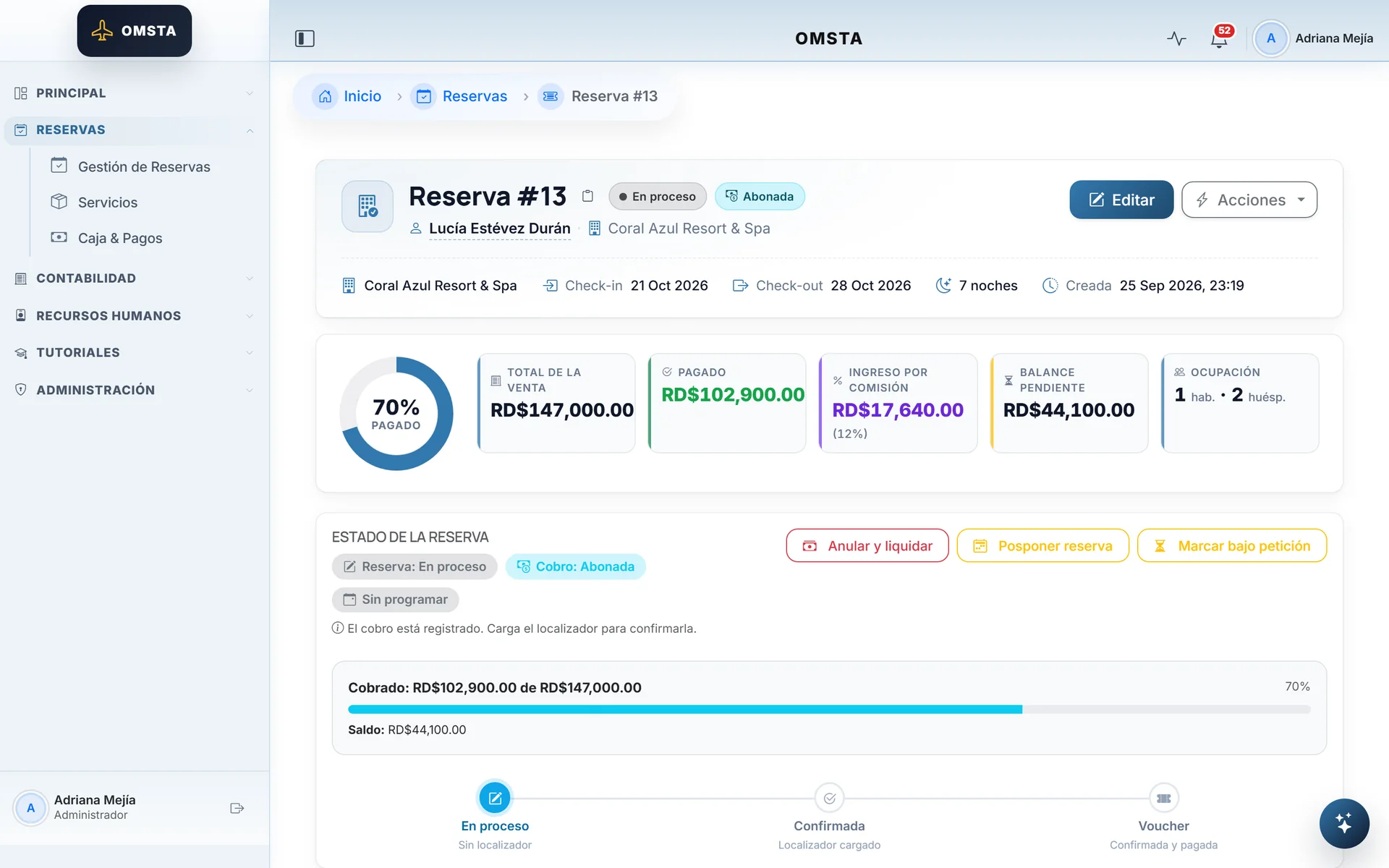
- A booking mixes sales status, payments and balance, and it has to be readable at a glance.
- Decision
- A status ladder, percent collected and balance in the header, with sales and payments kept apart.
- Problem
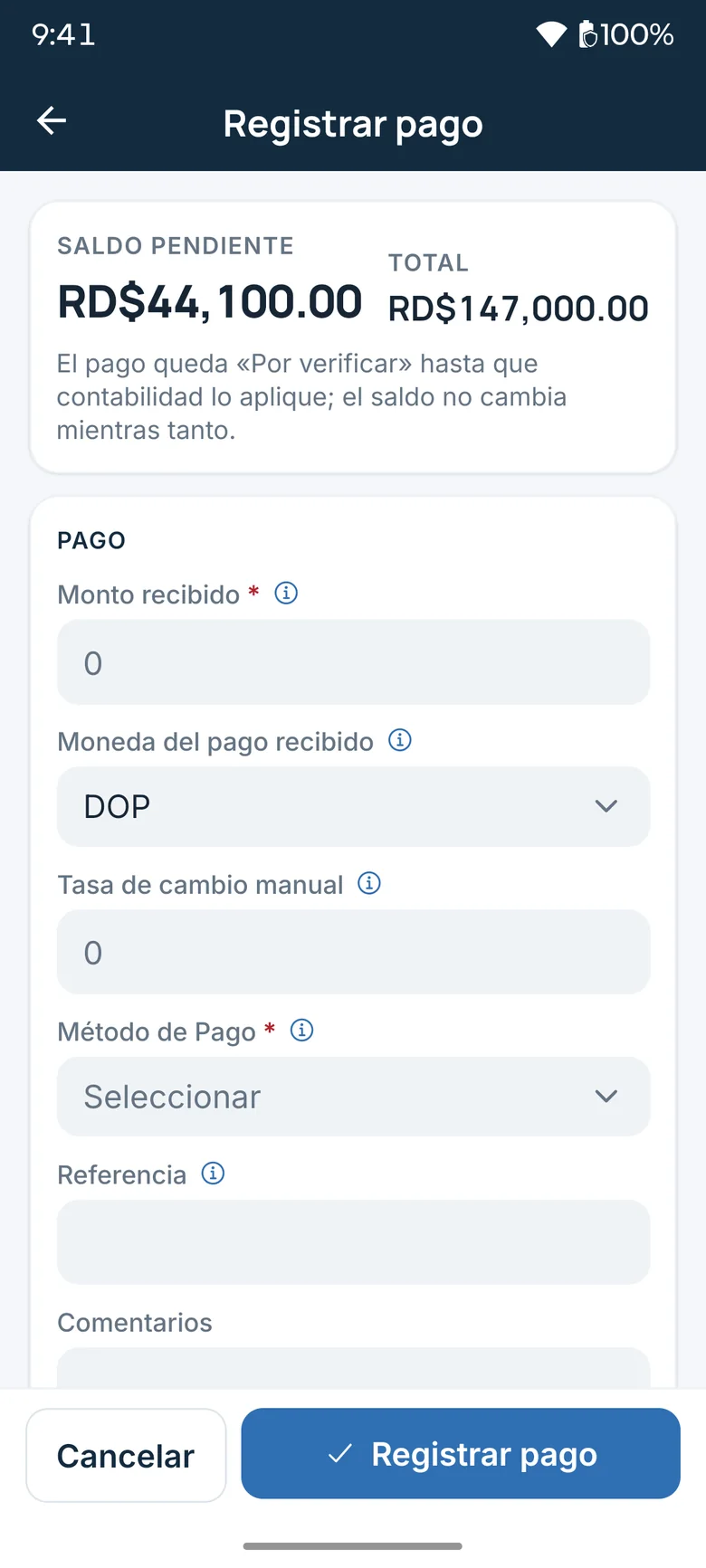
- Away from the office, a sales agent needs to collect without opening the web app or bypassing accounting.
- Decision
- Collecting from the phone uses the same service as the web and stays "pending review" until accounting applies it.
- Problem
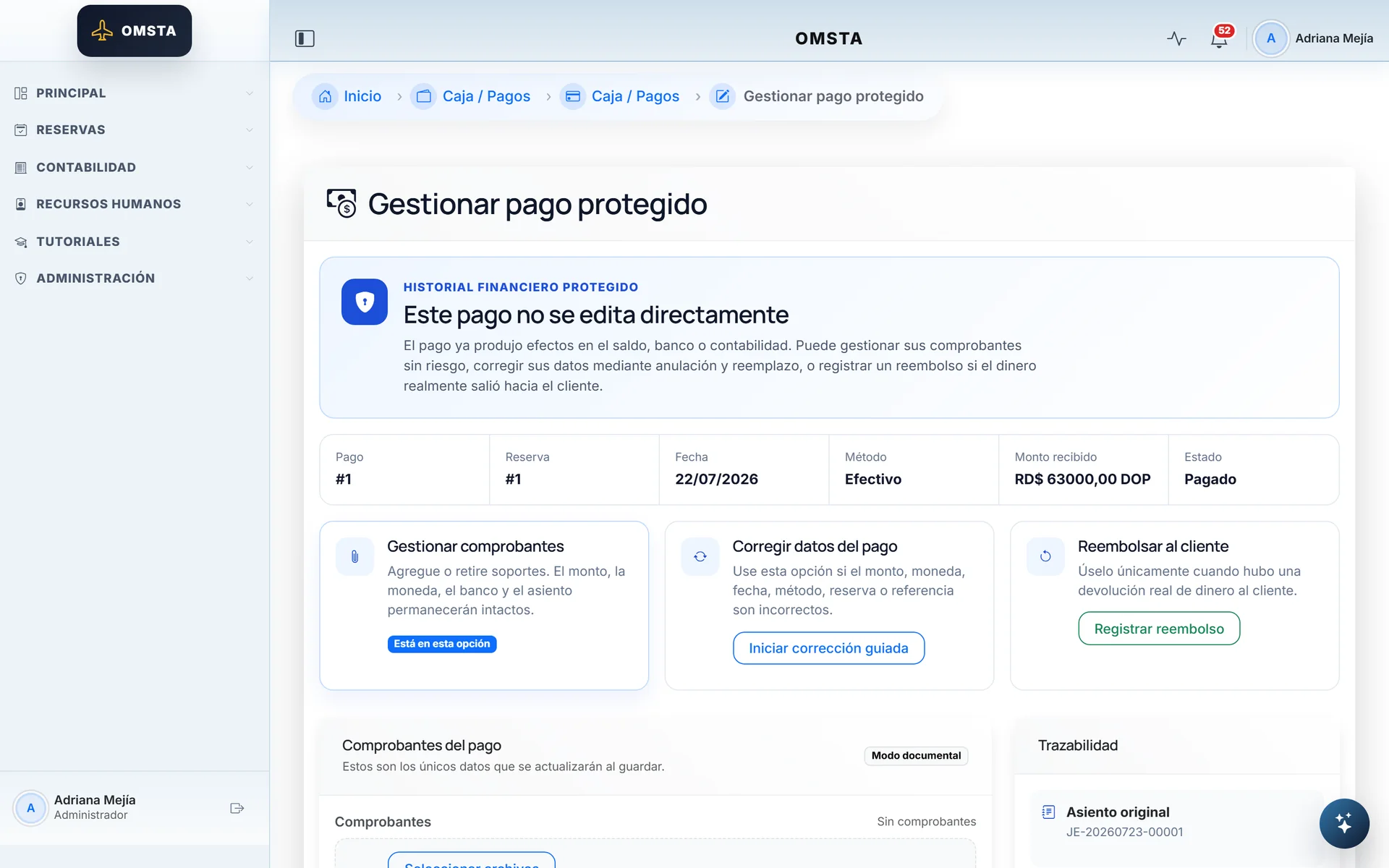
- Editing a posted payment would throw bank, entries and balances out of balance.
- Decision
- A posted payment can't be edited; you manage receipts, make a guided correction or issue a refund.
- Problem
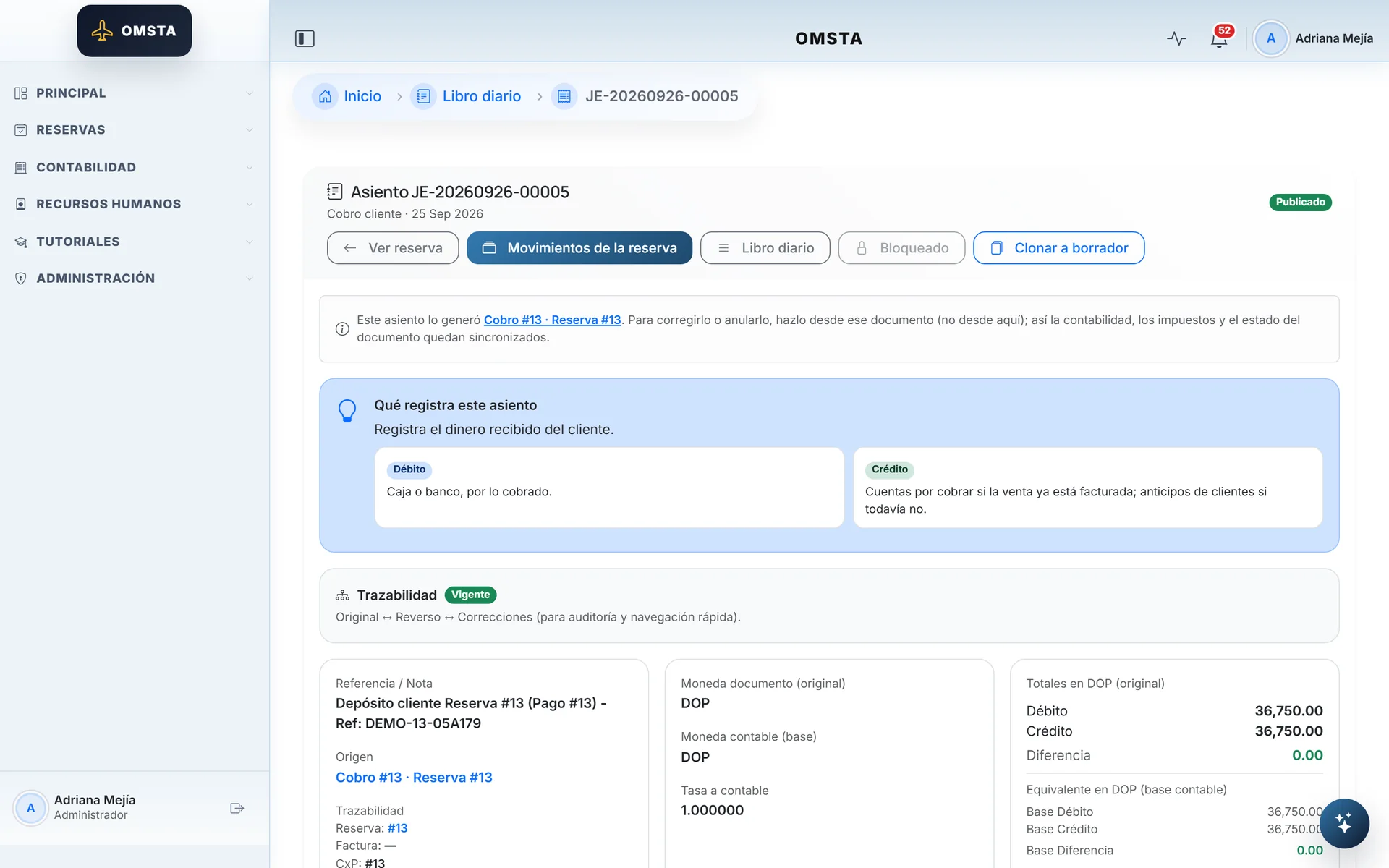
- For the people who sell, accounting is a black box.
- Decision
- Each entry explains in plain language what it records, and the booking shows all of its entries.
- Problem
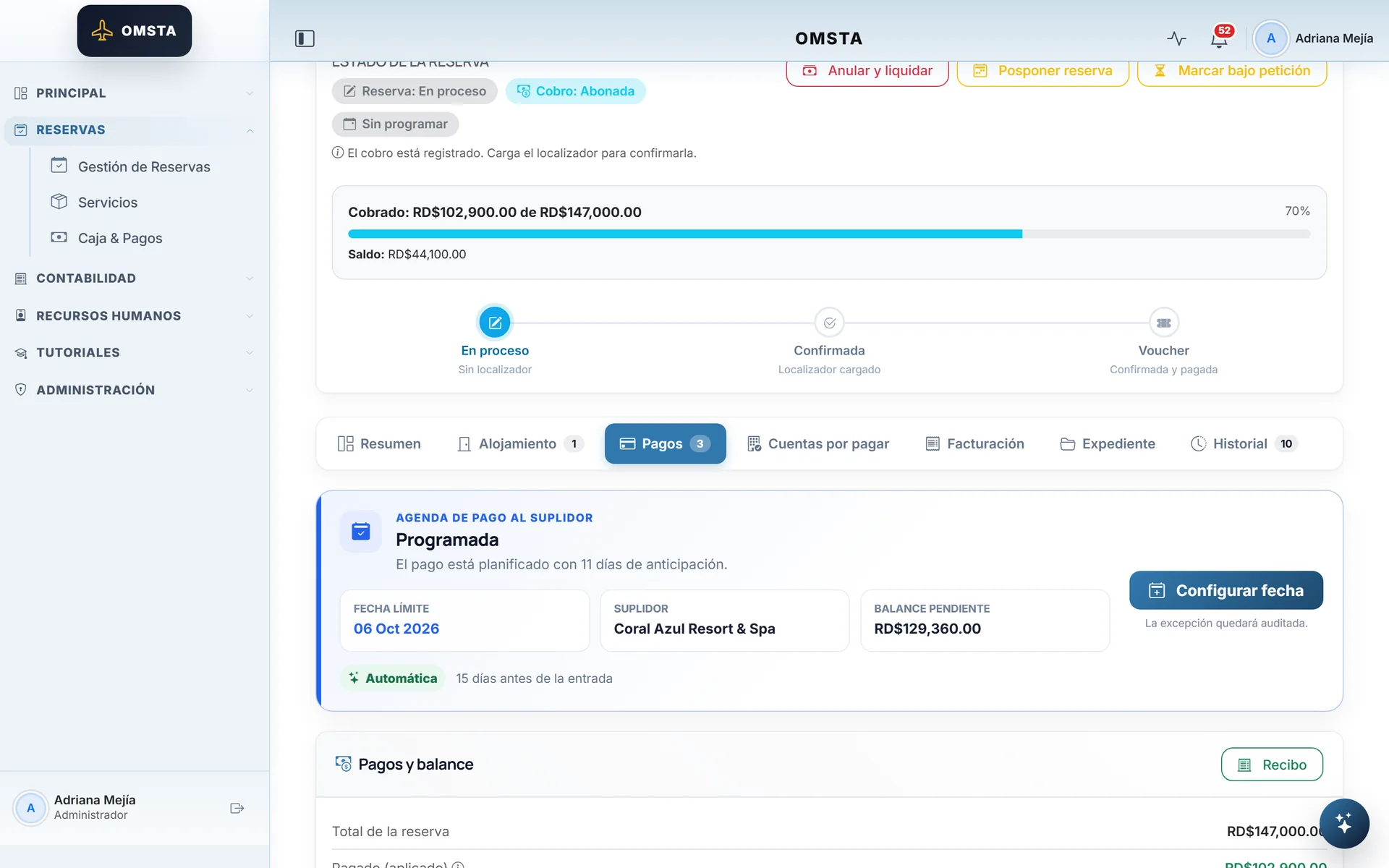
- Paying the hotel late puts the client's reservation at risk.
- Decision
- The supplier payment date is calculated from check-in and scheduled by due date.
- Problem
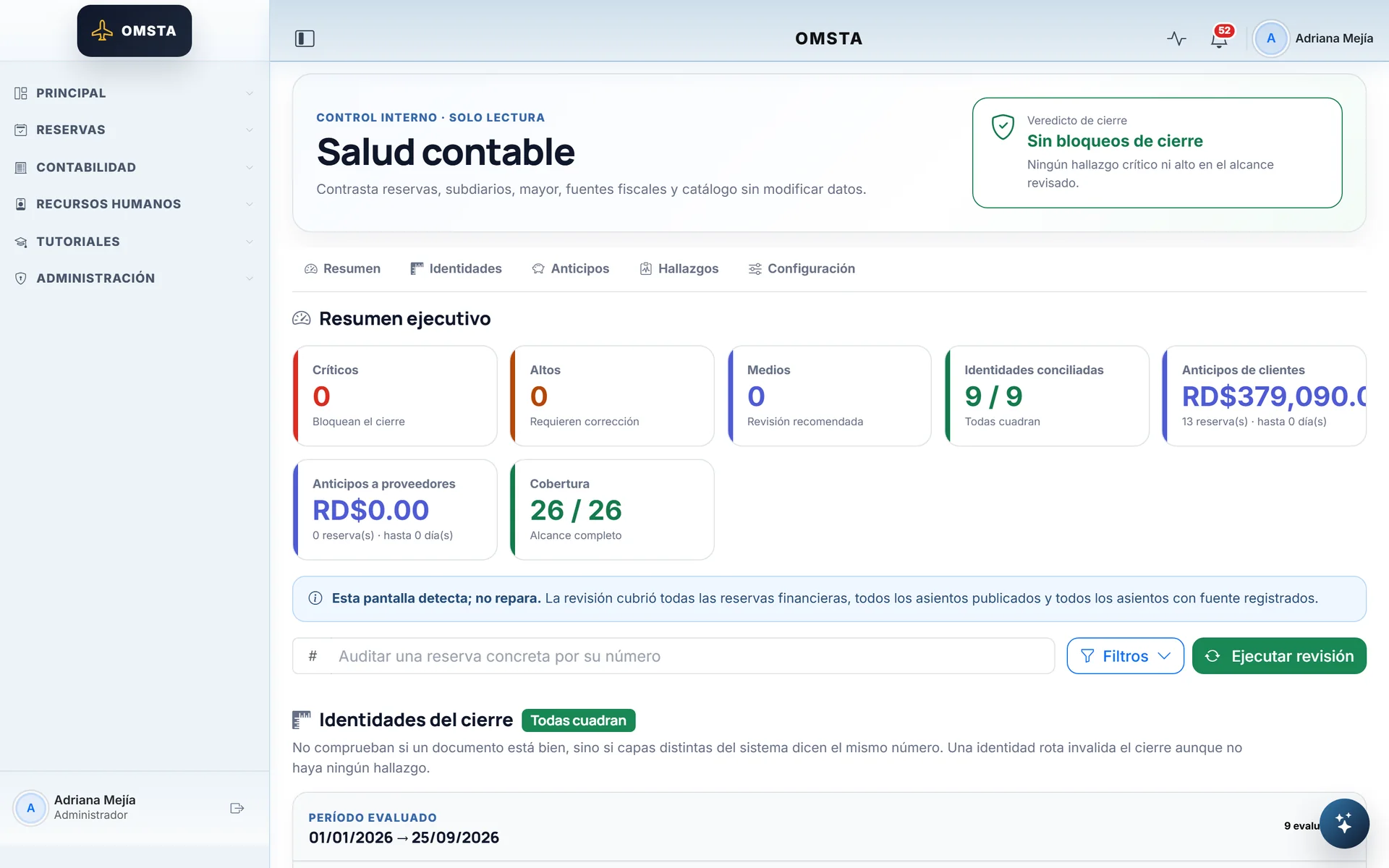
- An accounting error found at month-end arrives too late and costs too much.
- Decision
- A read-only accounting health check, and a period close that locks if any identity doesn't balance.
- Problem
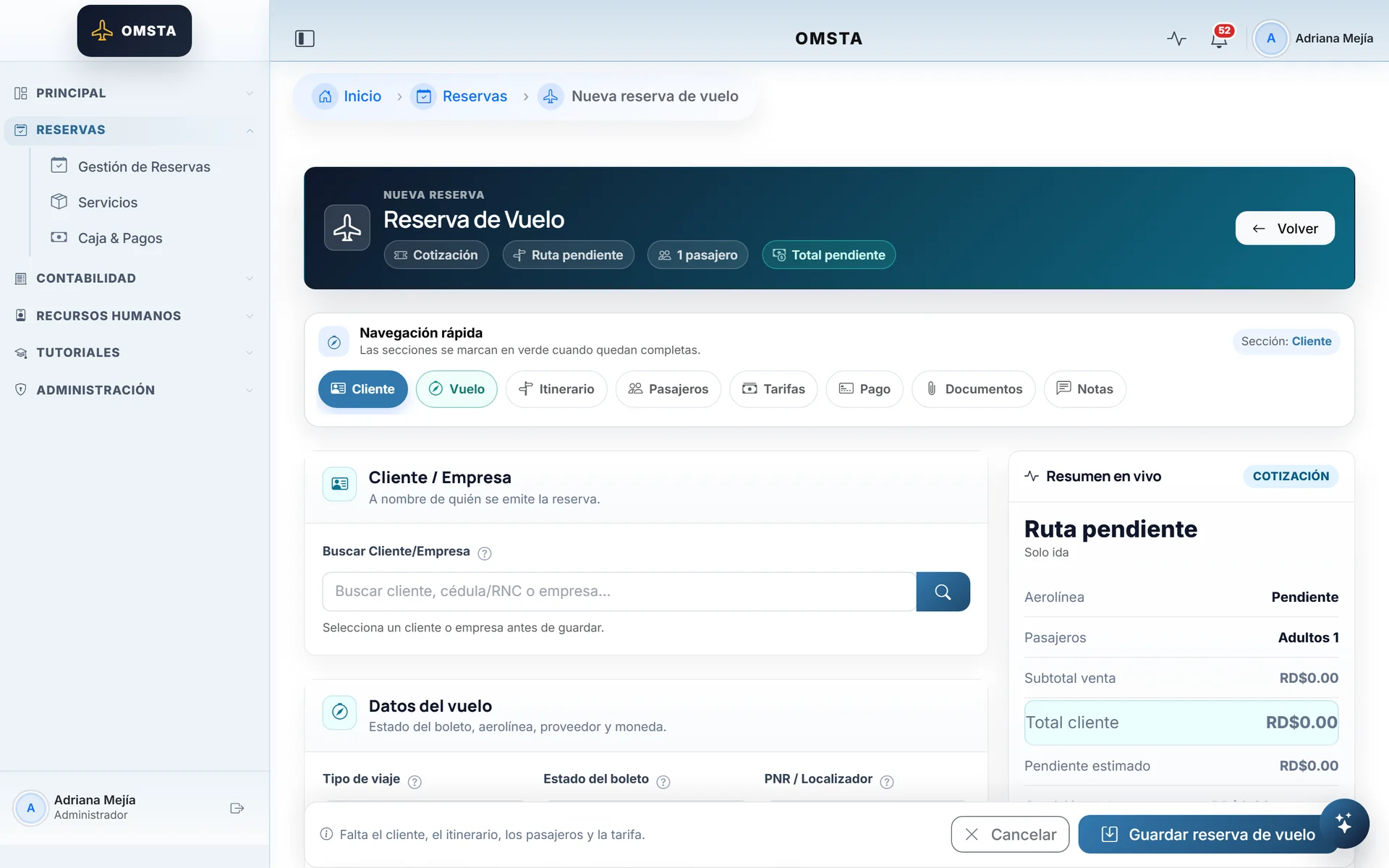
- Six product types with different data end up as six forms that look nothing alike.
- Decision
- One entry pattern for all of them, with section navigation and a live price summary.
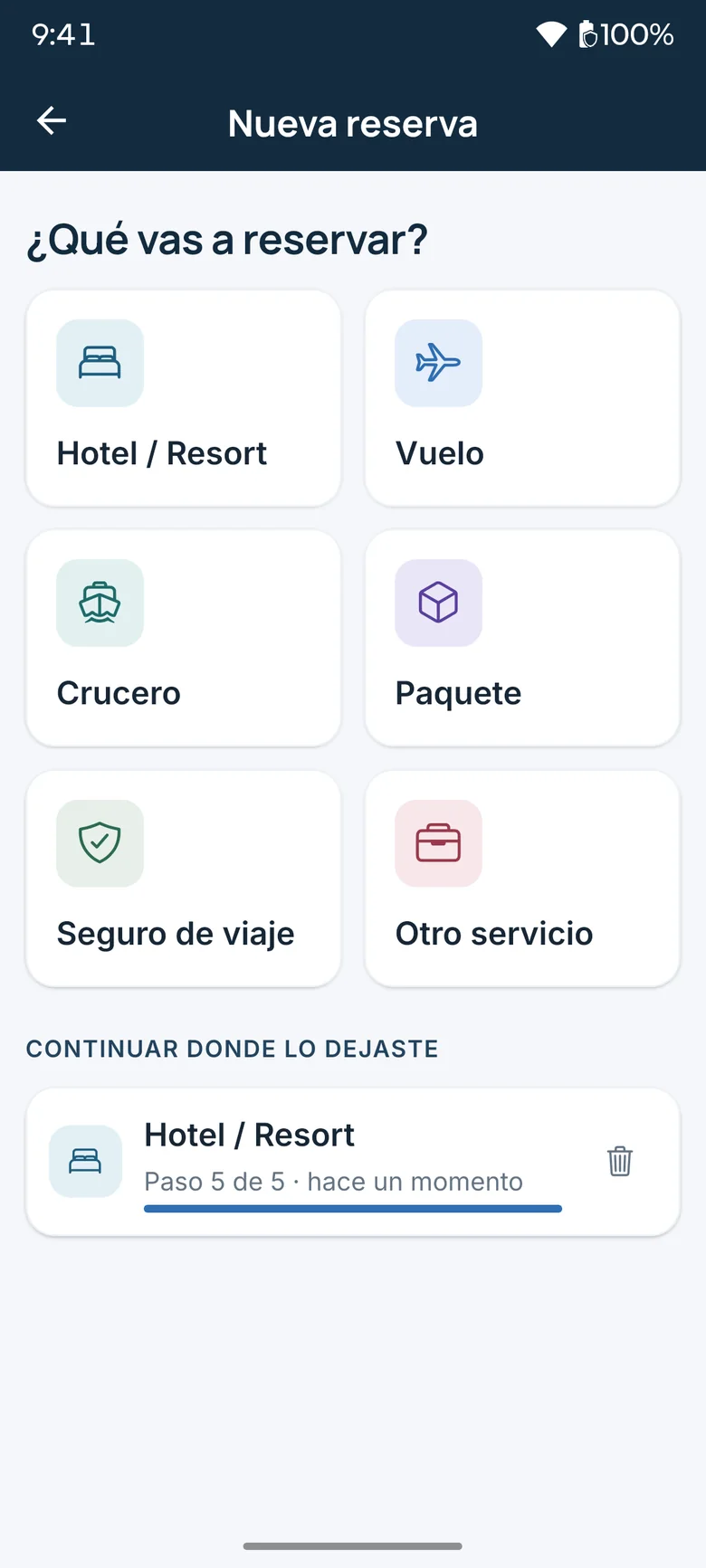
- Problem
- Creating a booking on a phone takes a while, and a phone call can interrupt it halfway.
- Decision
- A step-by-step wizard that saves every draft encrypted on the phone; you pick up where you left off.
System
Pick a module: its path lights up.Pick a module: its decision appears below.
Server-rendered HTML, with no SPA and no build step, so critical logic and permissions live only in the backend.
Django Templates · Bootstrap 5.3 · jQuery 3.7 · Select2 · HTMX 2.0 · Chart.js 4.4
A second client that never calculates balances or statuses: it renders what the server describes.
React Native 0.86 · Expo SDK 57 · Expo Router · TypeScript 6.0 · TanStack Query 5 · react-native-mmkv · Expo SecureStore
Its own Django app with device-bound JWT and an OpenAPI contract that generates the app's TypeScript types.
Django REST Framework 3.16 · Simple JWT 5.5 · drf-spectacular 0.30 · openapi-typescript 7.13
Closed by default: mandatory login, effective roles (role plus modules) and URL-prefix rules enforced in middleware.
Django 5.2 · django-user-agents · django-crum
Eight product types in a domain that talks to accounting only through a neutral contract, guarded by boundary tests.
Django 5.2 · django-filter · django-select2 · django-countries
One recording service for web and mobile; every payment is born "pending review", with an idempotency key, and accounting applies it.
Django 5.2 · Django REST Framework · django-storages
The invoice posts an atomic package of entries so receivables never go into credit and advances never stay unreclassified.
Django 5.2 · openpyxl 3.1
A generic ledger layer that doesn't import accounting and blocks posting into closed periods.
Django 5.2 · PostgreSQL
ReportLab 4.4 · XlsxWriter 3.2 · Chart.js 4.4
An immutable tax snapshot at posting time; it generates the official TXT and the XLSX, and filing with the DGII stays in human hands.
Django 5.2 · openpyxl 3.1
One bank account per currency, with the exchange rate frozen on every payment in pesos or dollars.
Chart.js 4.4 · chartjs-plugin-zoom · openpyxl 3.1
Receipts rendered live; only the NCF invoice is immutable.
WeasyPrint 65 · ReportLab 4.4 · qrcode 8.0 · bleach 6.3
The single source of truth: everything accounting, auditable or durable lives here.
PostgreSQL · psycopg 3.3
Only the Django Q2 queue, cache and sessions; it can be lost without losing any business state.
Redis · redis-py 6.1 · hiredis
Receipts and documents in private storage with signed URLs, because they hold personal and financial data.
django-storages 1.14 · boto3 1.42
Every push to the main branch deploys production and the demo after lint, checks and pytest pass on GitHub Actions.
GitHub Actions · pytest 8.4 · Ruff · Black · Jest
Threaded Gunicorn, staggered worker recycling and a /health/ probe exempt from login and from the HTTPS redirect.
Railway · Railpack · Gunicorn 23 · WhiteNoise 6.12
Internal development builds tested on a real Android phone; the app stores wait for the business's own accounts.
EAS Build · Expo Dev Client · expo-doctor
Django Q2 instead of Celery; jobs are queued on transaction commit and are idempotent.
Django Q2 1.9 · Redis
Django email · SMTP
IP lookups cached for 24 hours (negative ones for one), so geolocation isn't paid for or waited on in every request.
IPinfo API · requests
Queried from the server, to locate hotels without exposing the key in the app.
Google Places API · Google Maps JavaScript API
Client
Django web
Server-rendered HTML, with no SPA and no build step, so critical logic and permissions live only in the backend.
- Technologies
- Django Templates · Bootstrap 5.3 · jQuery 3.7 · Select2 · HTMX 2.0 · Chart.js 4.4
- Sends to
- Railway web
Technologies
67 tools across 11 areas. In the system, each module lists its own.
Languages
- Python 3.12
- TypeScript 6.0
- JavaScript
- HTML and Django Templates
- CSS
Backend
- Django 5.2
- WhiteNoise 6.12
- django-filter 25.1
- django-select2 8.3
- bleach 6.3
Web interface
- Bootstrap 5.3
- Bootstrap Icons 1.11
- jQuery 3.7
- Select2 4.1
- HTMX 2.0
- Chart.js 4.4
- flatpickr 4.6
- SweetAlert2 11
Mobile app
- React Native 0.86
- React 19.2
- Expo SDK 57
- Expo Router
- TanStack Query 5
- react-native-mmkv 4.3
- Expo SecureStore
- Expo Local Authentication
- Expo Location
- Expo Image Picker
- Expo Document Picker
API and contracts
- Django REST Framework 3.16
- Simple JWT 5.5
- drf-spectacular 0.30
- OpenAPI 3.0
- openapi-typescript 7.13
Data and queues
- PostgreSQL
- psycopg 3.3
- Redis
- Django Q2 1.9
- django-storages 1.14
- boto3 1.42
PDF and export
- WeasyPrint 65
- ReportLab 4.4
- qrcode 8.0
- openpyxl 3.1
- XlsxWriter 3.2
Integrations
- Google Places API
- Google Maps JavaScript API
- IPinfo
- SMTP email
Infrastructure
- Railway
- Railpack
- Gunicorn 23
- Private S3 storage
Mobile build
- EAS Build
- Expo Dev Client
- Metro
Quality and CI
- pytest 8.4
- pytest-django 4.11
- coverage 7.16
- Ruff 0.15
- Black 23.12
- pre-commit
- Jest 29
- ESLint 9
- GitHub Actions
- expo-doctor
- Playwright 1.61
Verifiable results
- In production and used every day by 15 people, with automatic deploys to Railway from the main branch
- Full cycle from sale → payment → NCF invoice → journal entries → DGII reports 606, 607, 608 and 623
- Double-entry accounting with invariants enforced in the model and in the database
- A native mobile app and its REST API, built in 16 days on the same backend
- An end-to-end typed OpenAPI contract, with CI that fails if the app and the API drift apart
- 3,164 automated pytest tests against PostgreSQL, with continuous integration on GitHub Actions
Tour by module
61 screens across 10 modules.
Dashboard and bookings10 screens
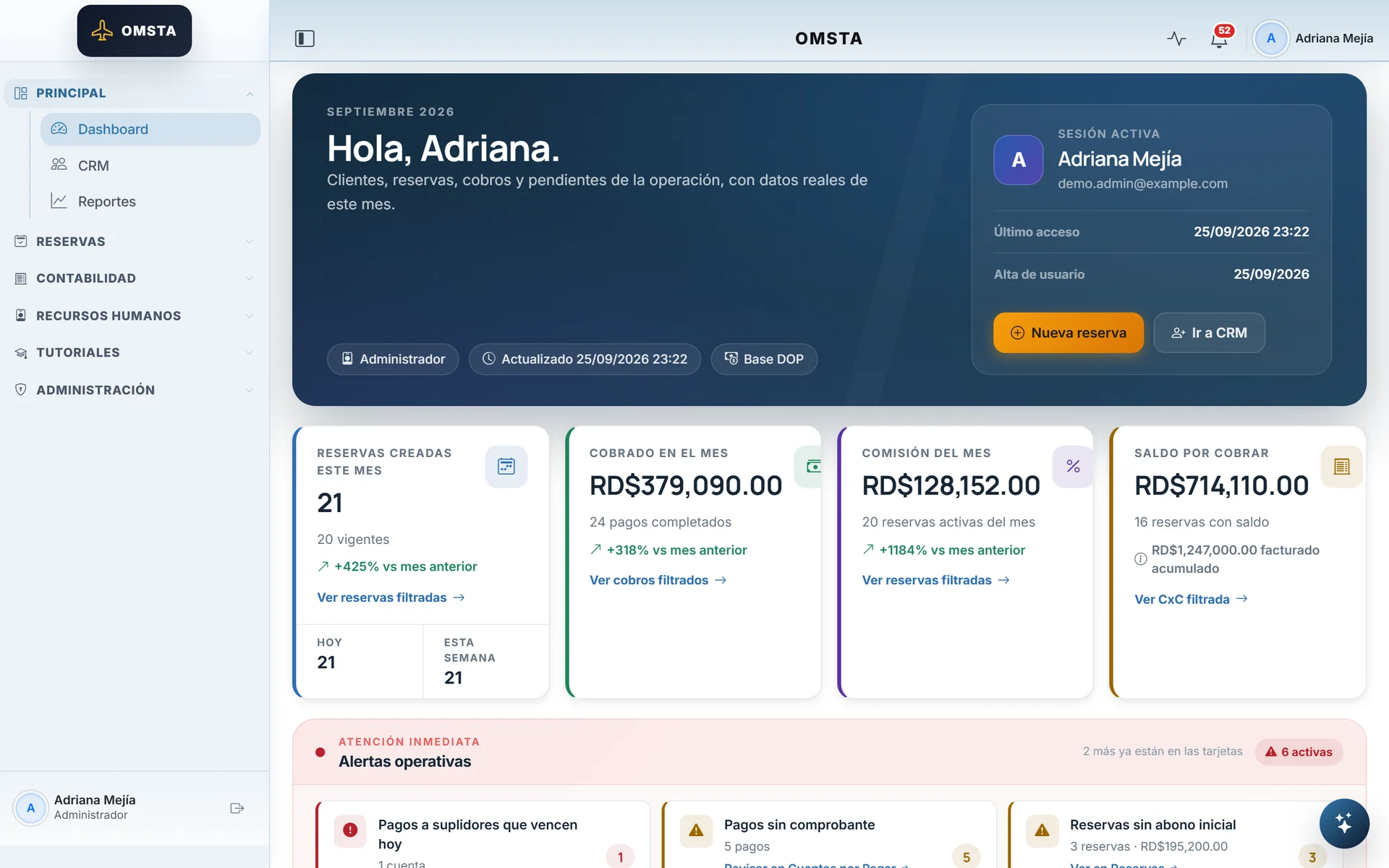
The agency's month at a glance, with alerts that lead to action.
A booking shows how much was sold, how much was collected and what's left.
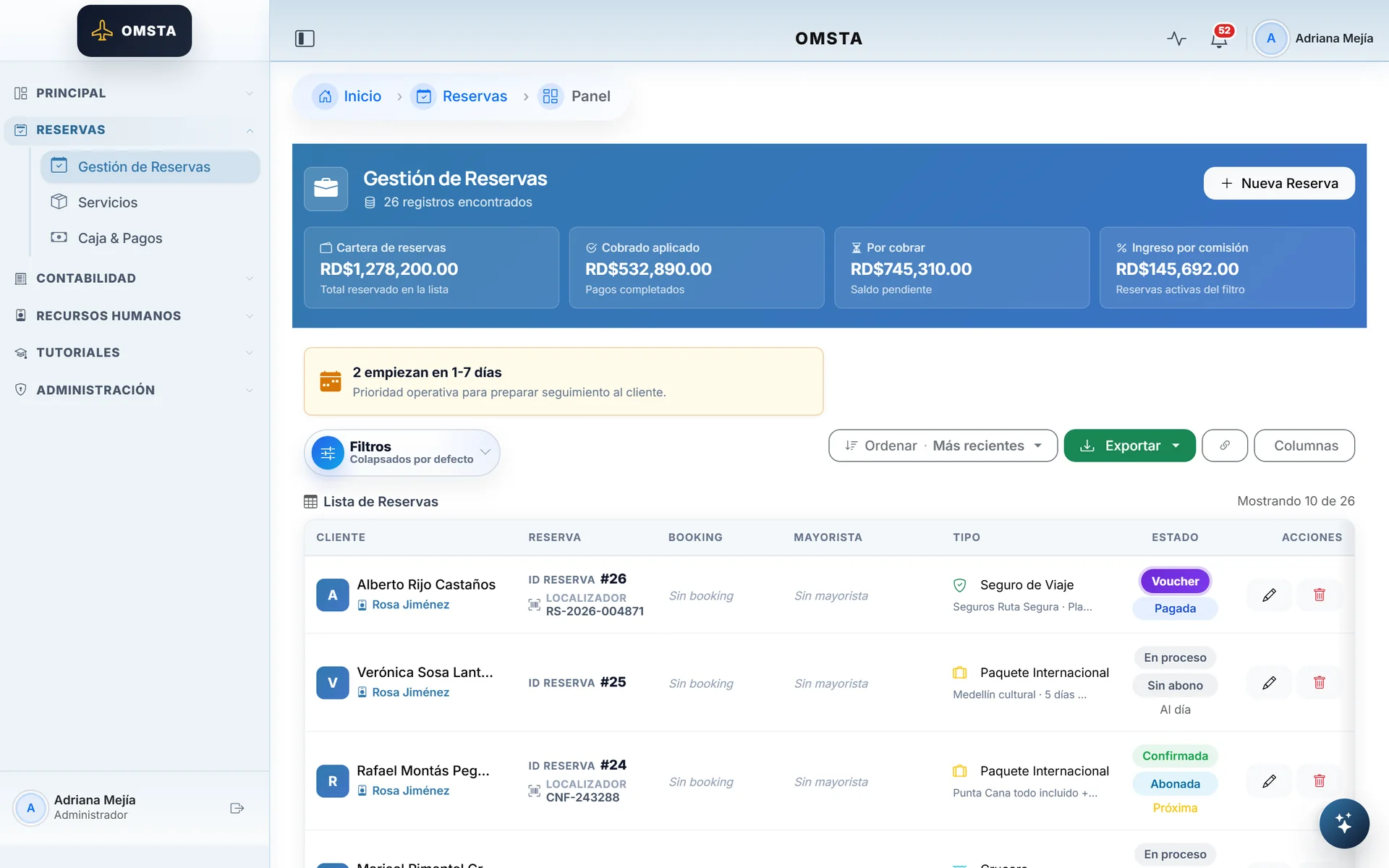
Every booking with its sales and payment status.
The hotel payment date is worked out from the check-in date.
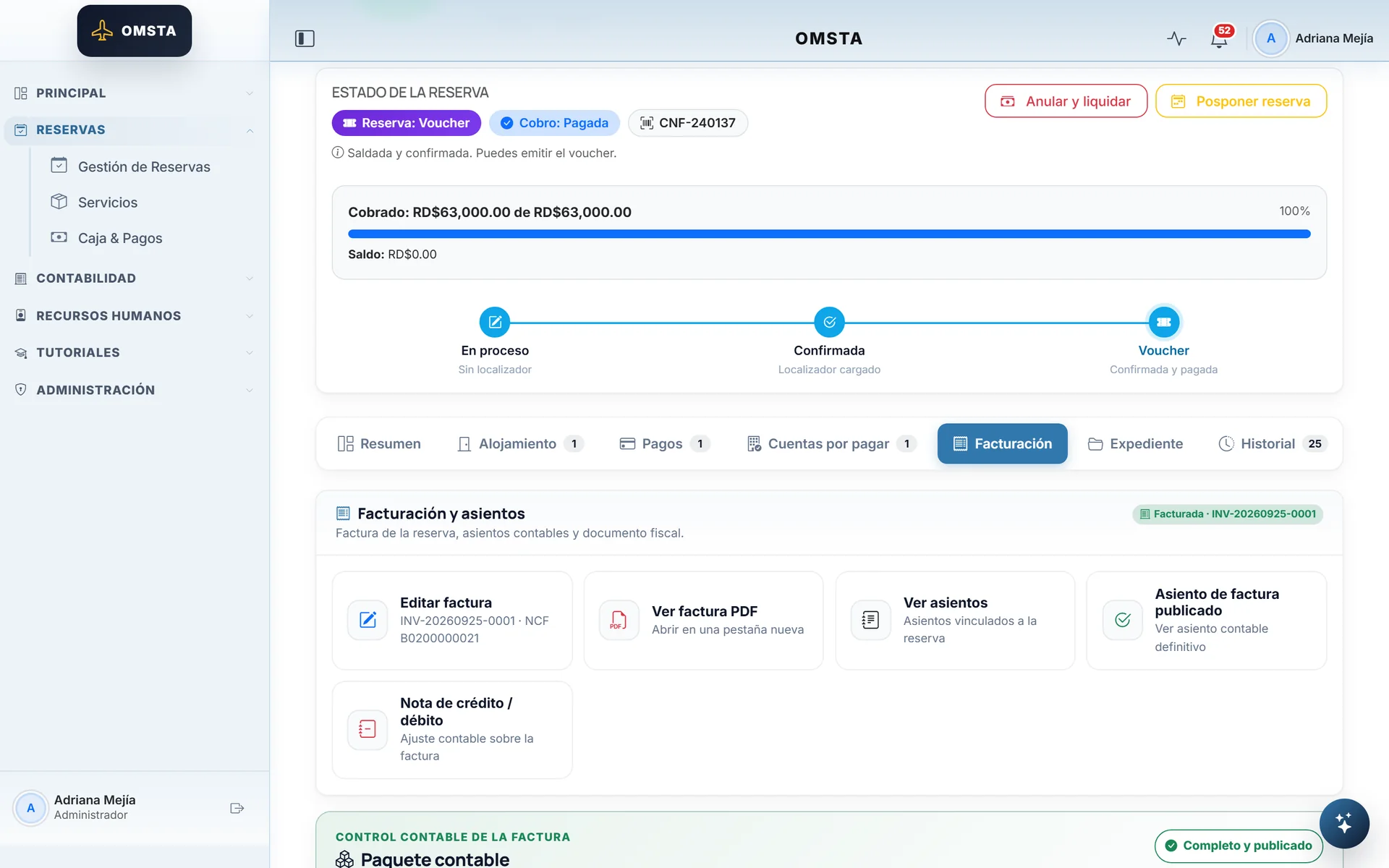
The NCF invoice and its entries, right from the booking.
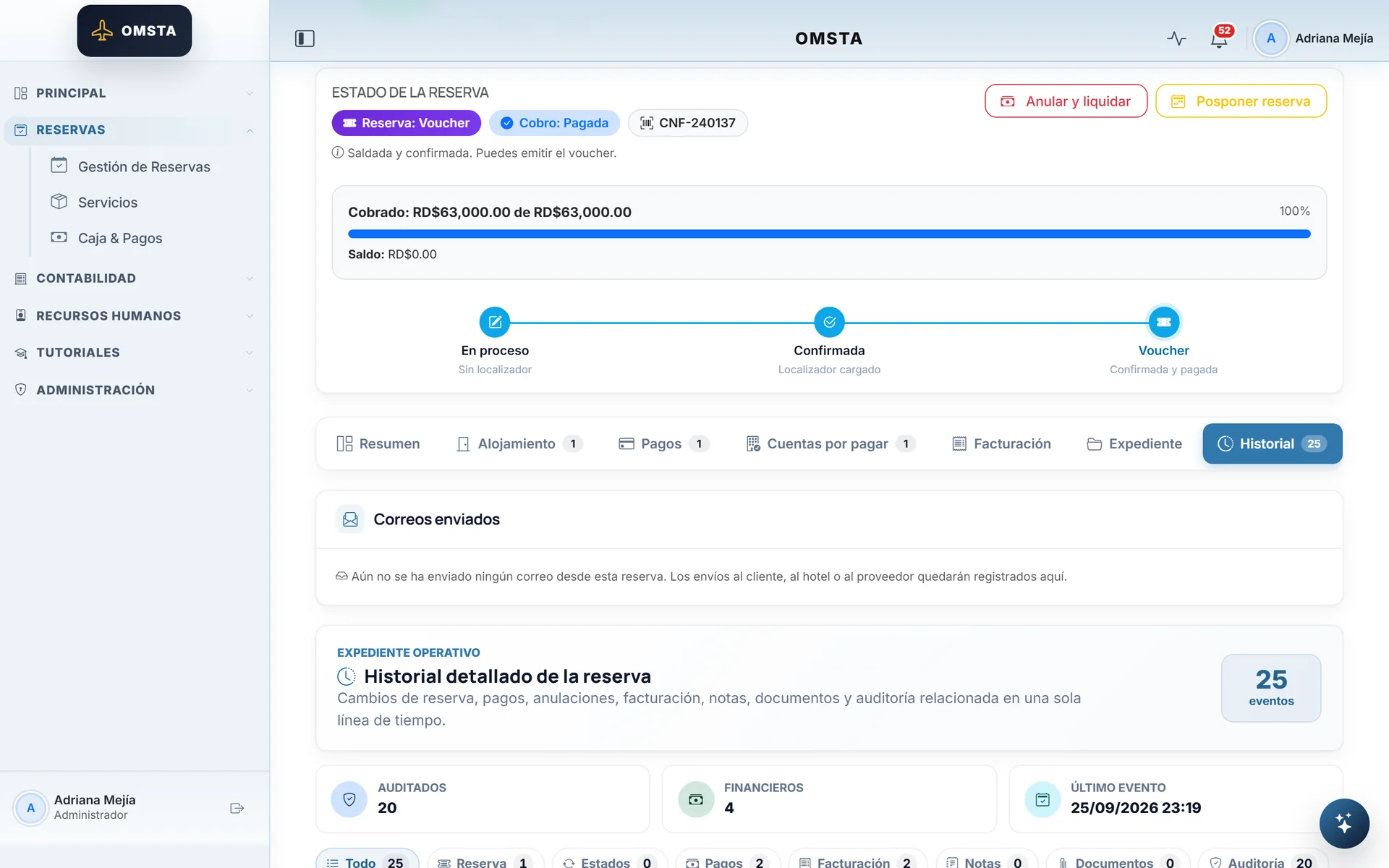
Everything that happened to the booking, audited.
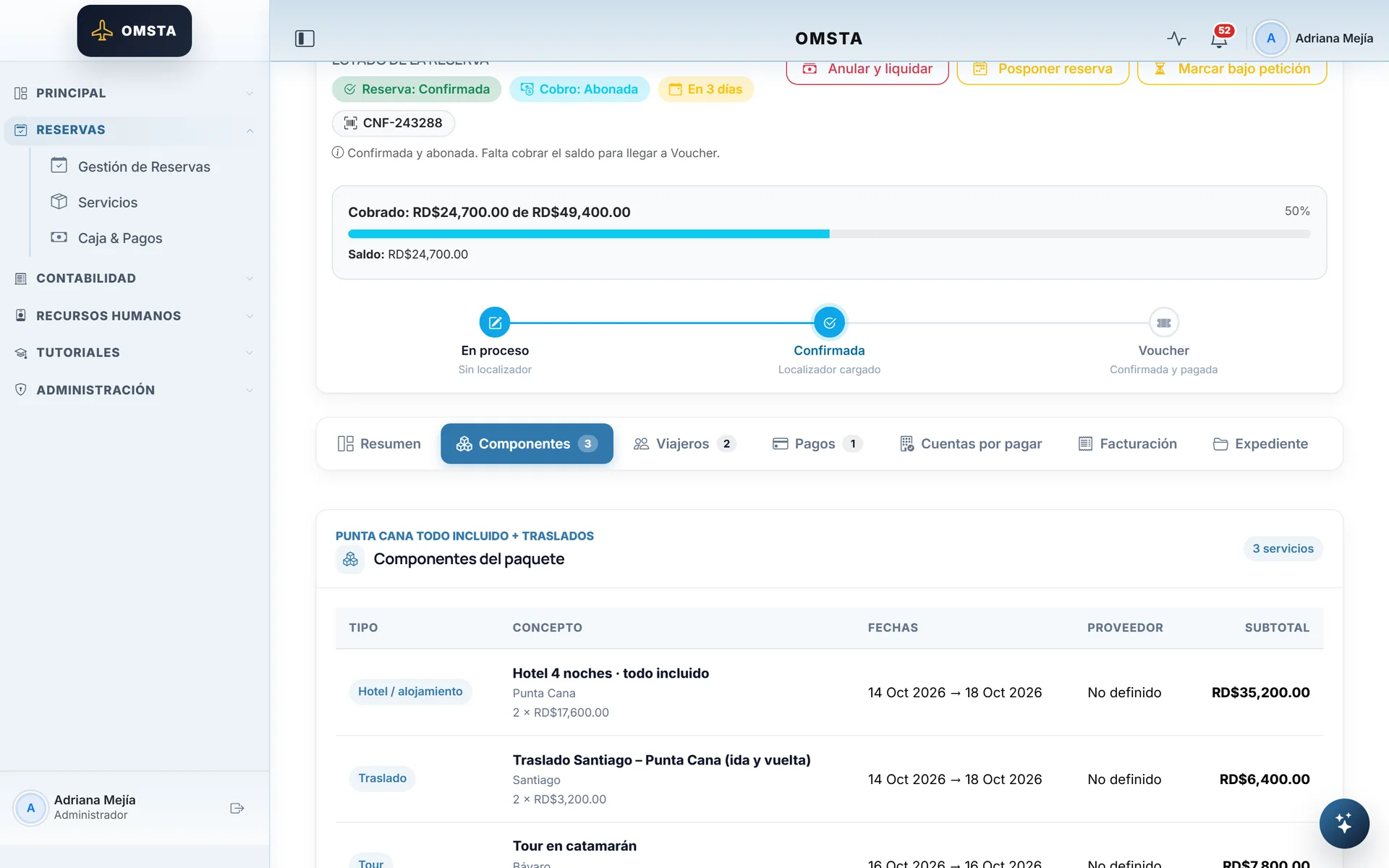
Packages built from components, each with its own cost.
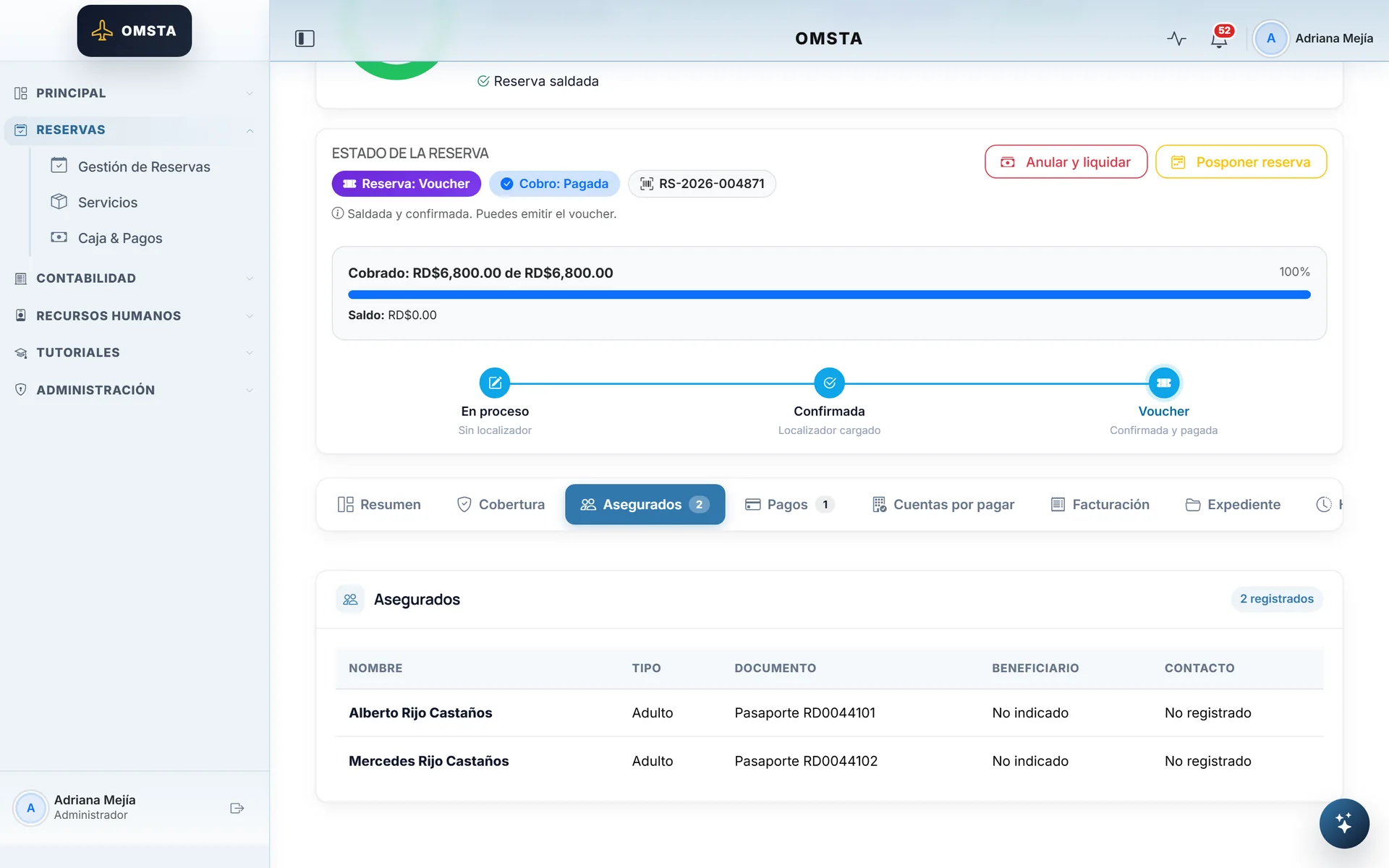
Insurance, cruises, flights and other services, too.
Guided entry by section, with the price summarized live.
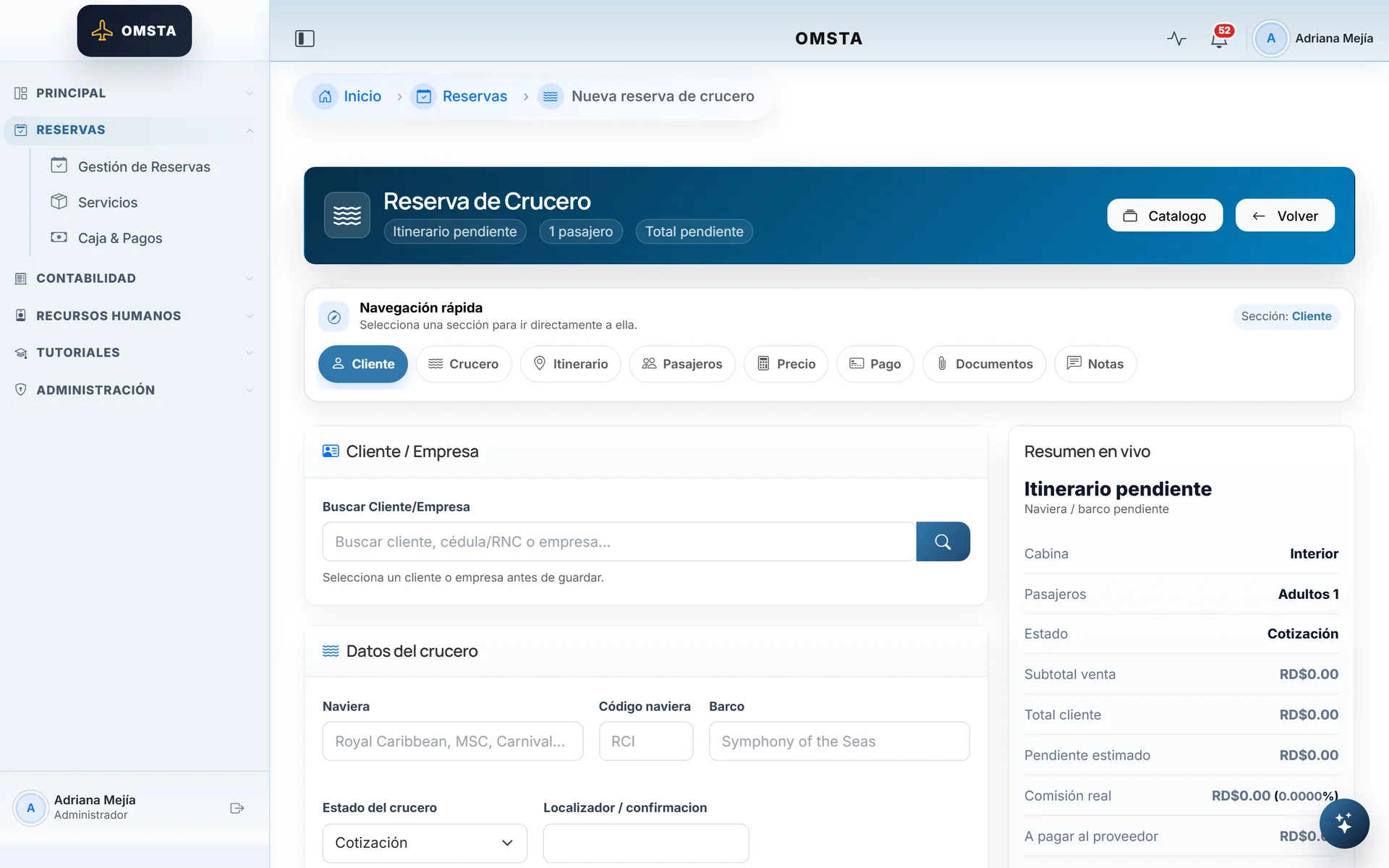
The same entry pattern for every product type.
Mobile app15 screens
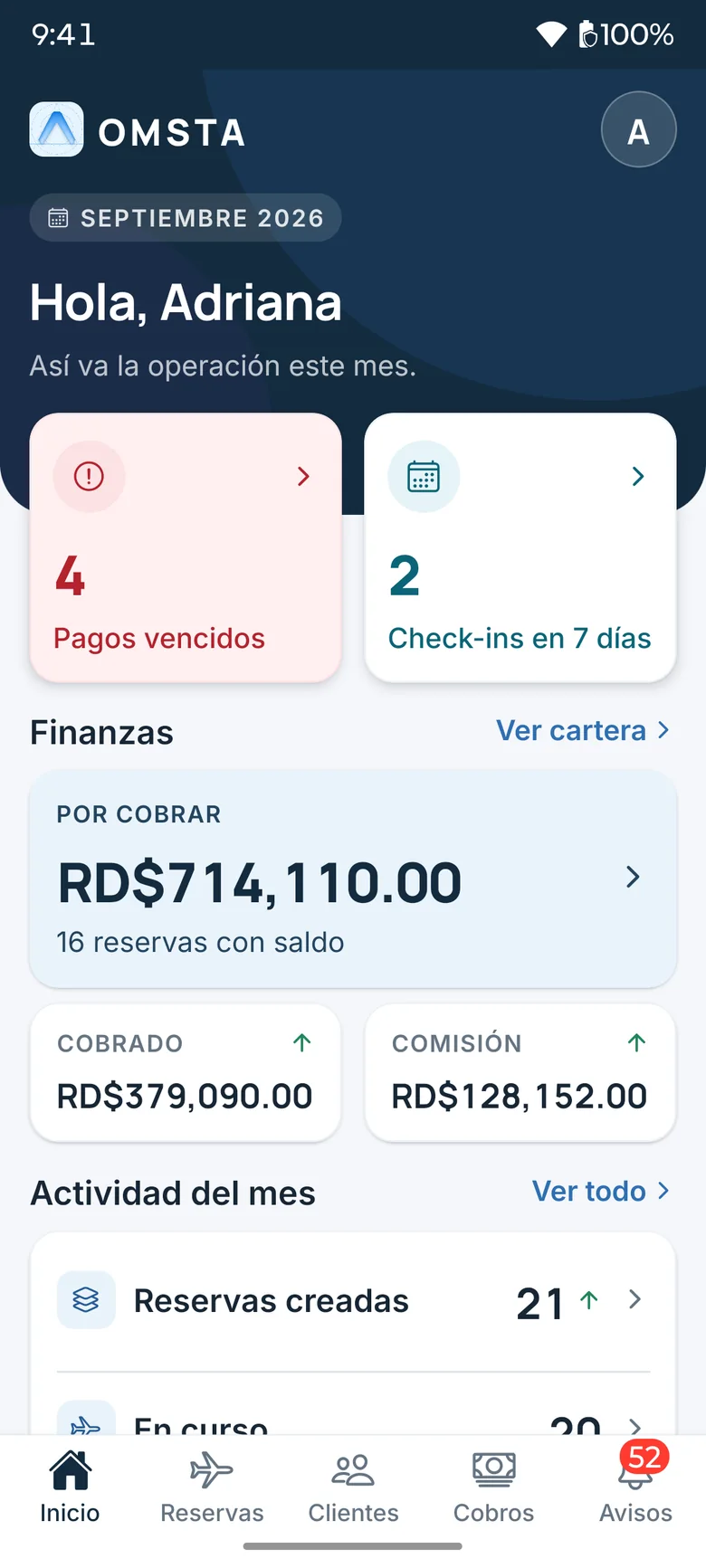
The agency's month, in your pocket.
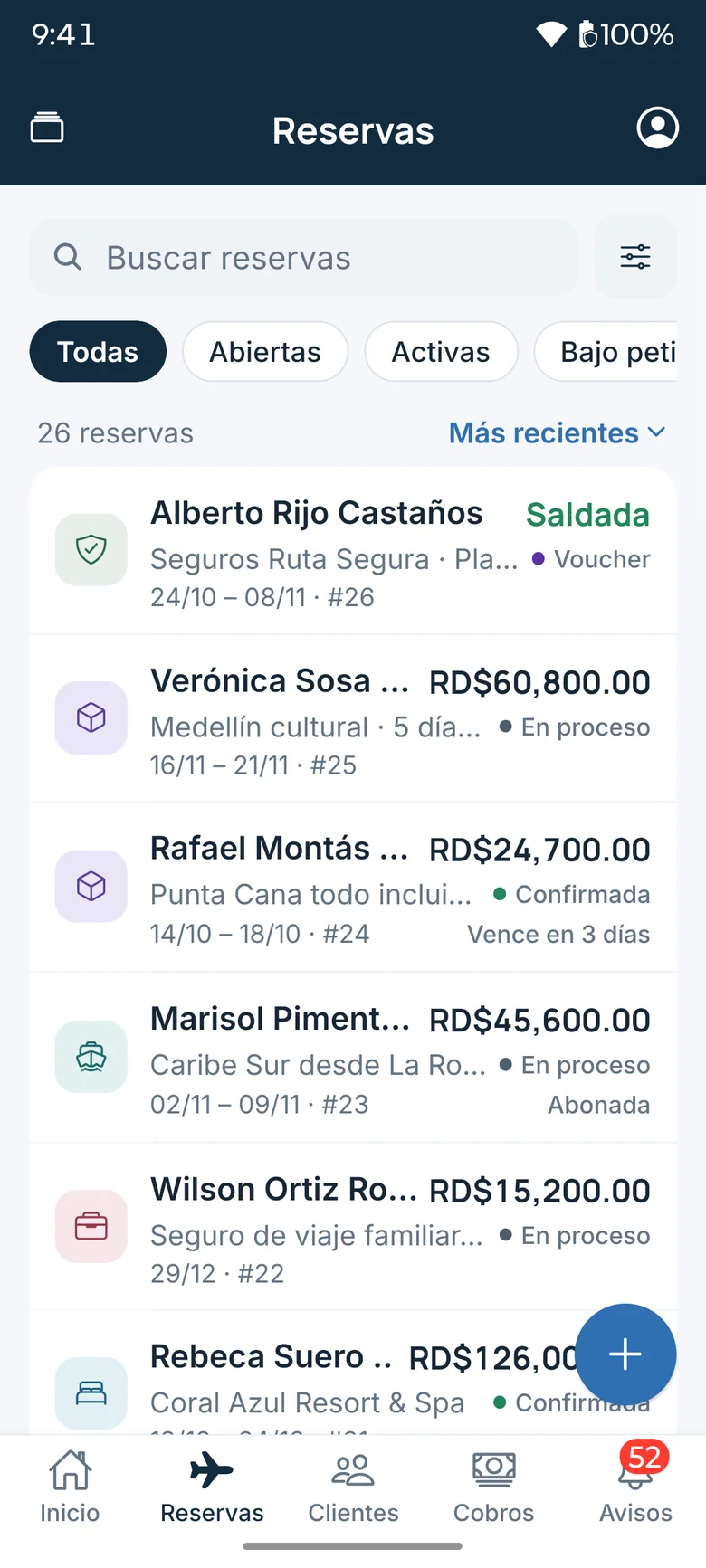
Every booking with its sales and payment status.
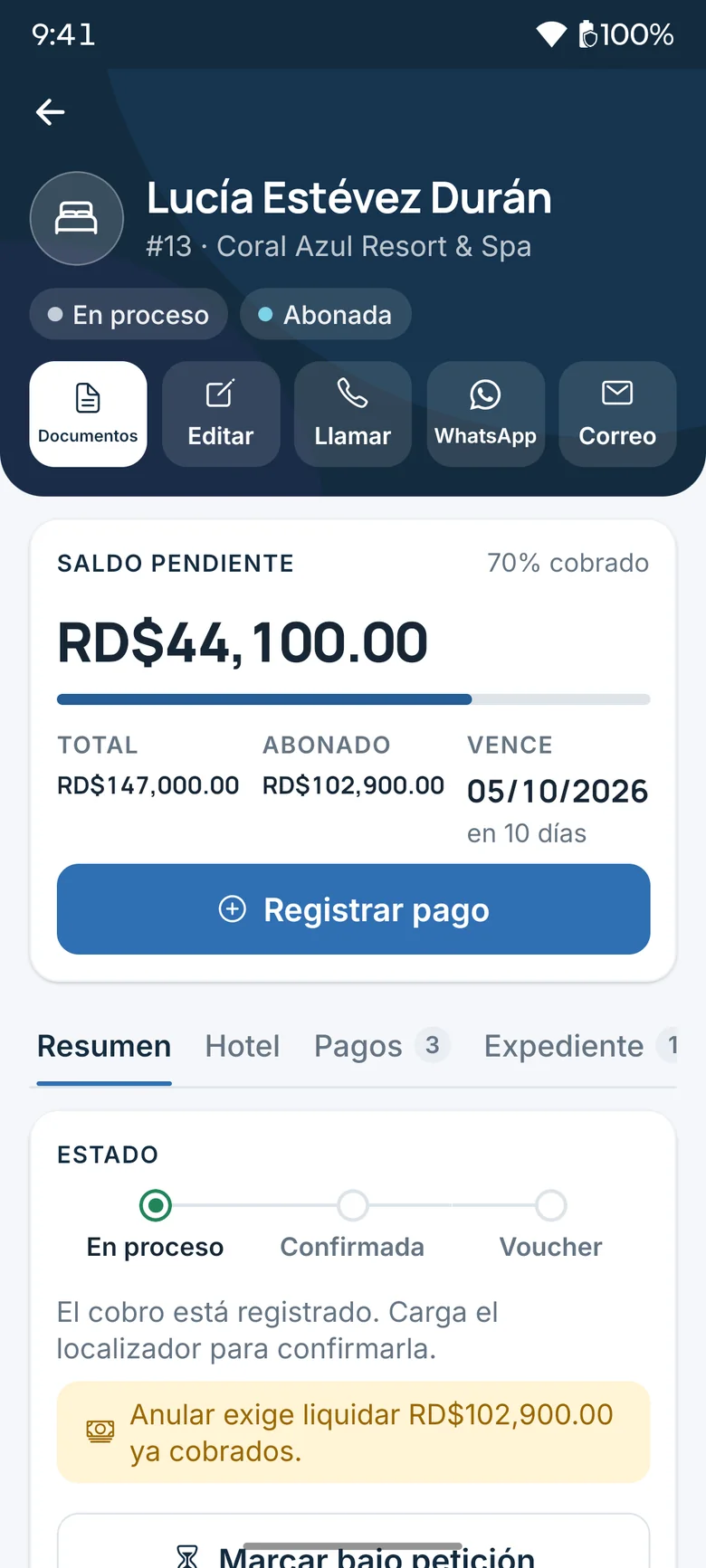
Balance, due date and quick actions for a booking.
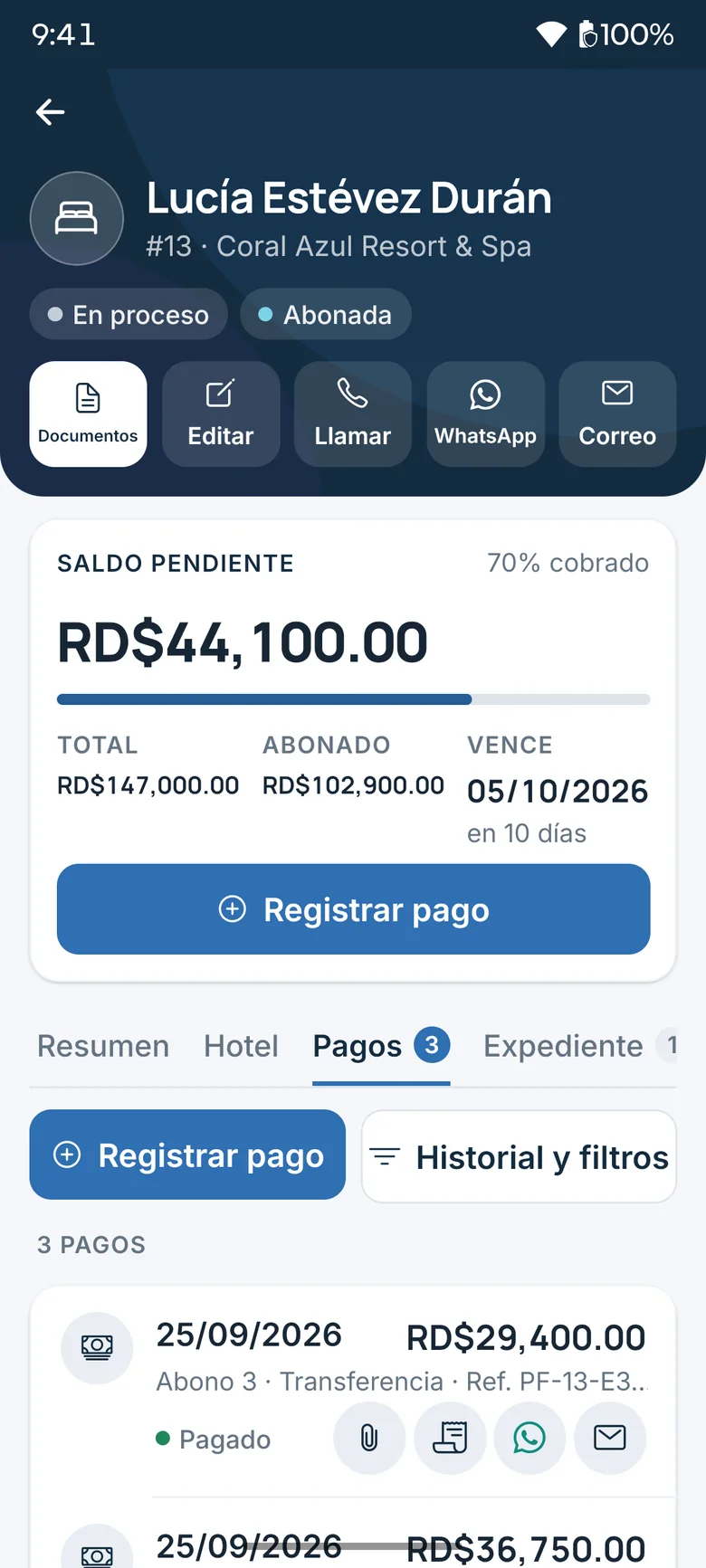
Each payment with its receipt, ready to send over WhatsApp.
Collect away from the office; accounting reviews it afterwards.
Six products, and drafts that never get lost.
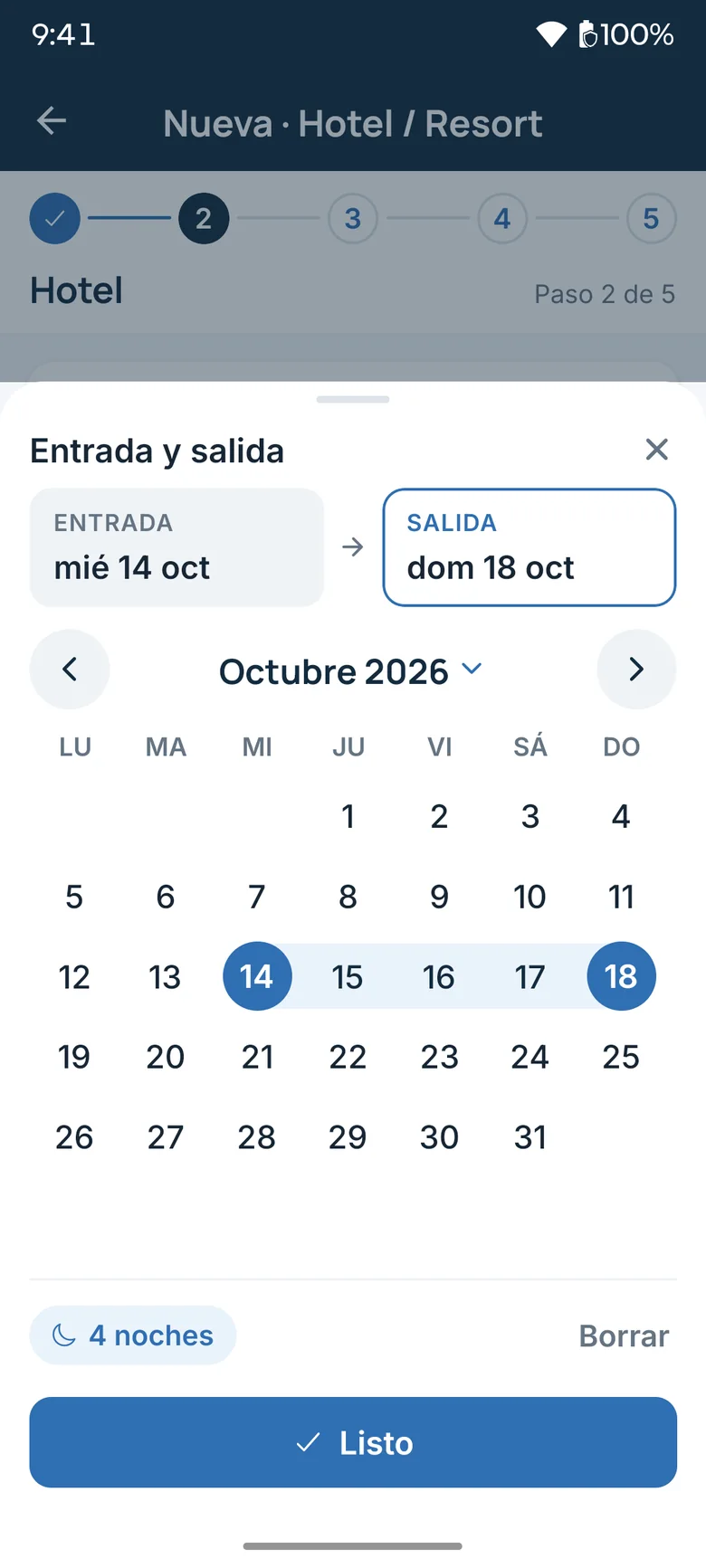
A custom calendar: check-in, check-out and nights in one tap.
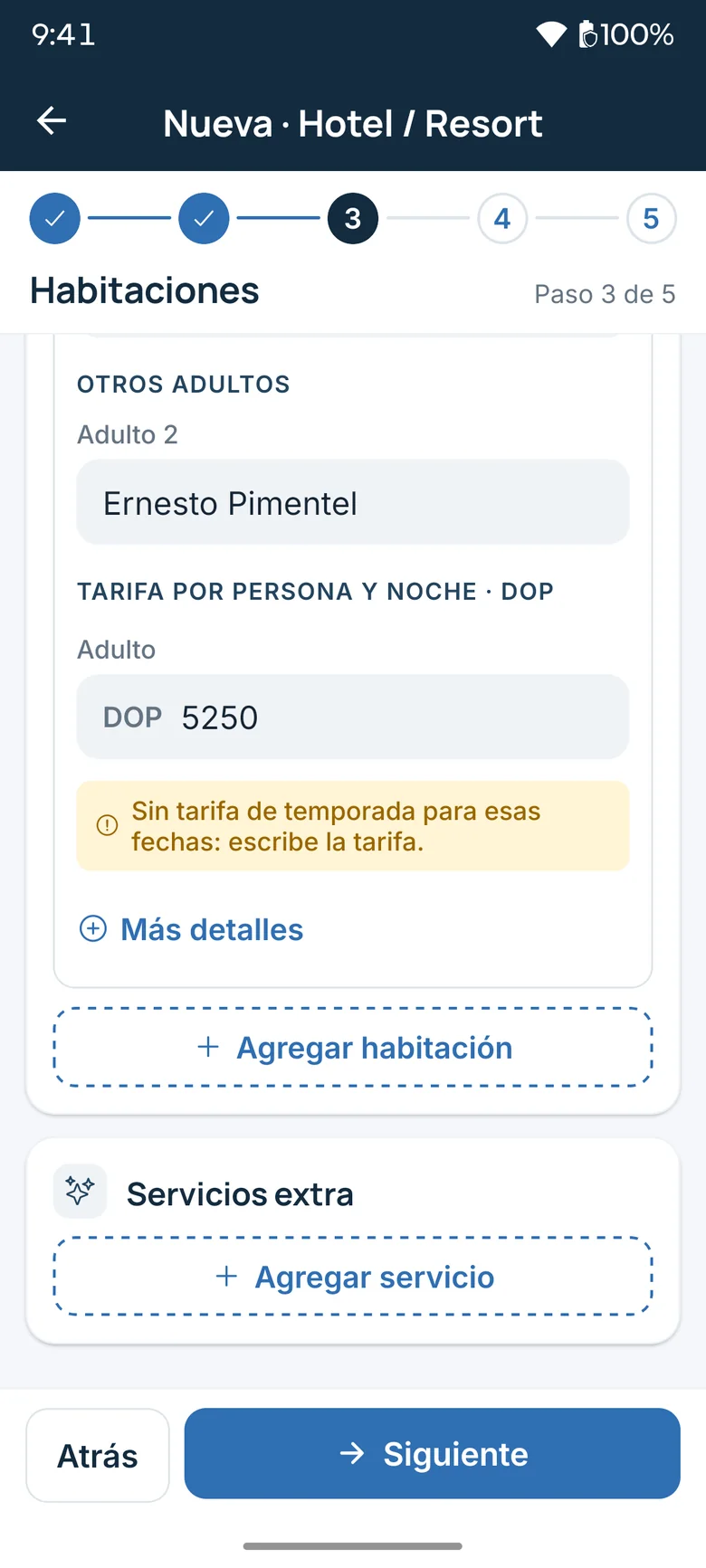
Rooms, guests and rate, step by step.
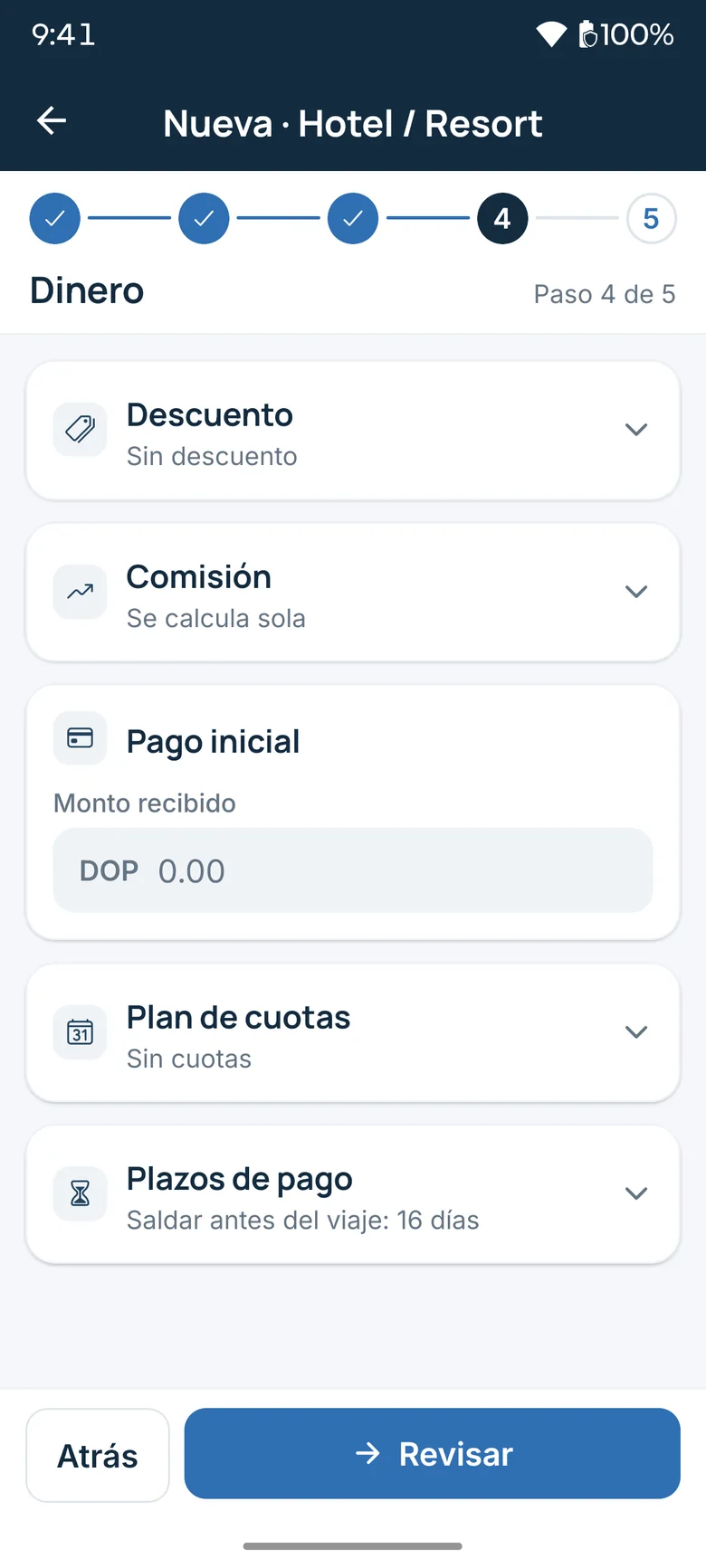
Discount, commission, down payment and installments in one step.
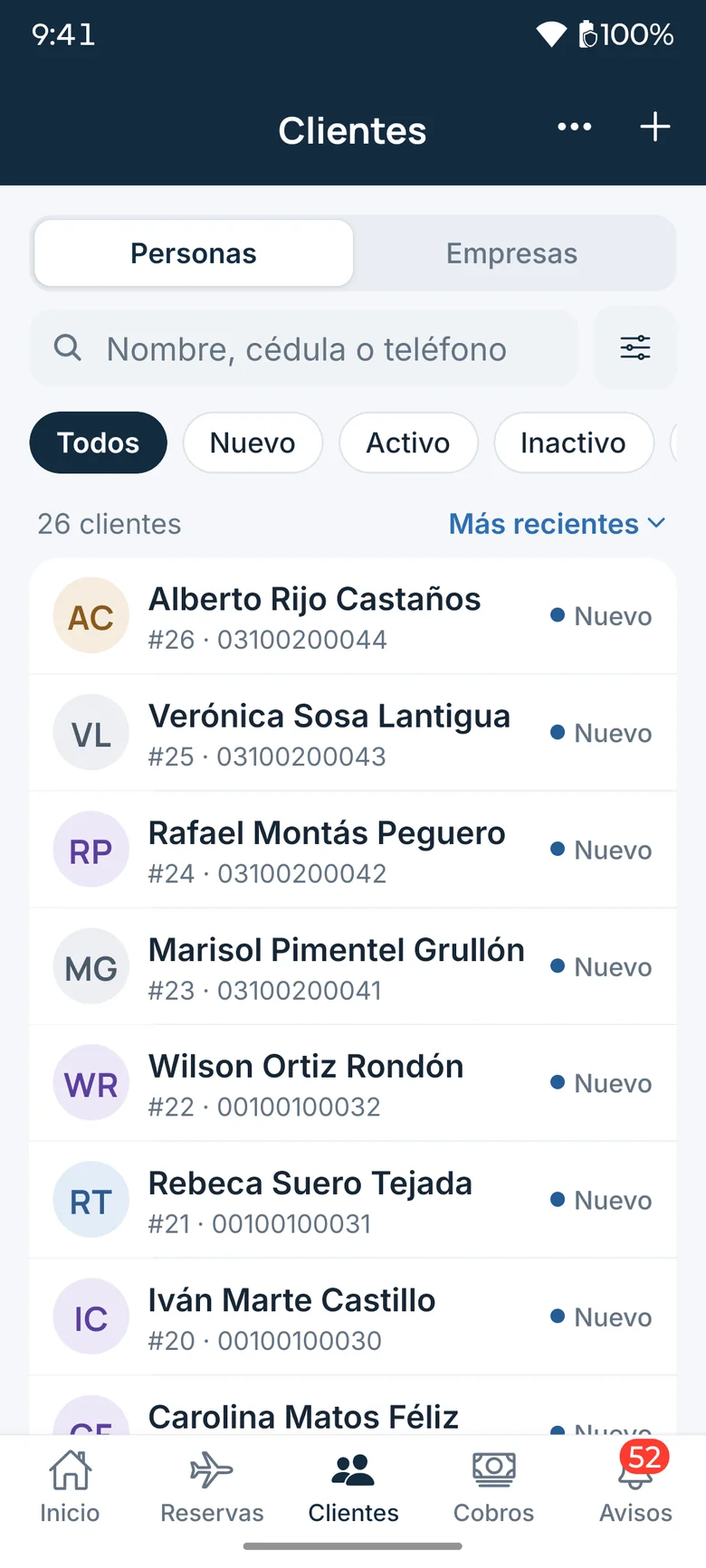
Clients and companies, filterable by status.
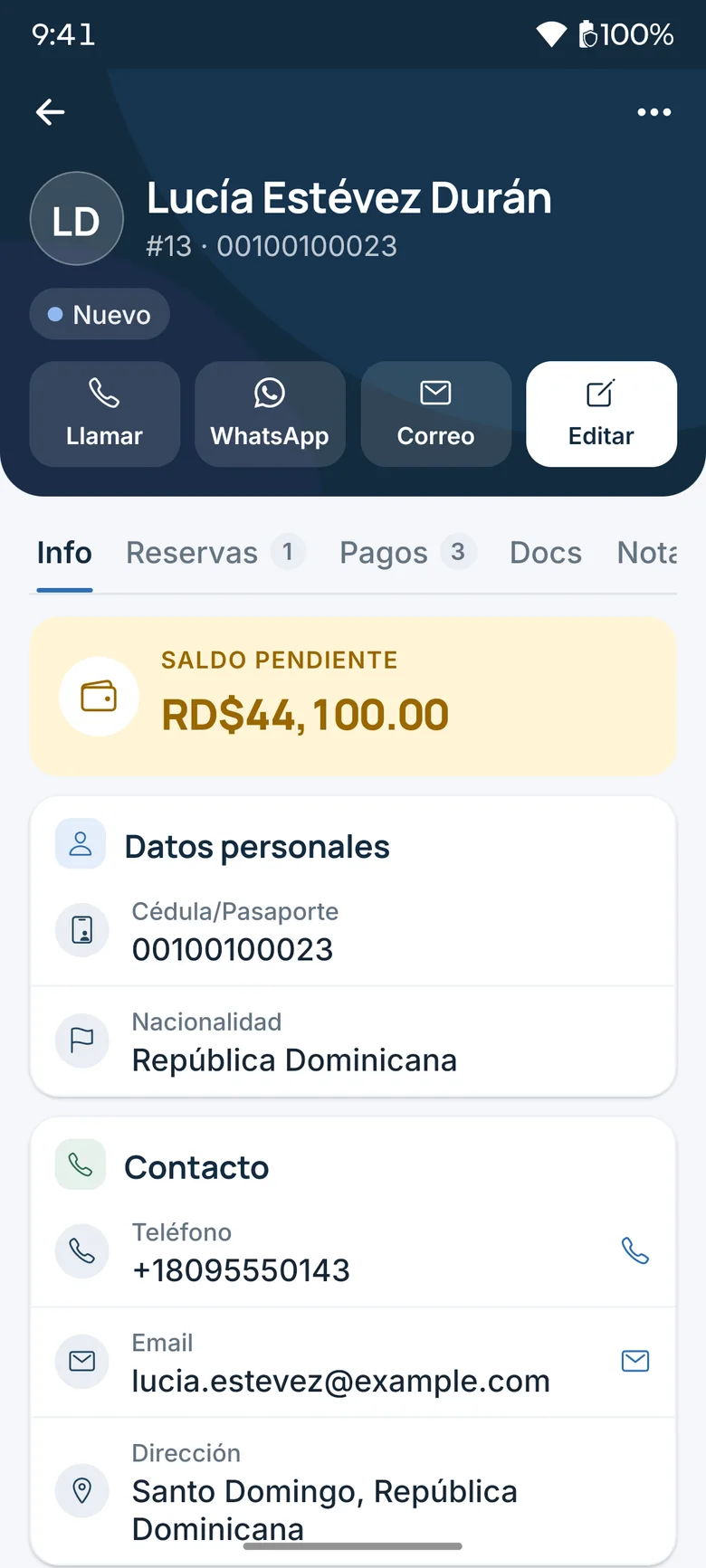
Client record: balance and contact in one tap.
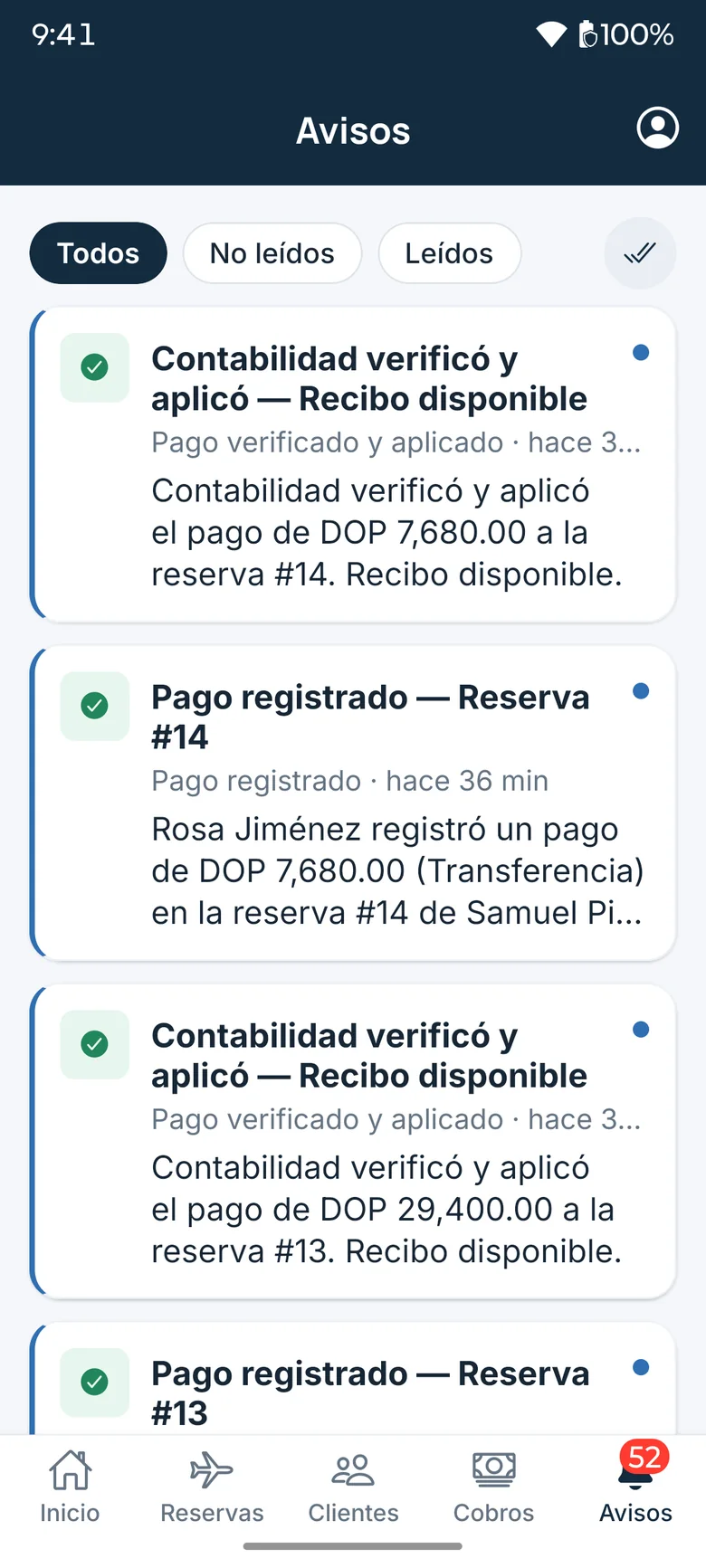
Alerts when accounting verifies a payment.
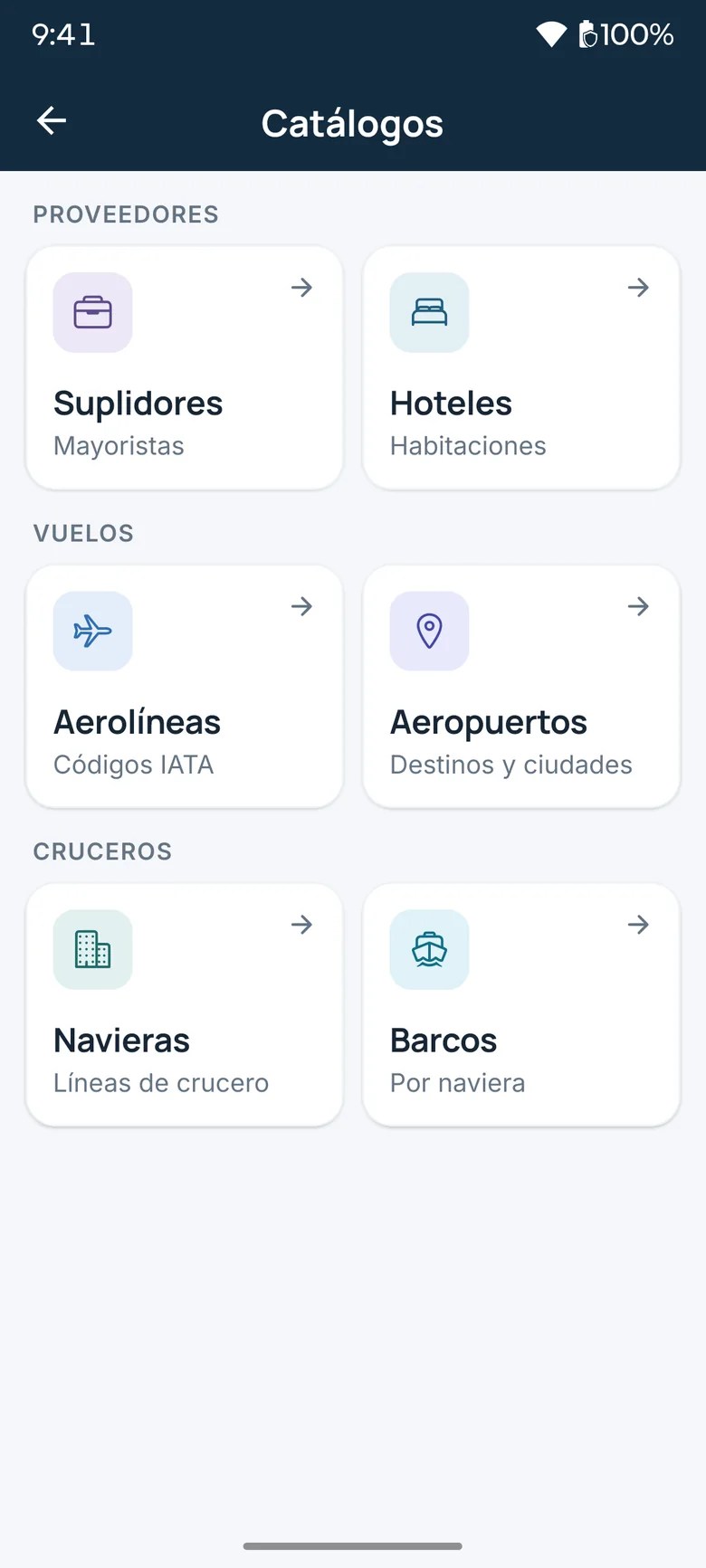
Catalogs of suppliers, flights and cruises.
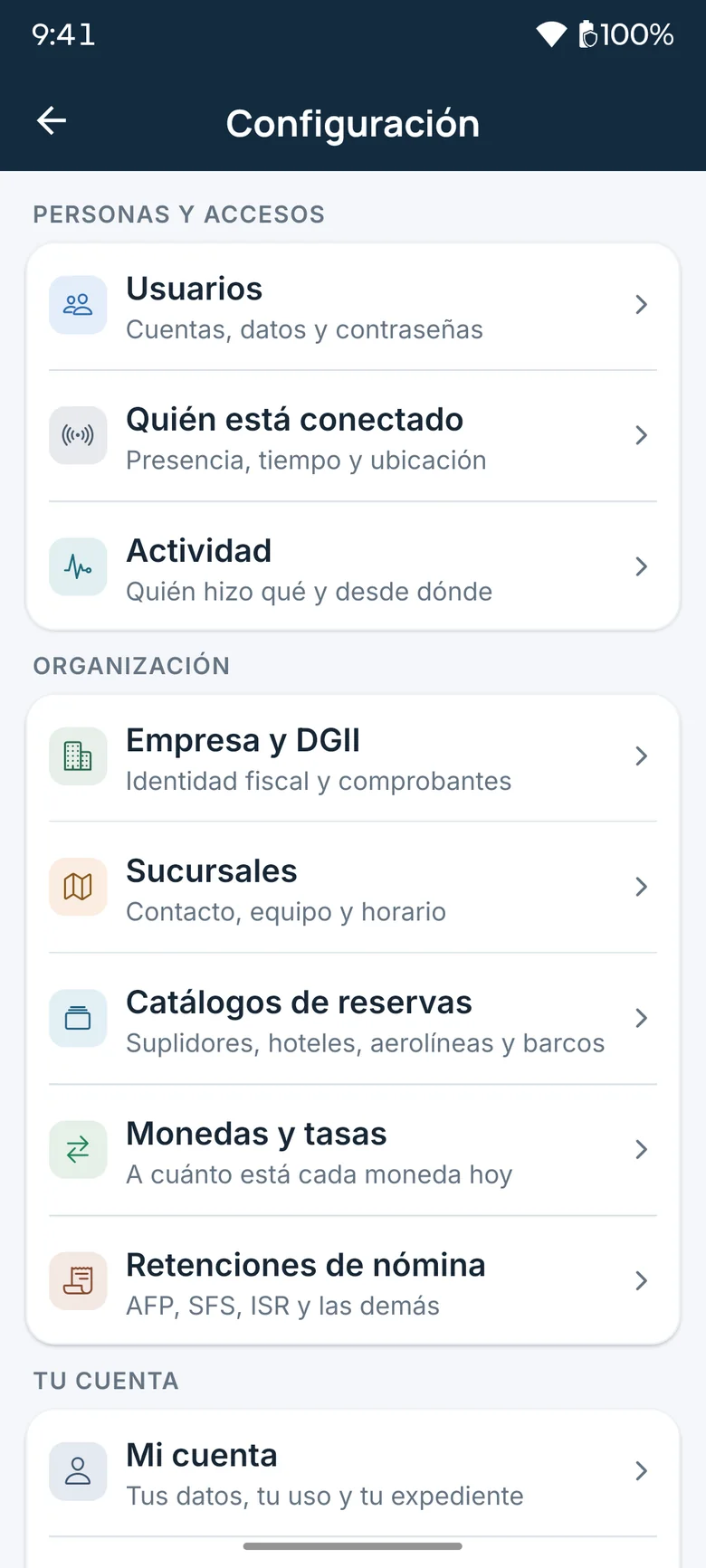
Administration, from the phone too.
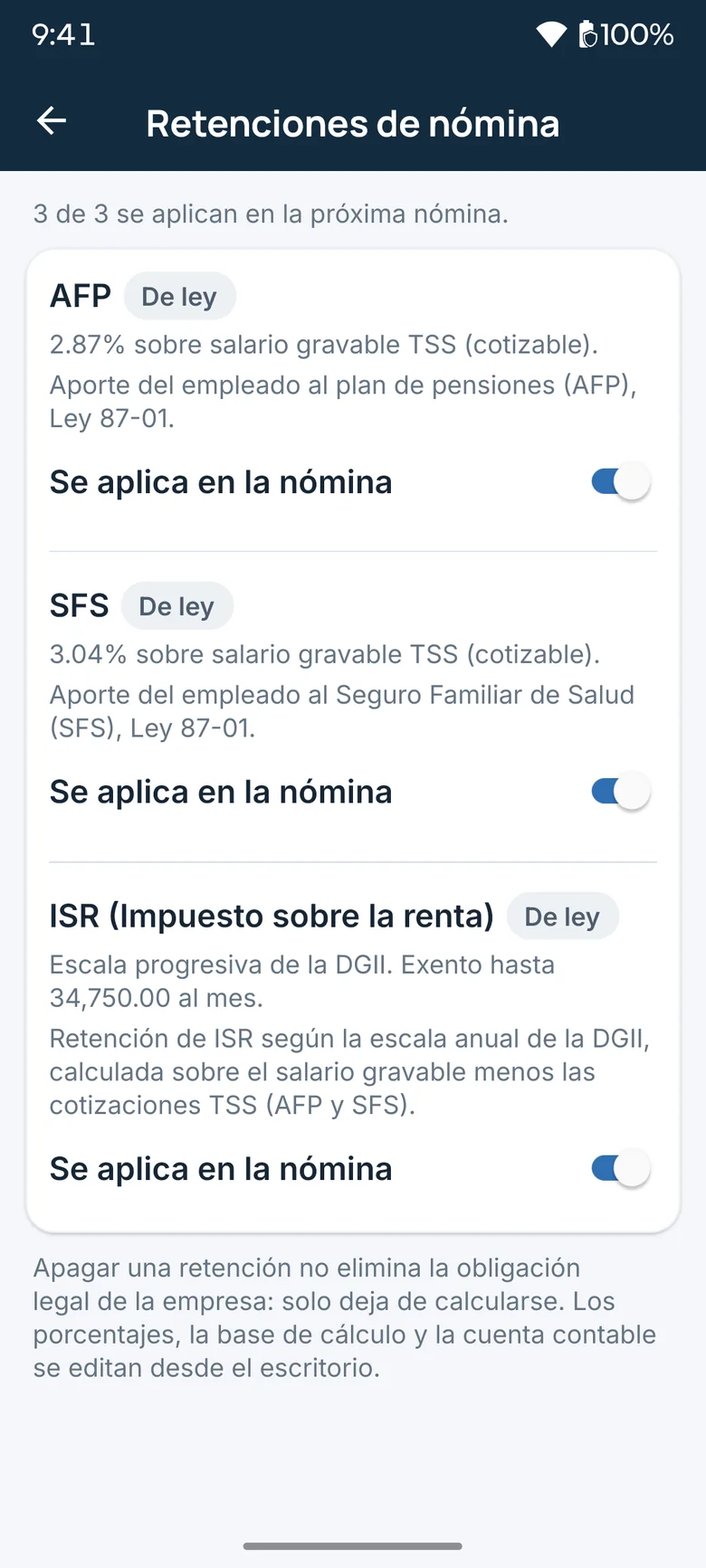
Statutory withholdings you can configure from the app.
Clients and catalogs3 screens
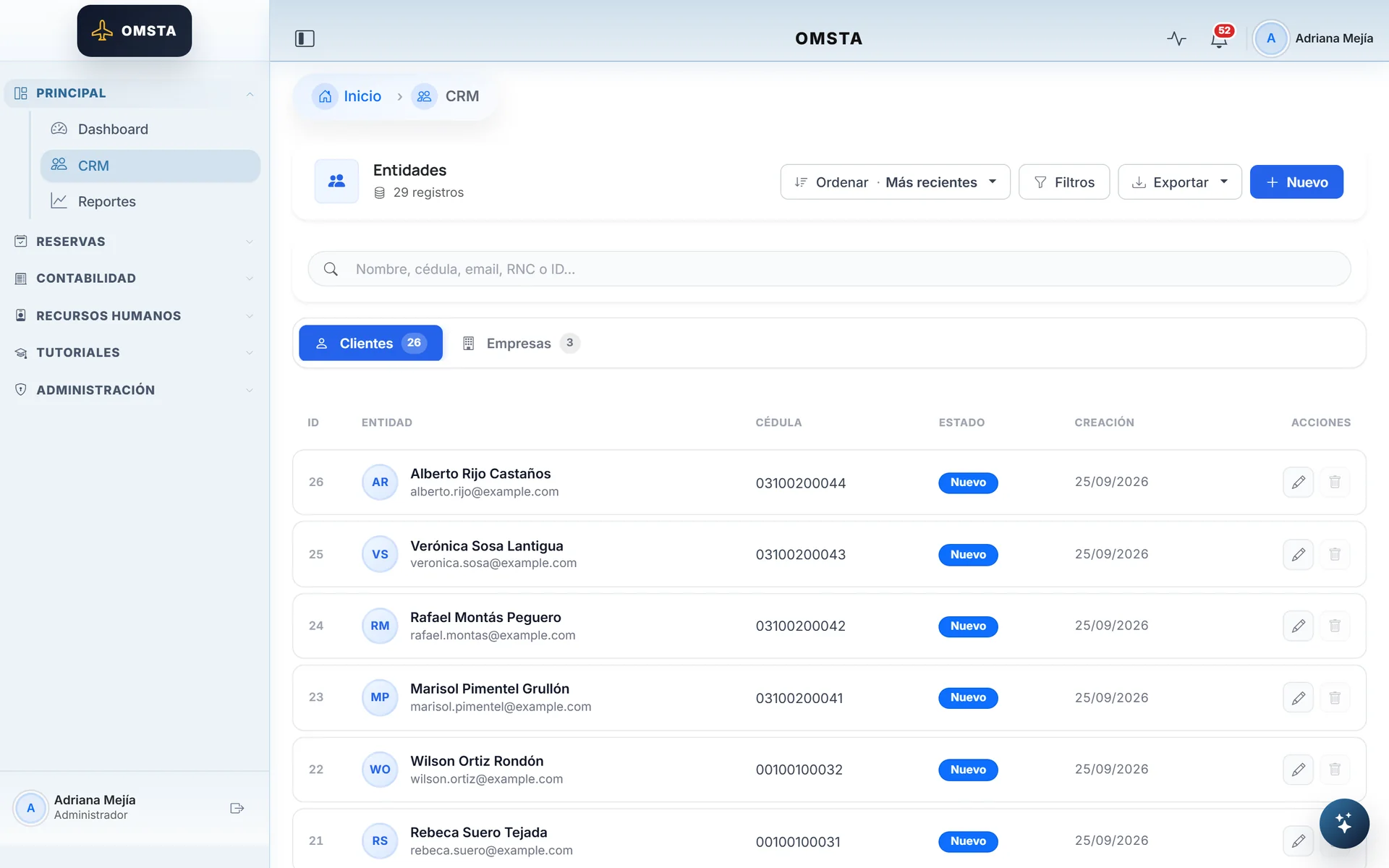
Clients and companies in one CRM.
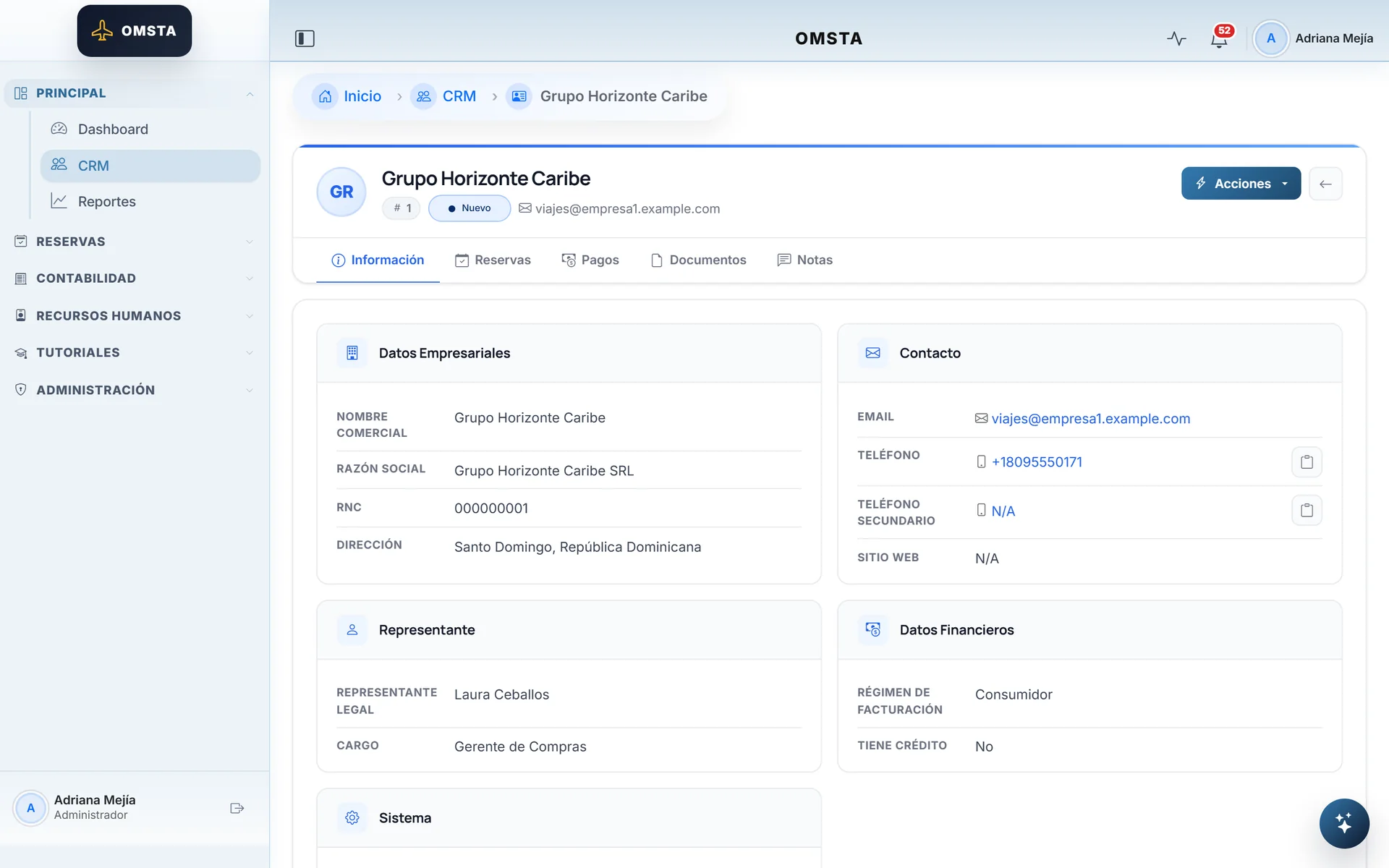
Company record with RNC tax ID and invoicing regime.
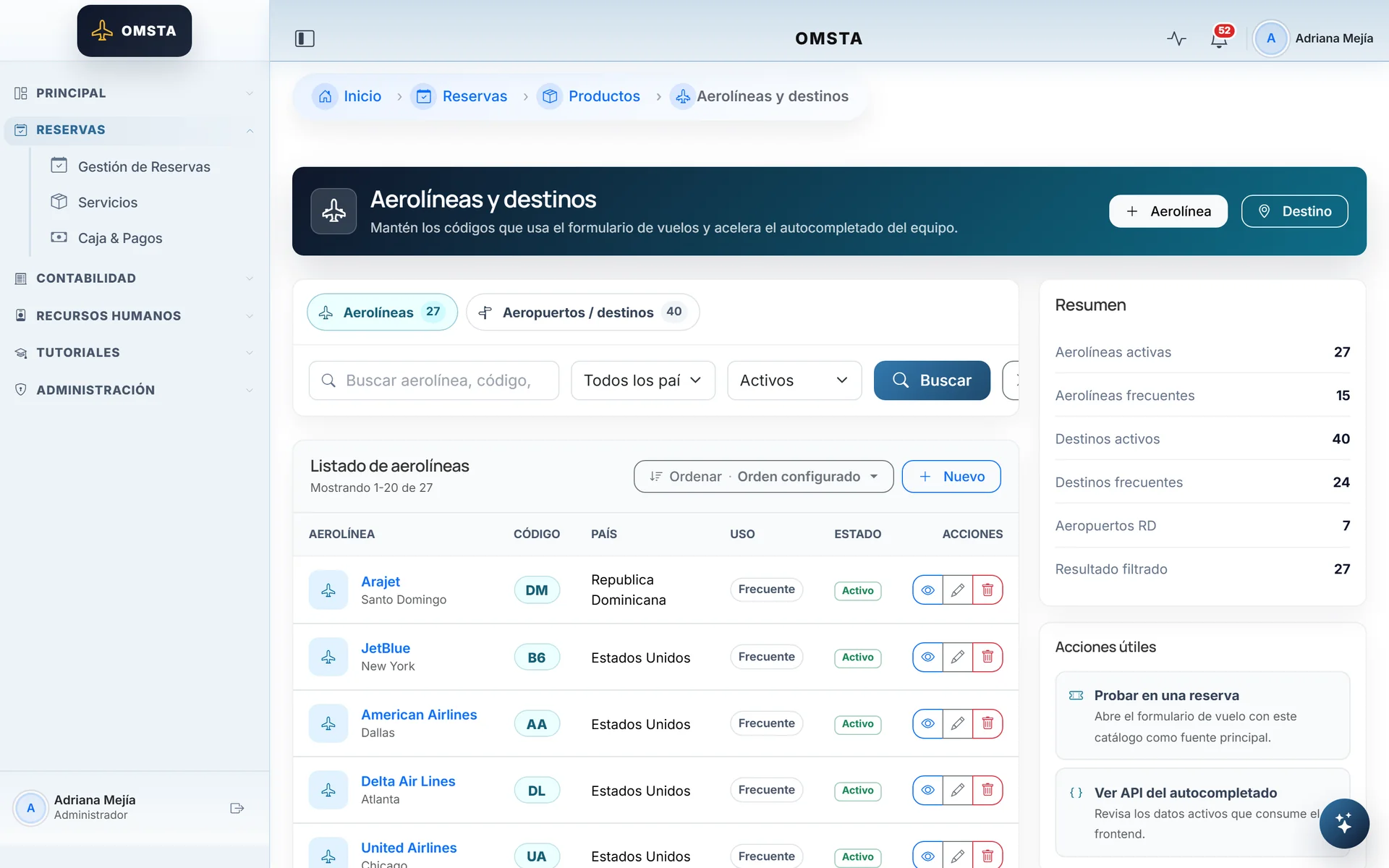
Catalogs that feed autocomplete in bookings.
Payments6 screens
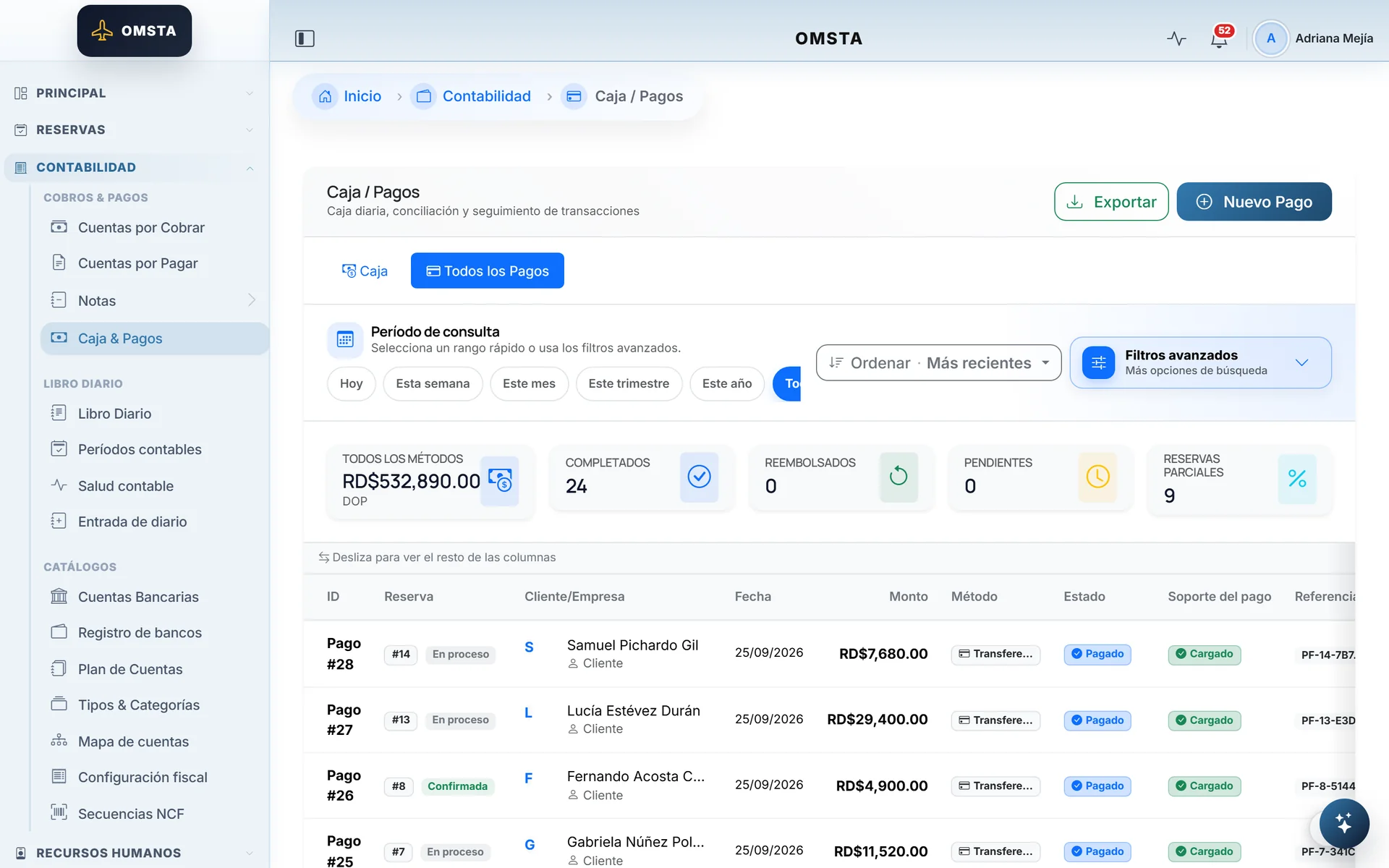
Every payment with its method, status and receipt.
A posted payment isn't edited: it's corrected or refunded.
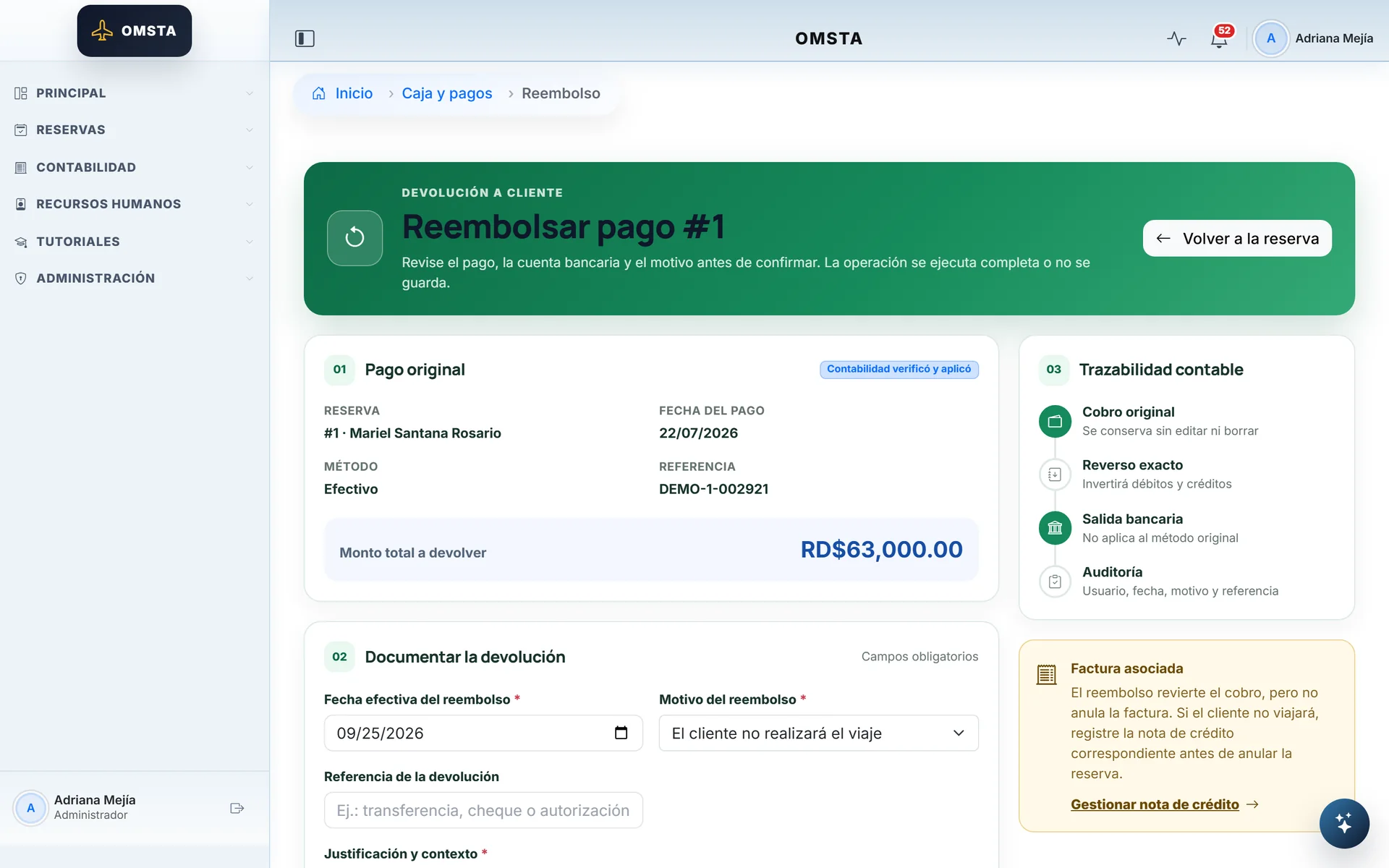
A refund with its accounting reversal and a required reason.
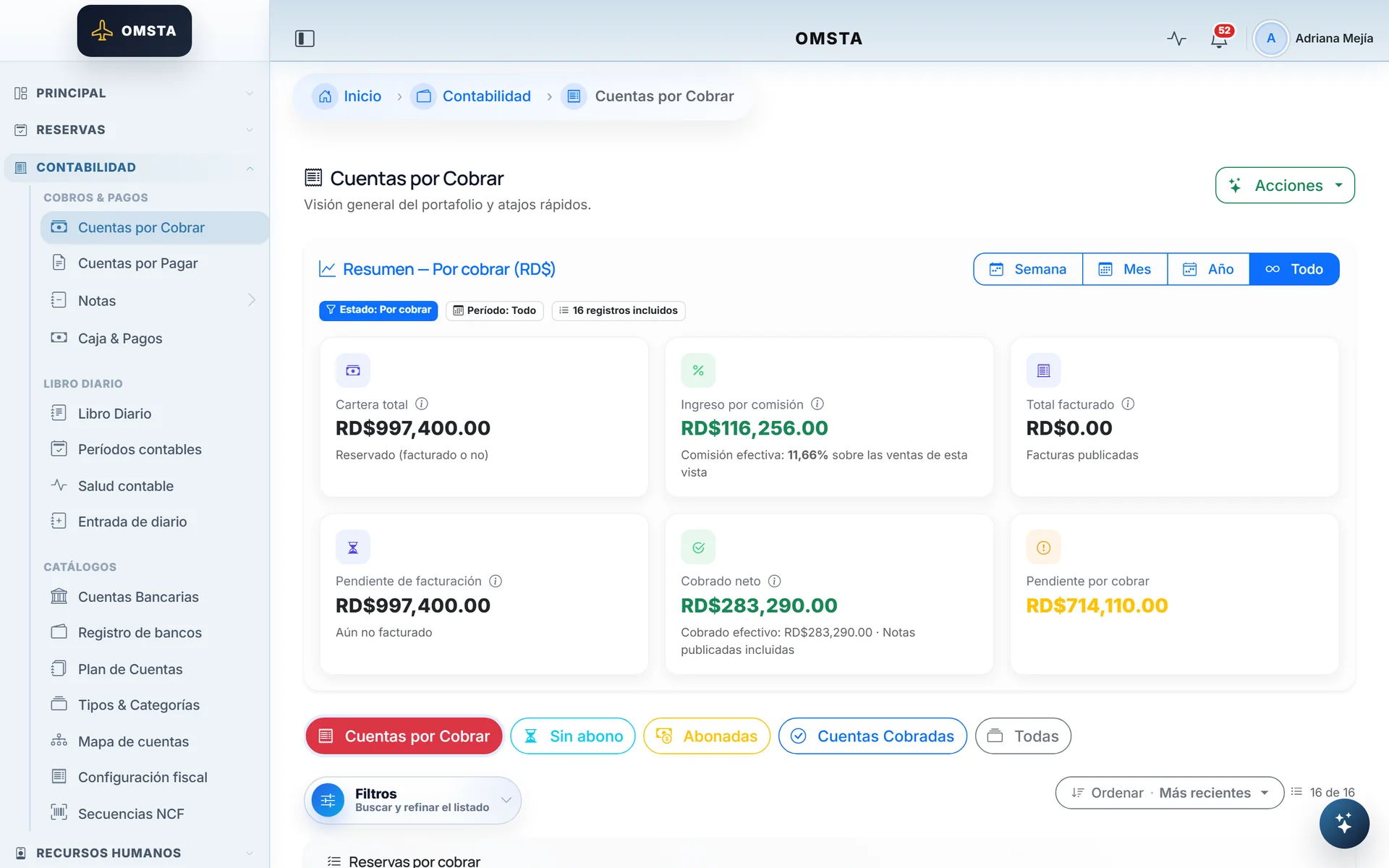
Receivables derived from bookings and payments.
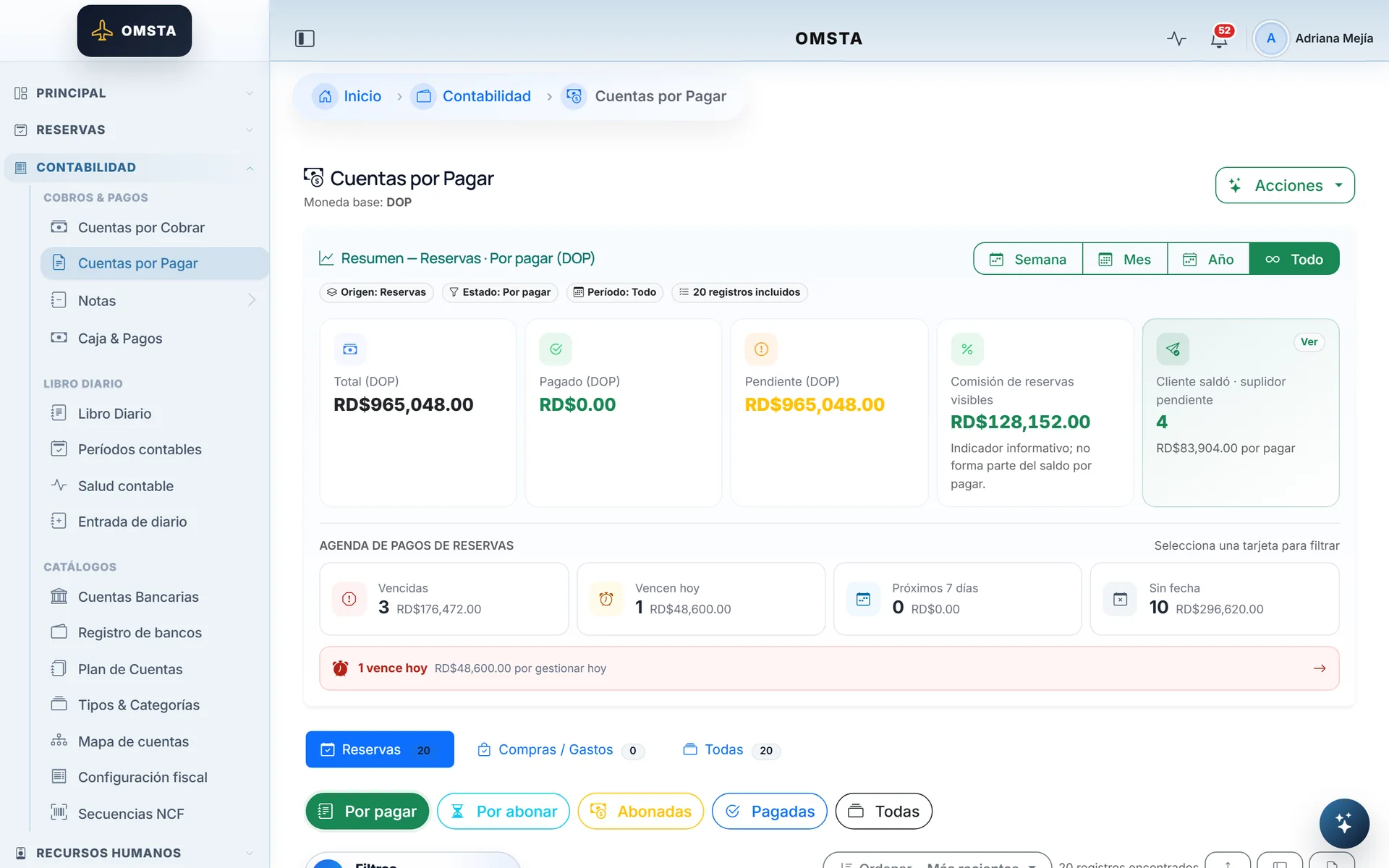
What's owed to suppliers, sorted by due date.
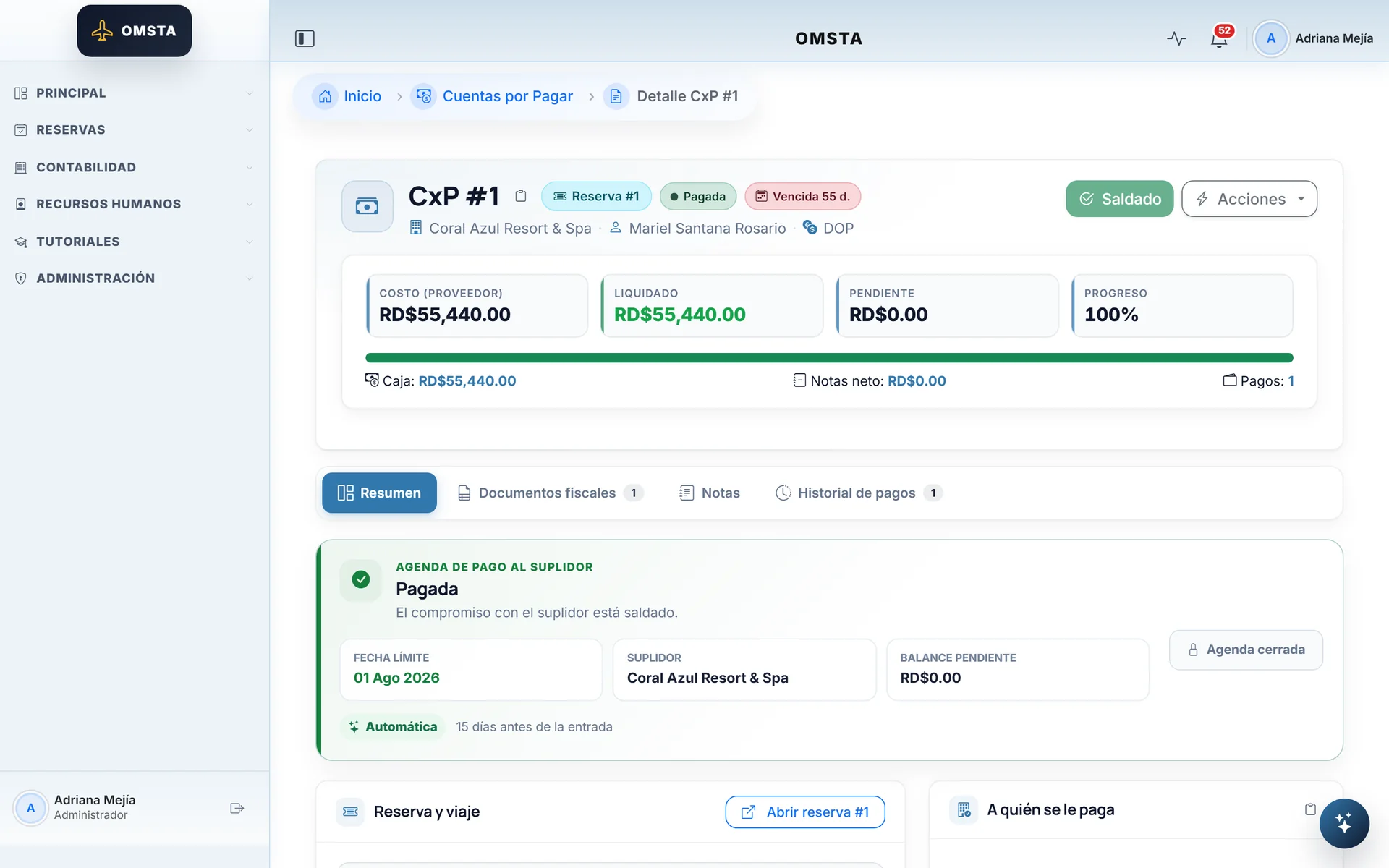
From cost to payment: the payable gets settled.
Accounting6 screens
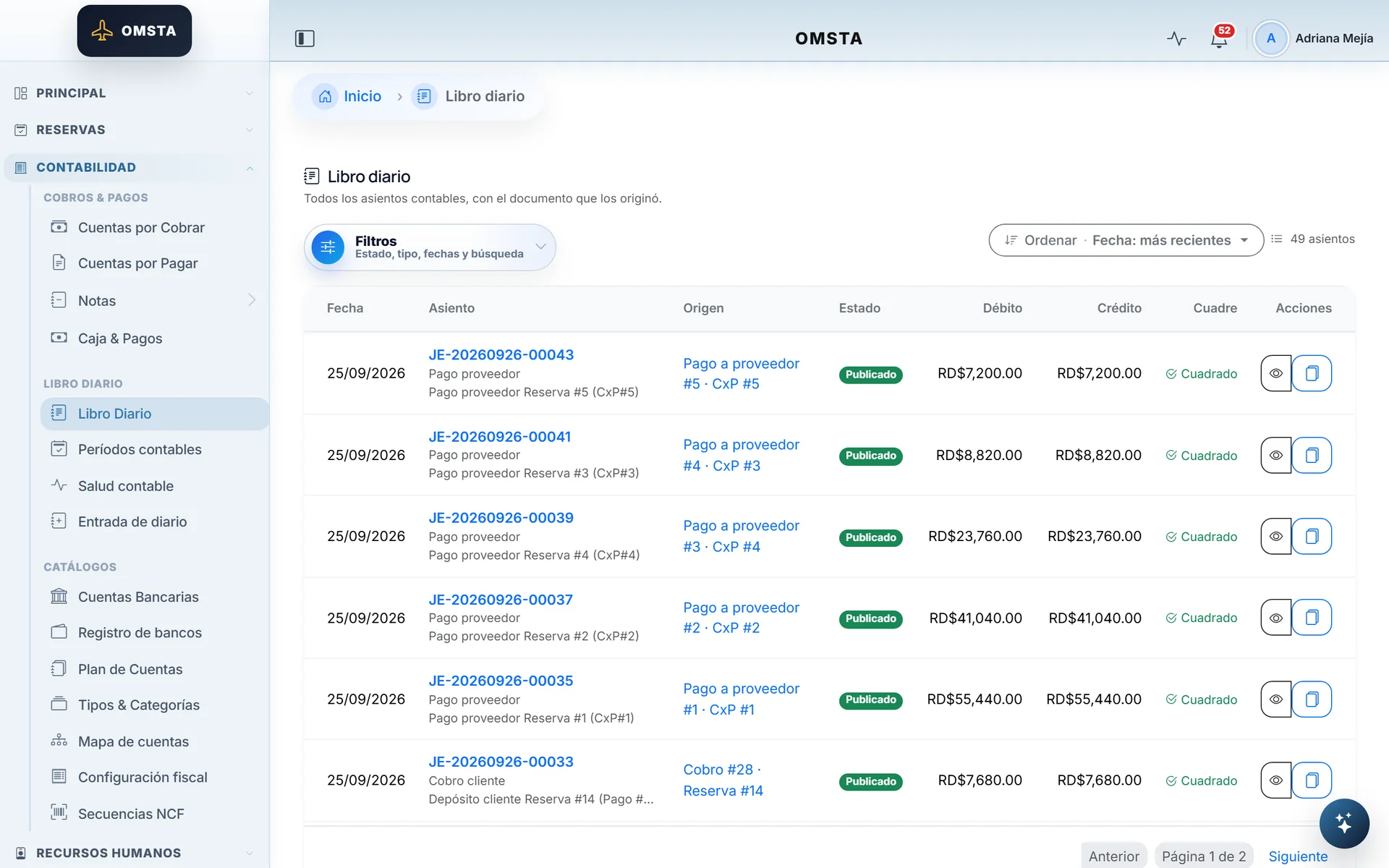
Every entry balances and knows which document created it.
Each entry explains in plain Spanish what it records and why.
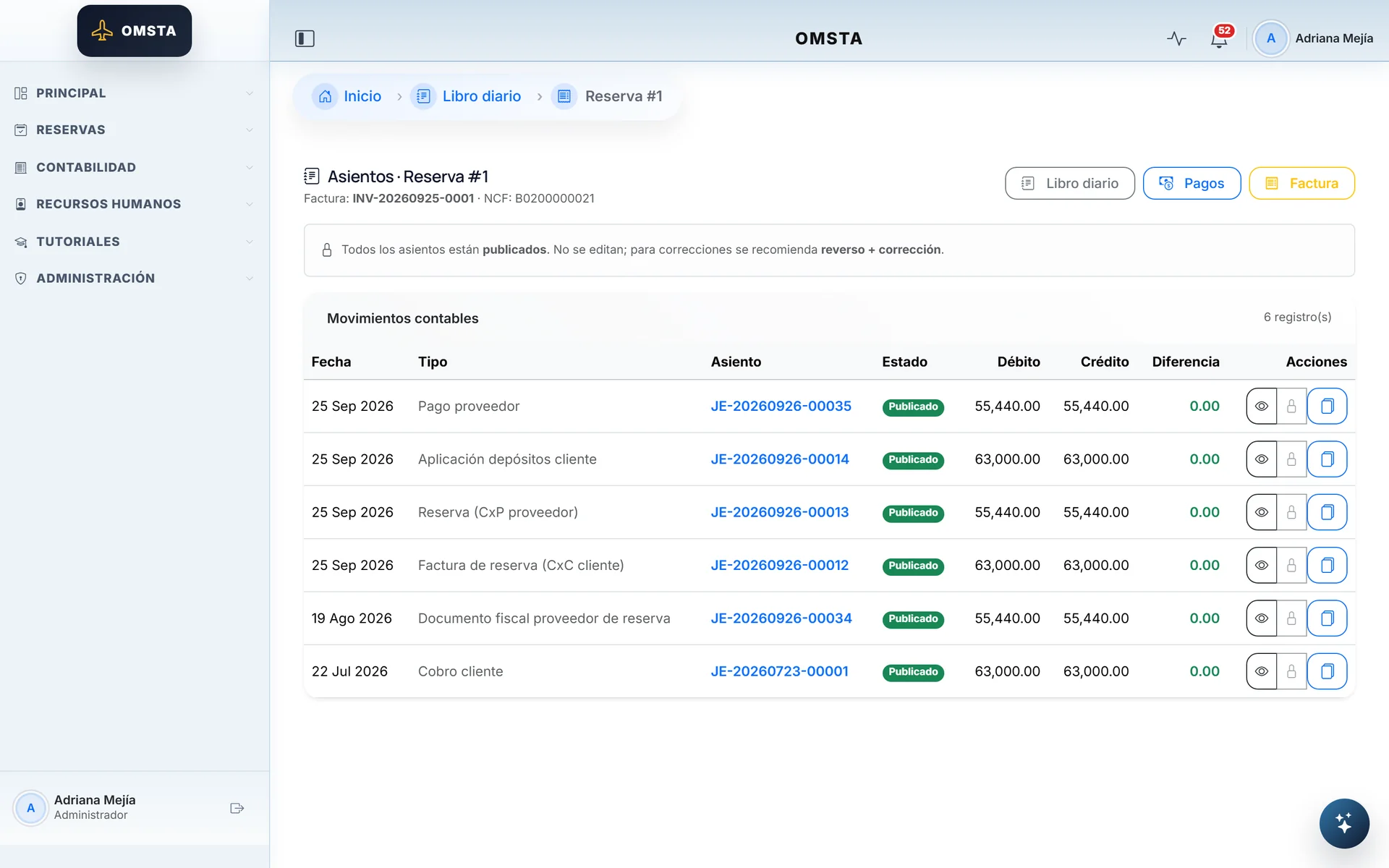
All the accounting for a sale in one table.
An internal auditor: accounting identities that have to balance.
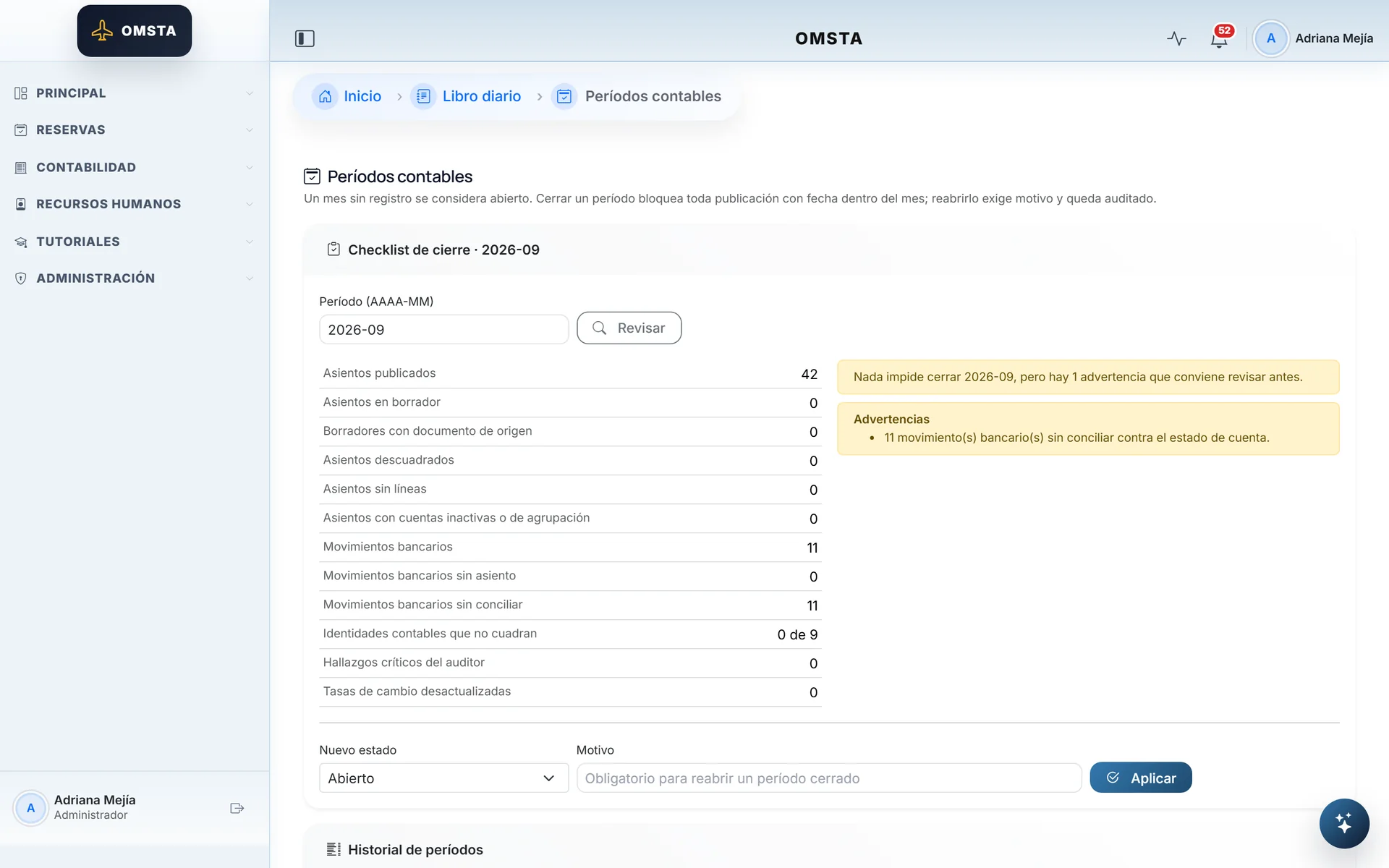
Before the month closes, the system reviews everything.
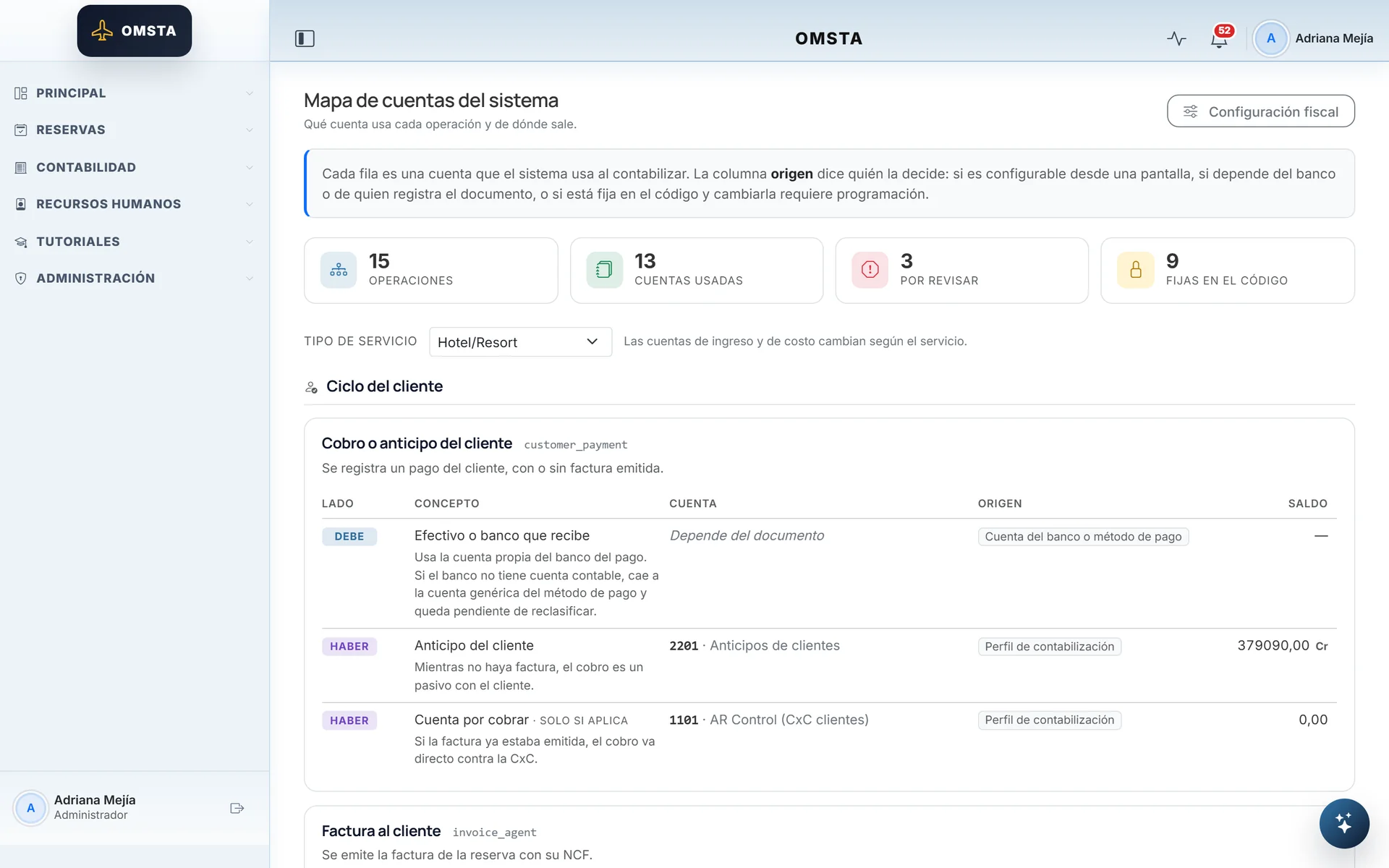
Which account each operation uses, and who decides it.
DGII tax4 screens
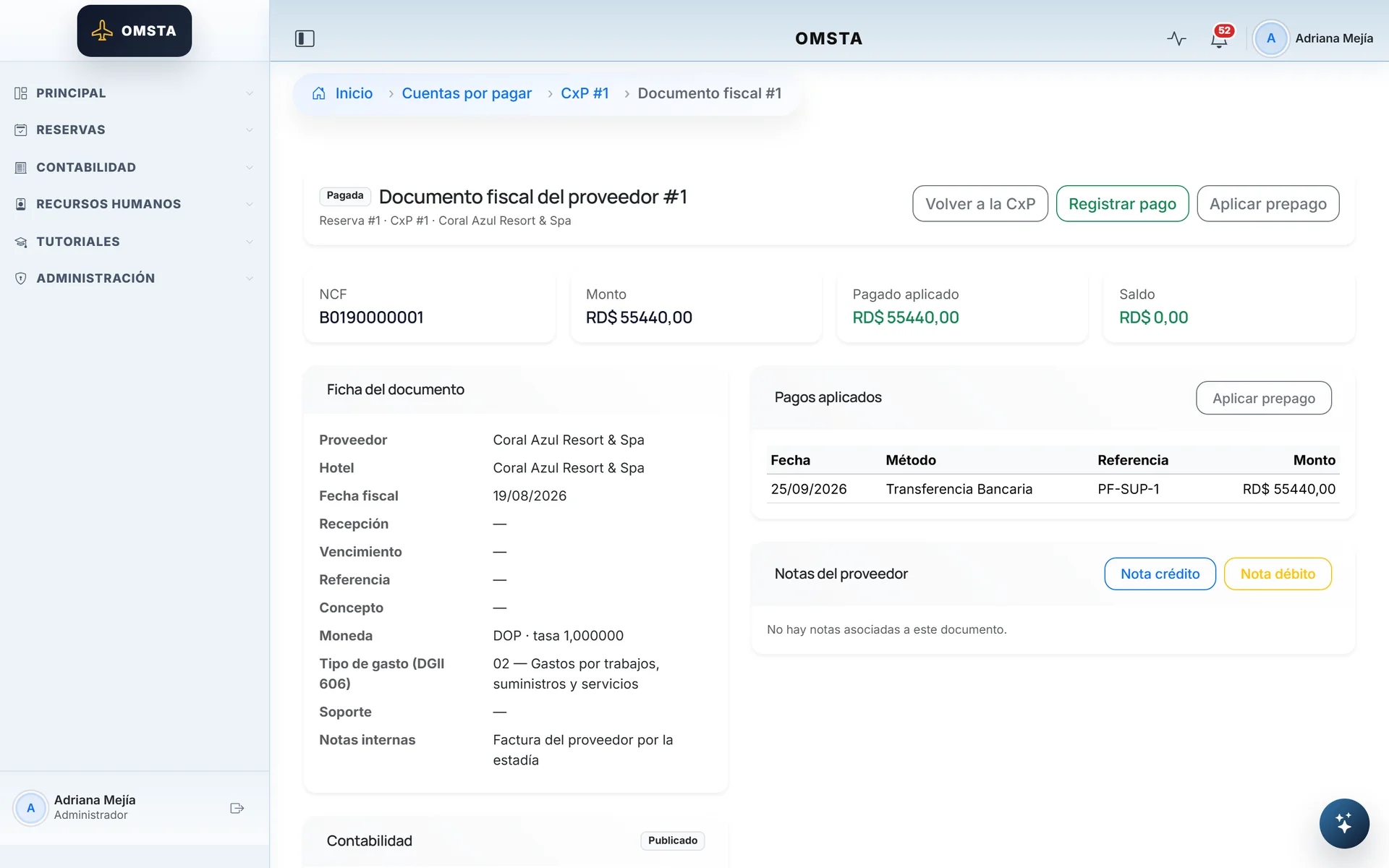
The supplier's invoice feeds the DGII 606 report.
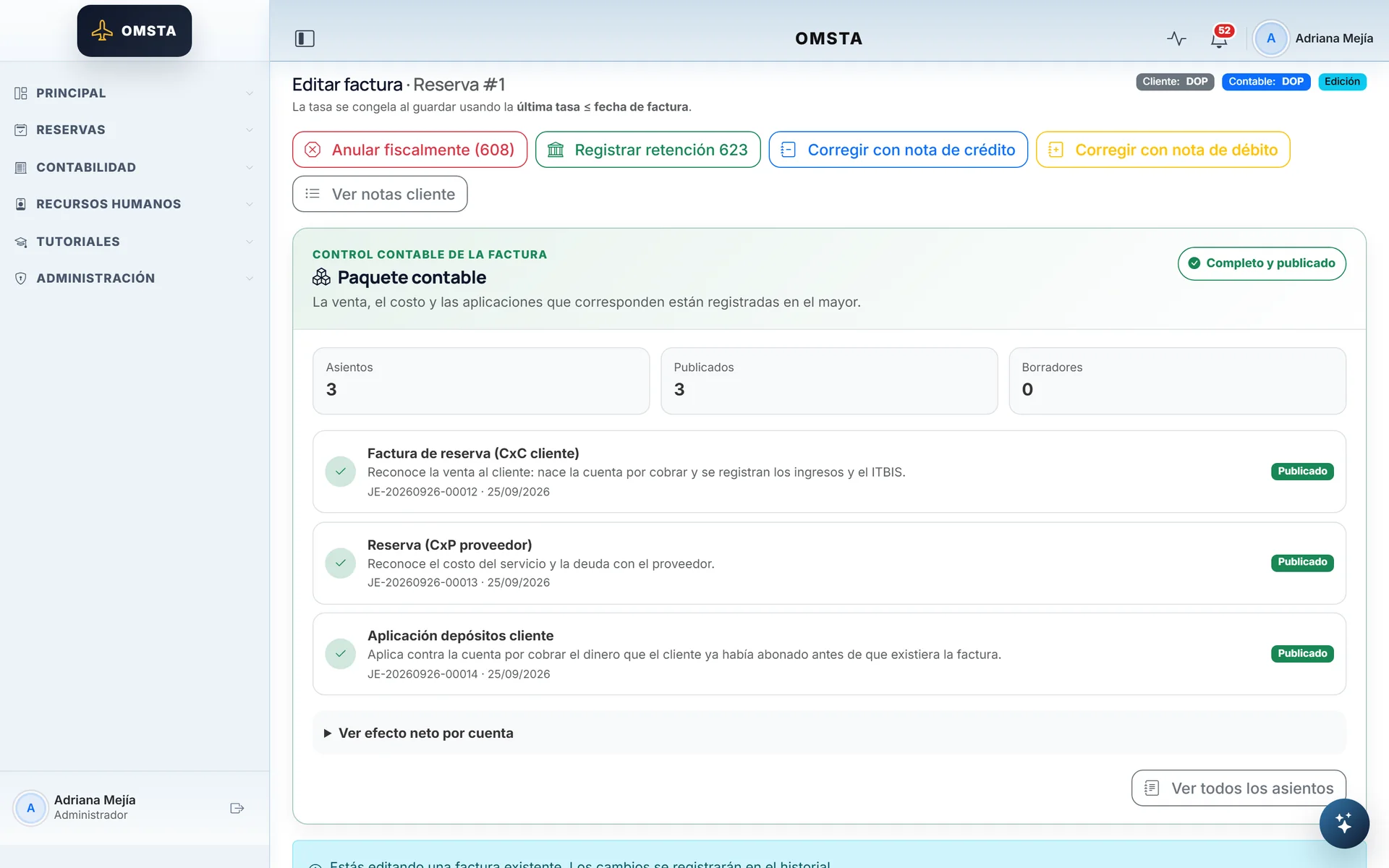
Issuing the invoice posts its entries as one unit.
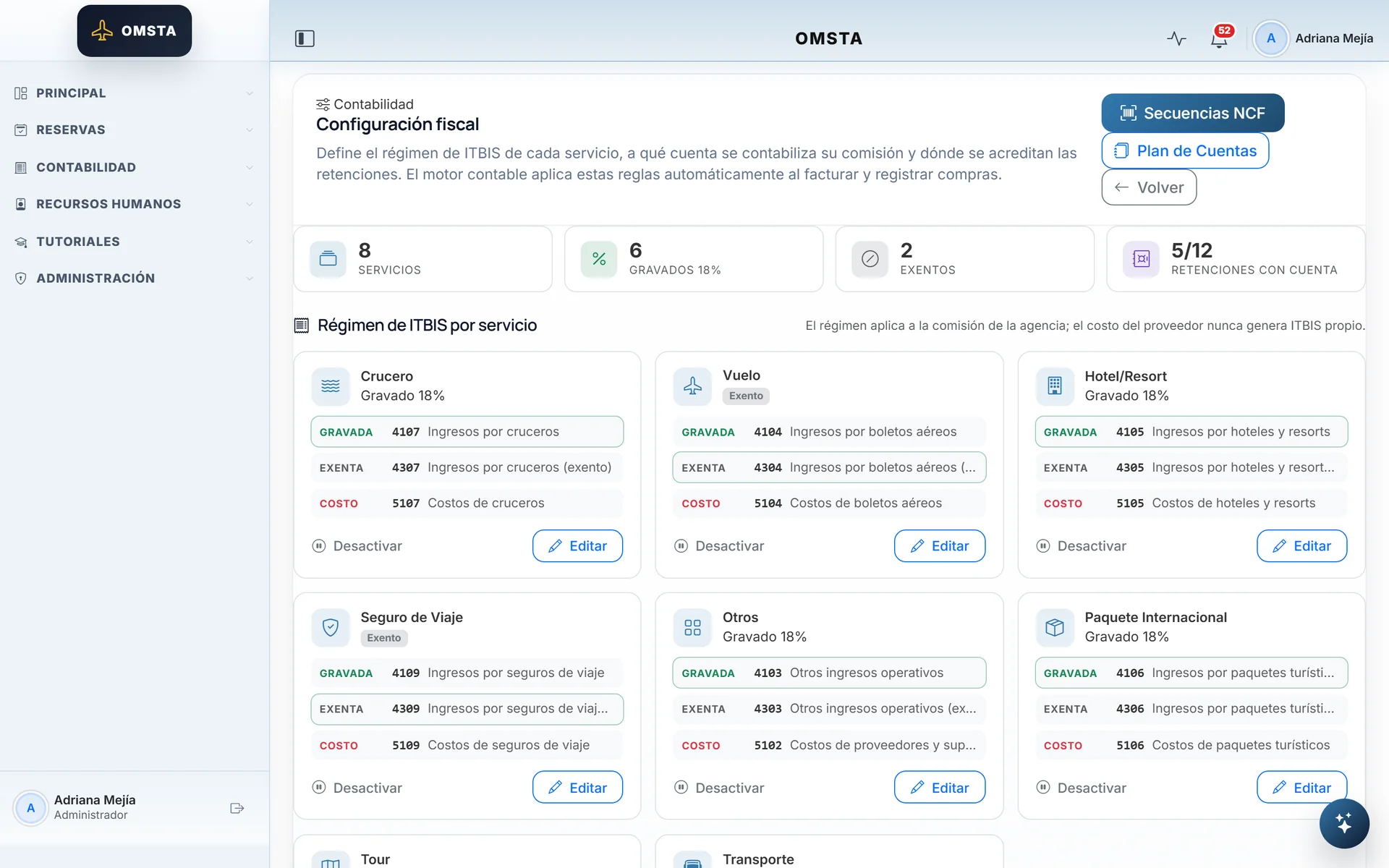
ITBIS (Dominican VAT) and accounts per service type, configurable.
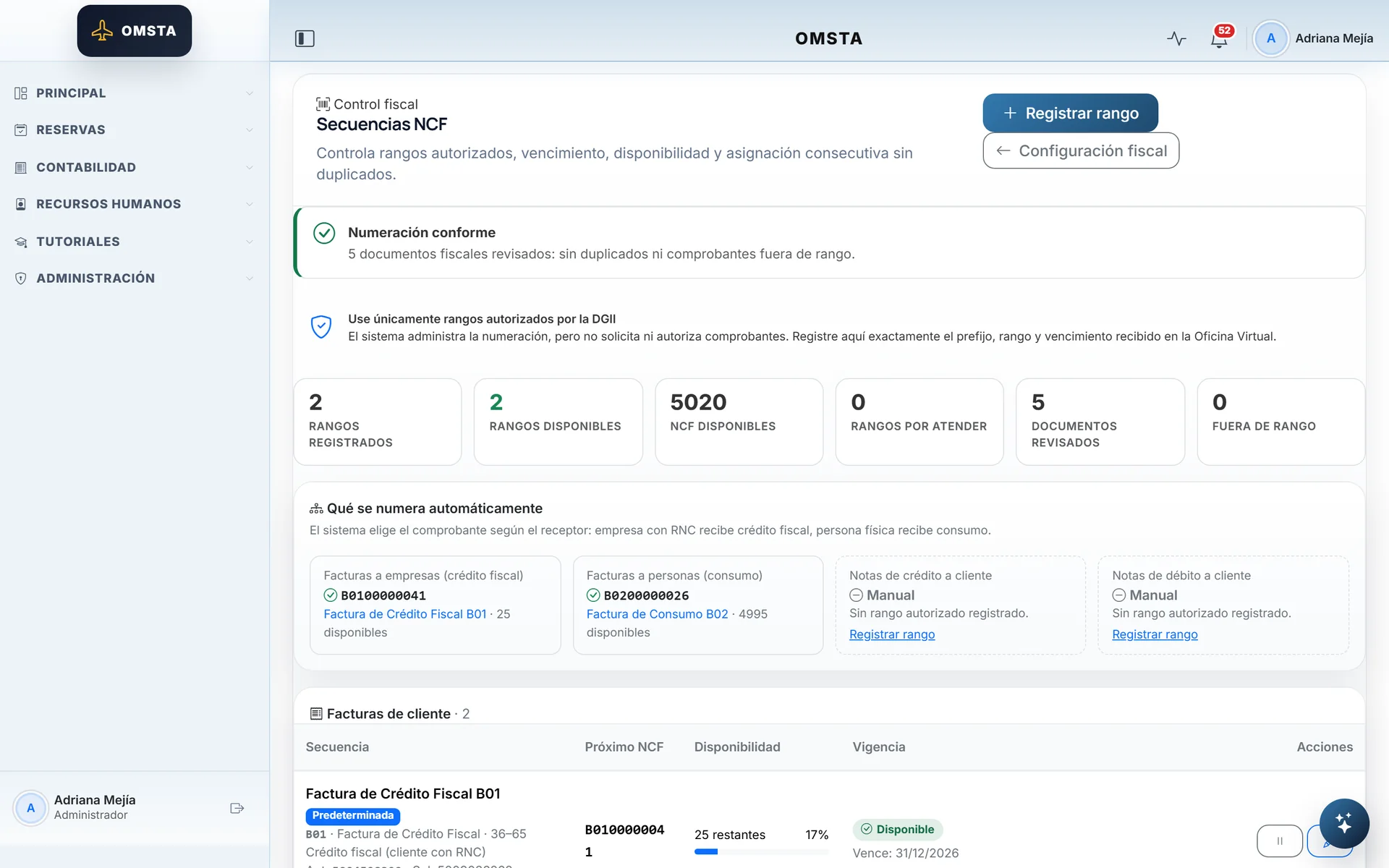
Automatic tax numbering, with no duplicates.
Banking2 screens
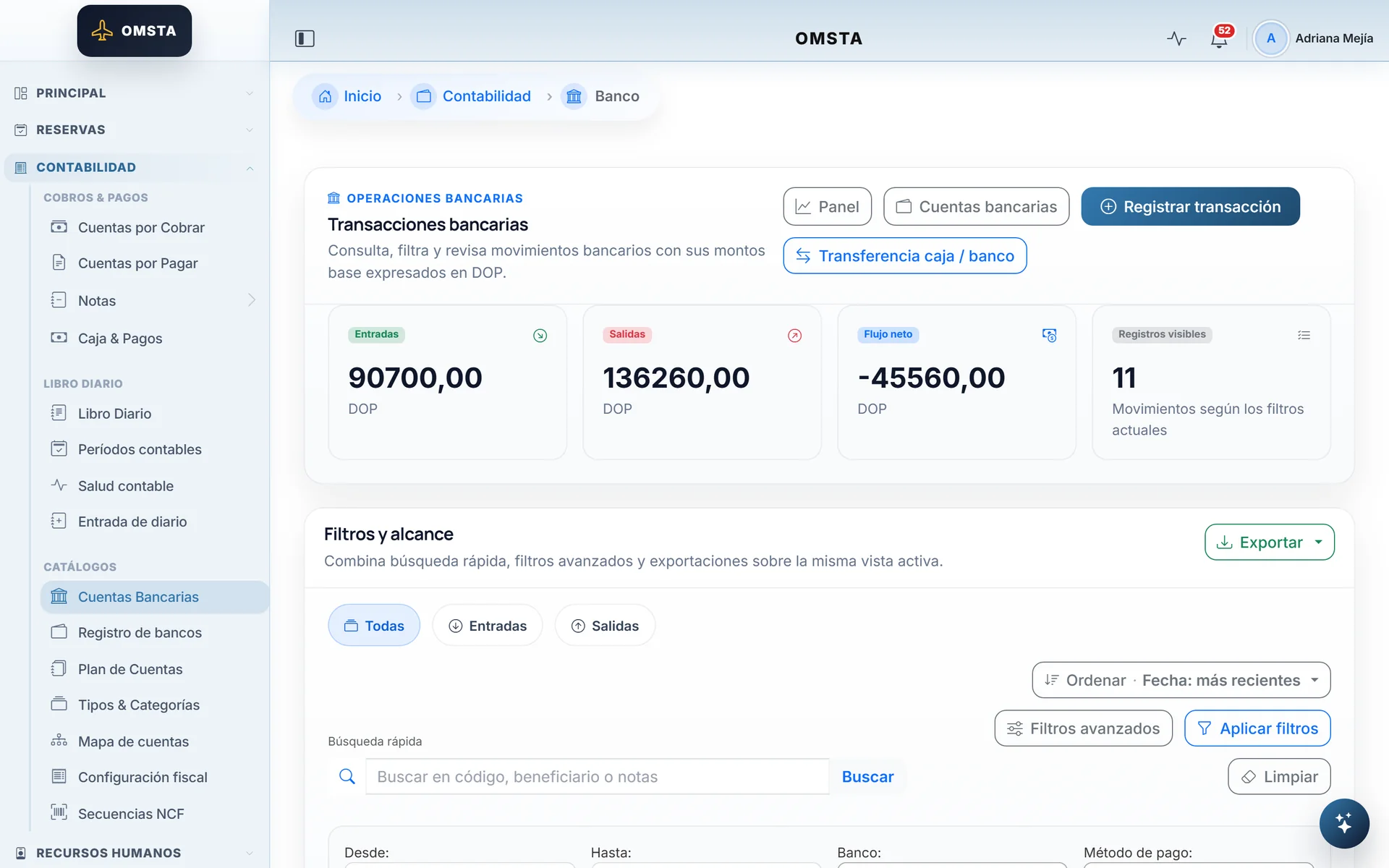
Bank movements generated by payments in and out.
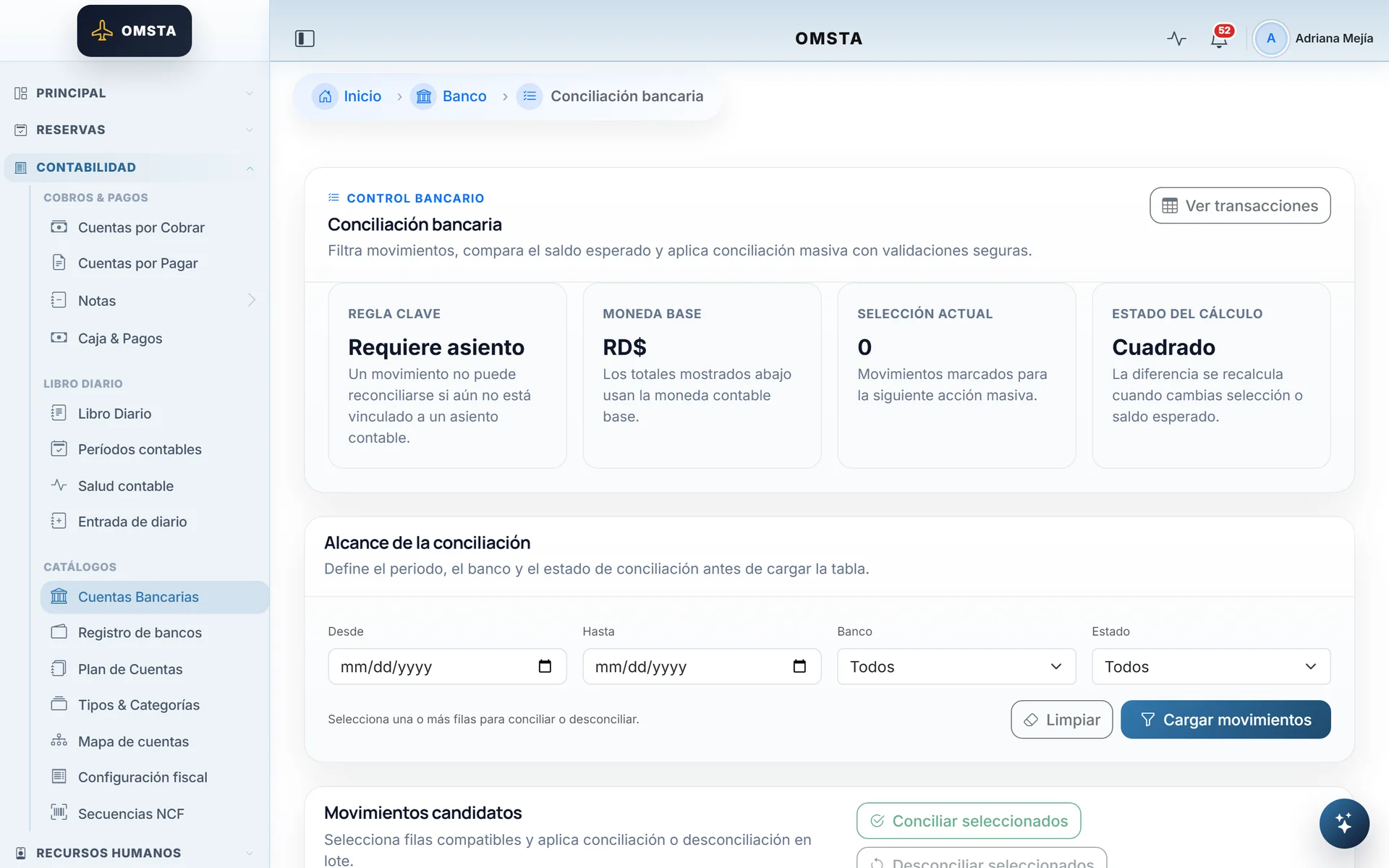
Bulk reconciliation with safe validations.
Payroll4 screens
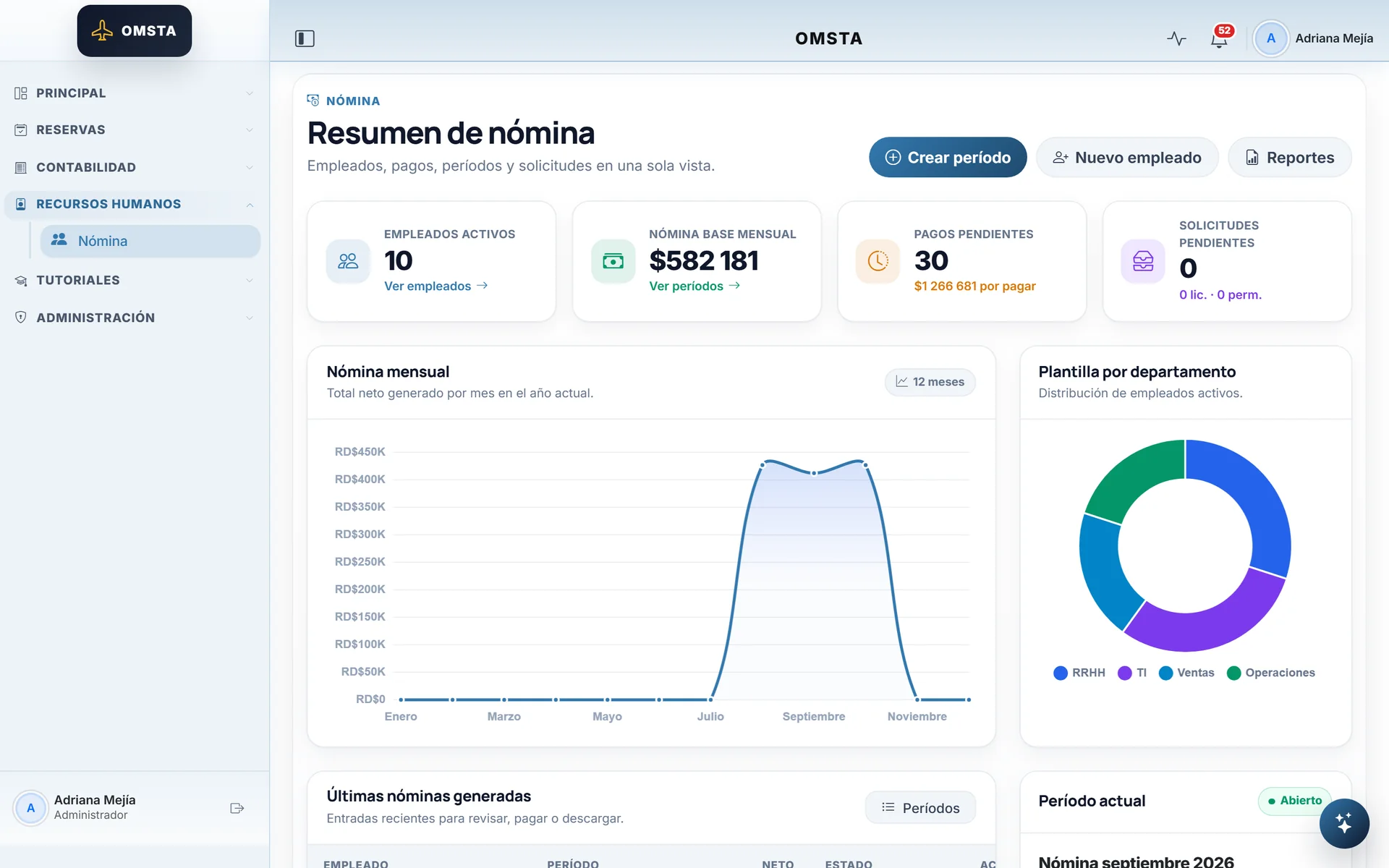
Payroll inside the ERP: employees, periods and payments.
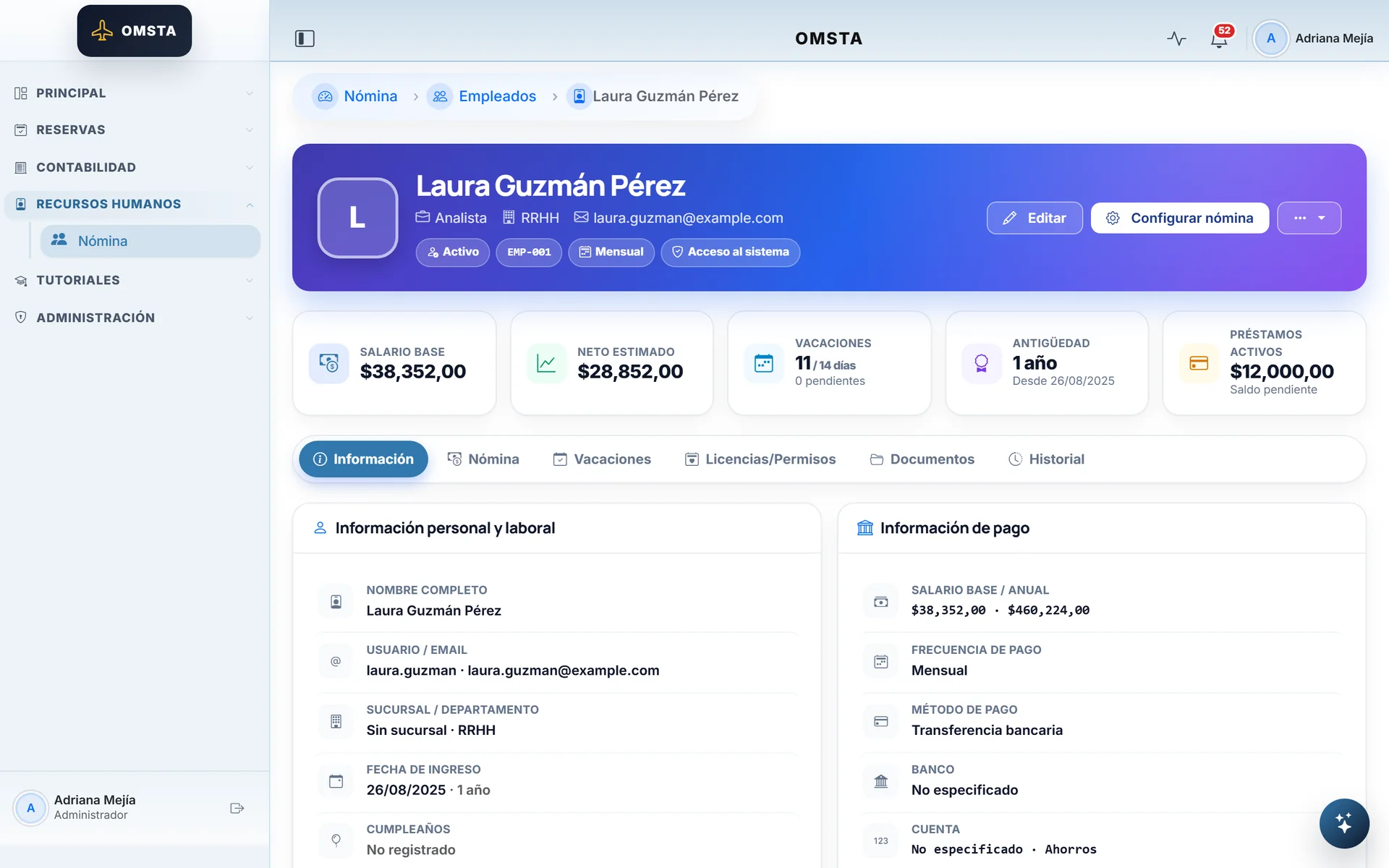
The employee record with salary, net pay and vacation.
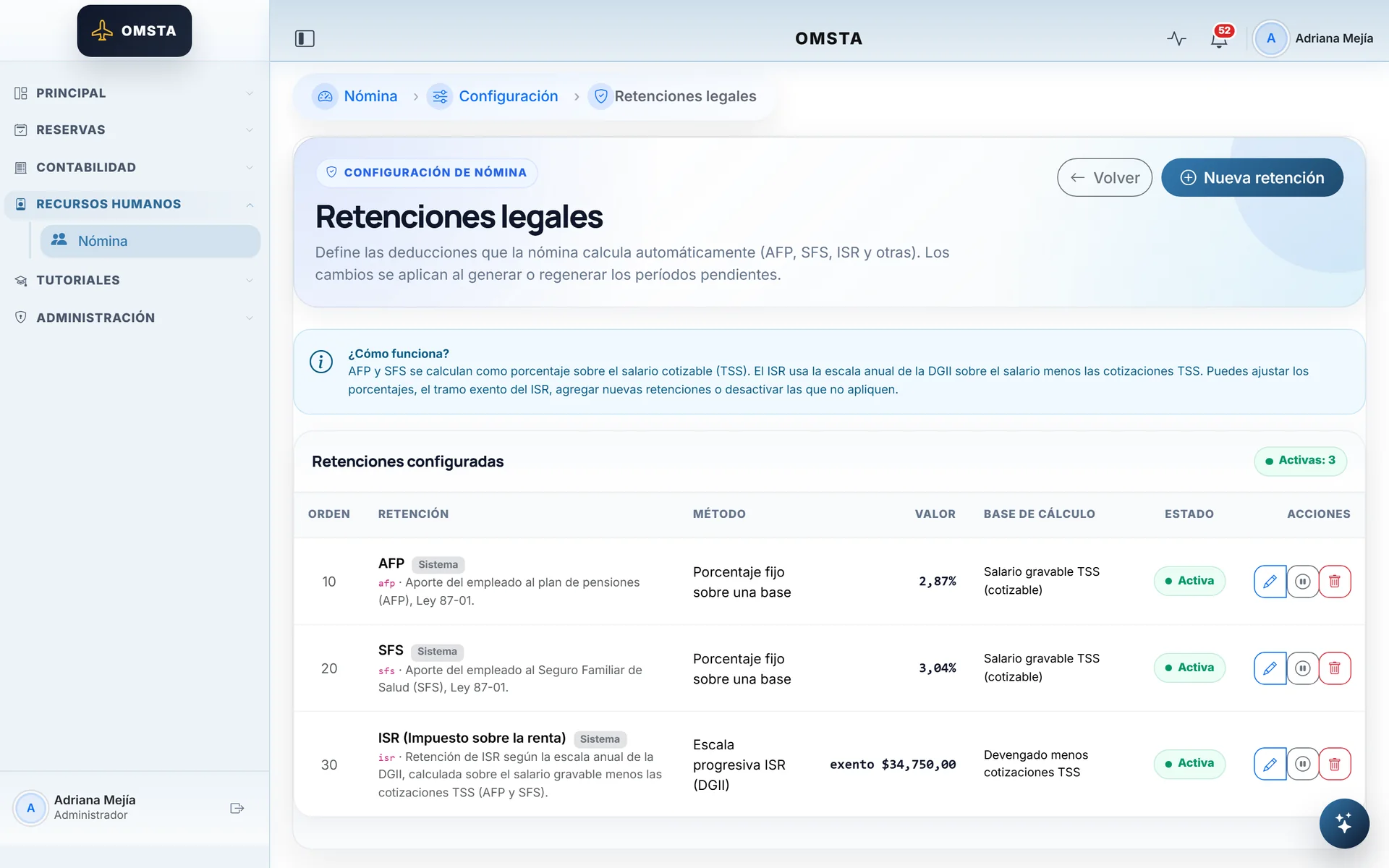
Dominican AFP, SFS and ISR, configurable without code.
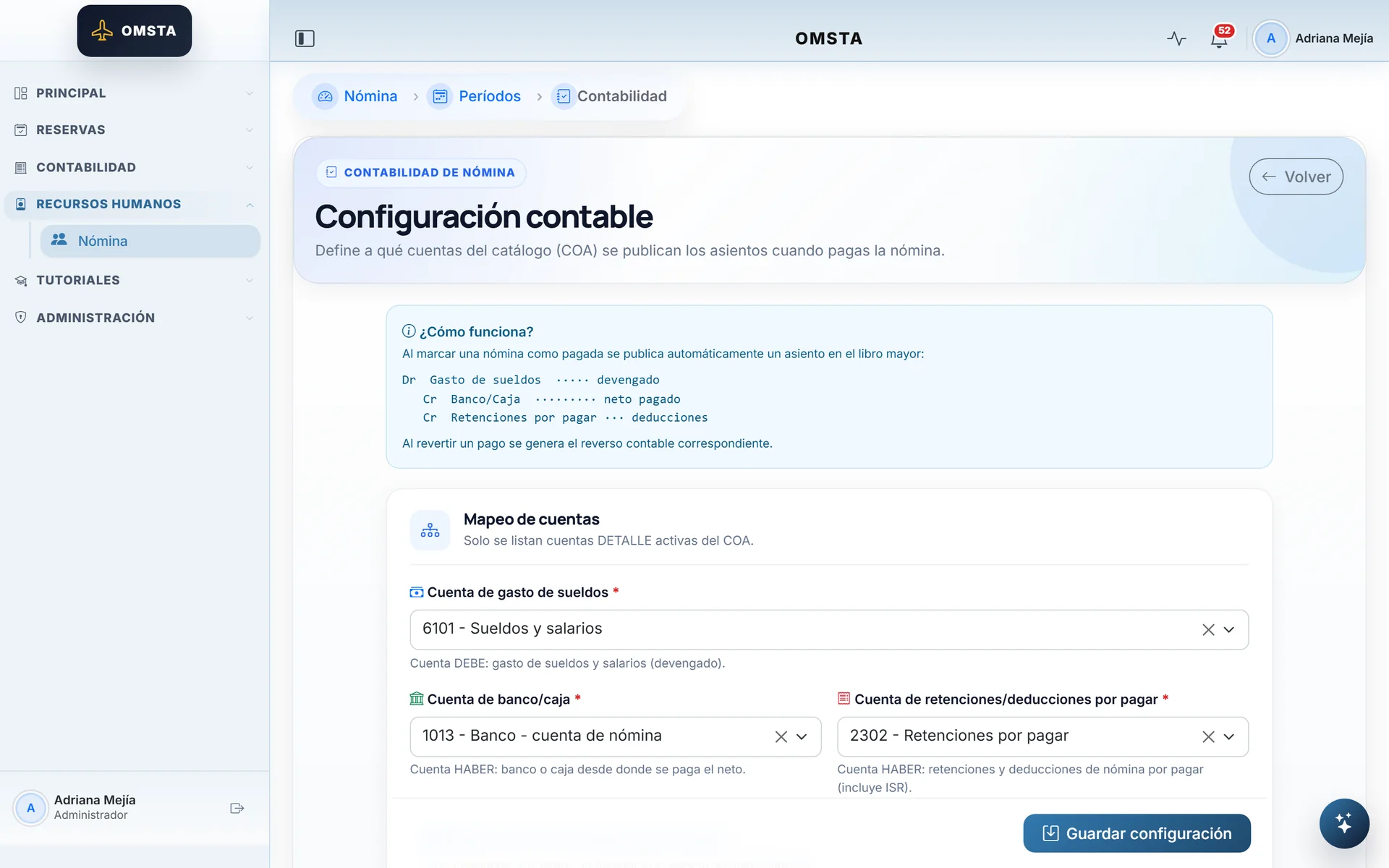
Running payroll posts its journal entry automatically.
Administration8 screens
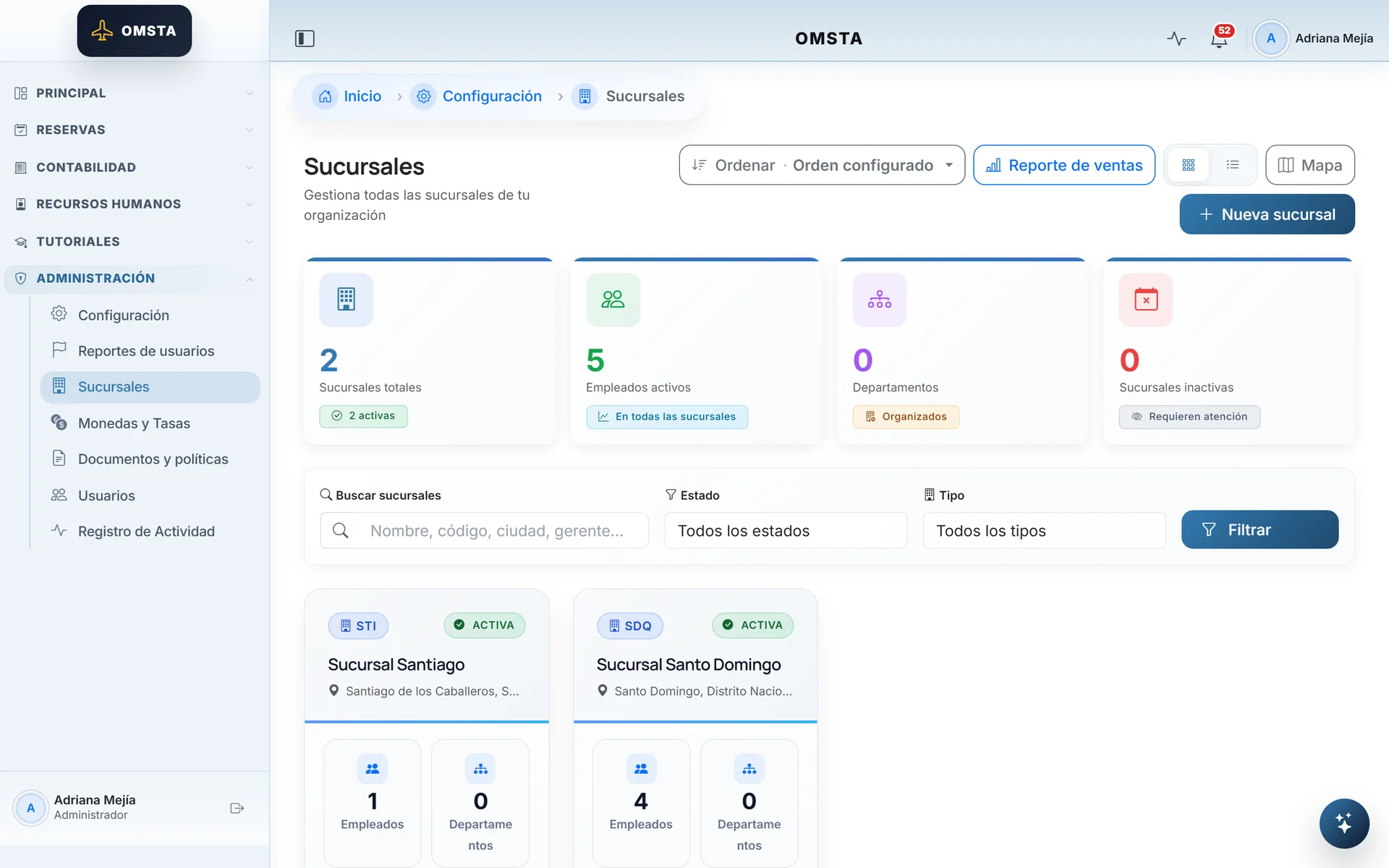
Multi-branch operations, with permissions per branch.
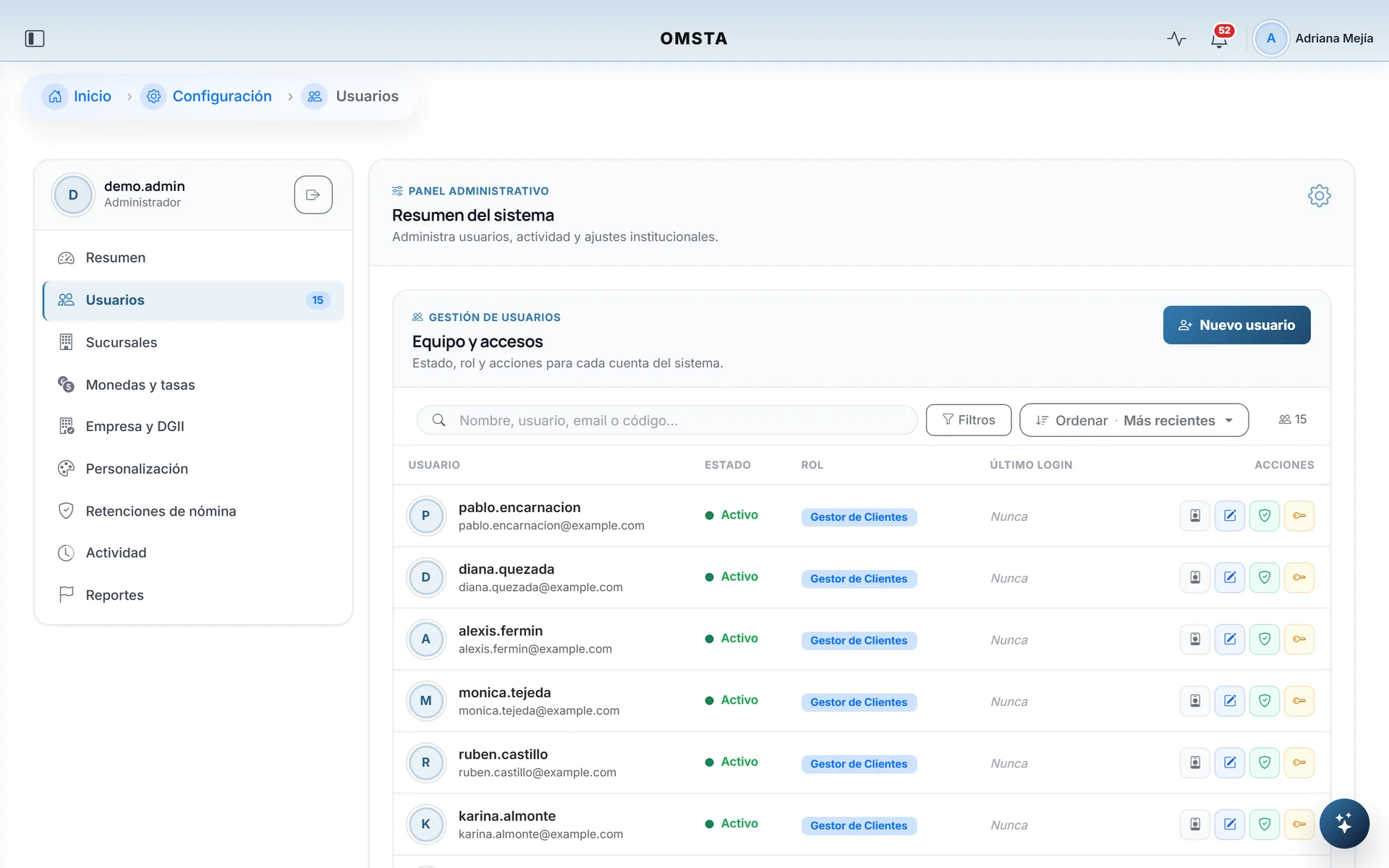
Users with role, status and access control.
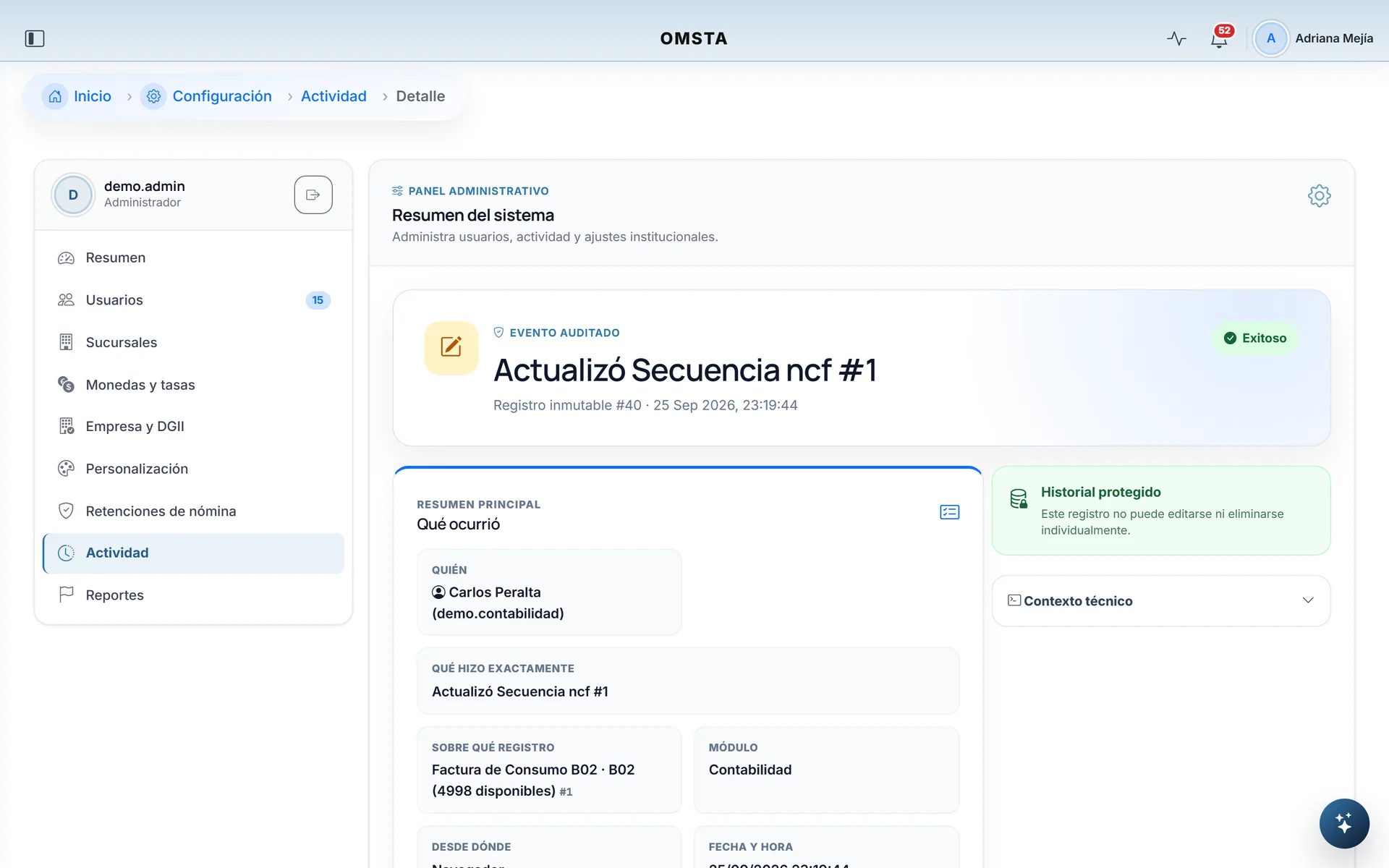
Every change lands in a log that can't be edited.
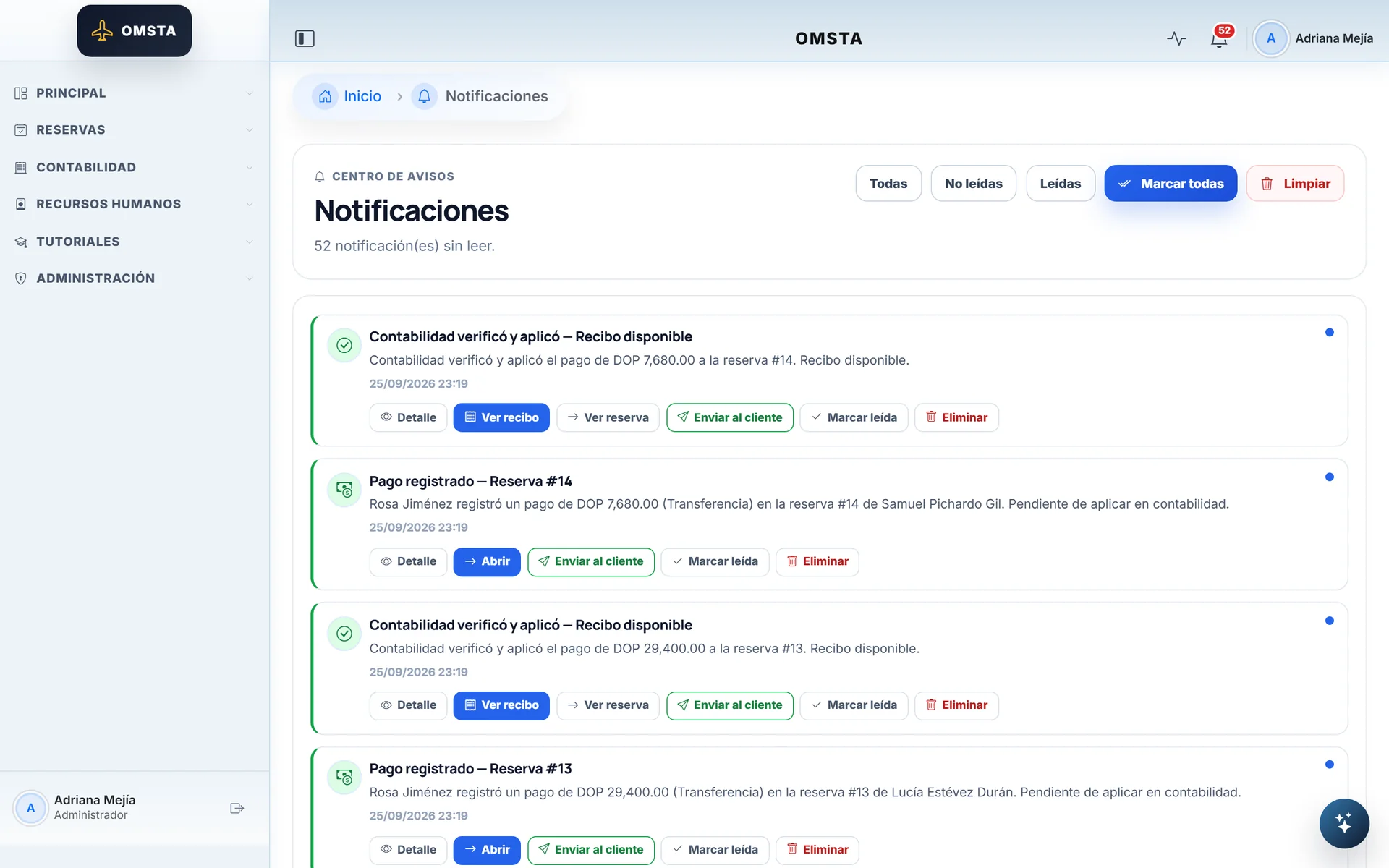
Bookings records the payment; accounting verifies it.
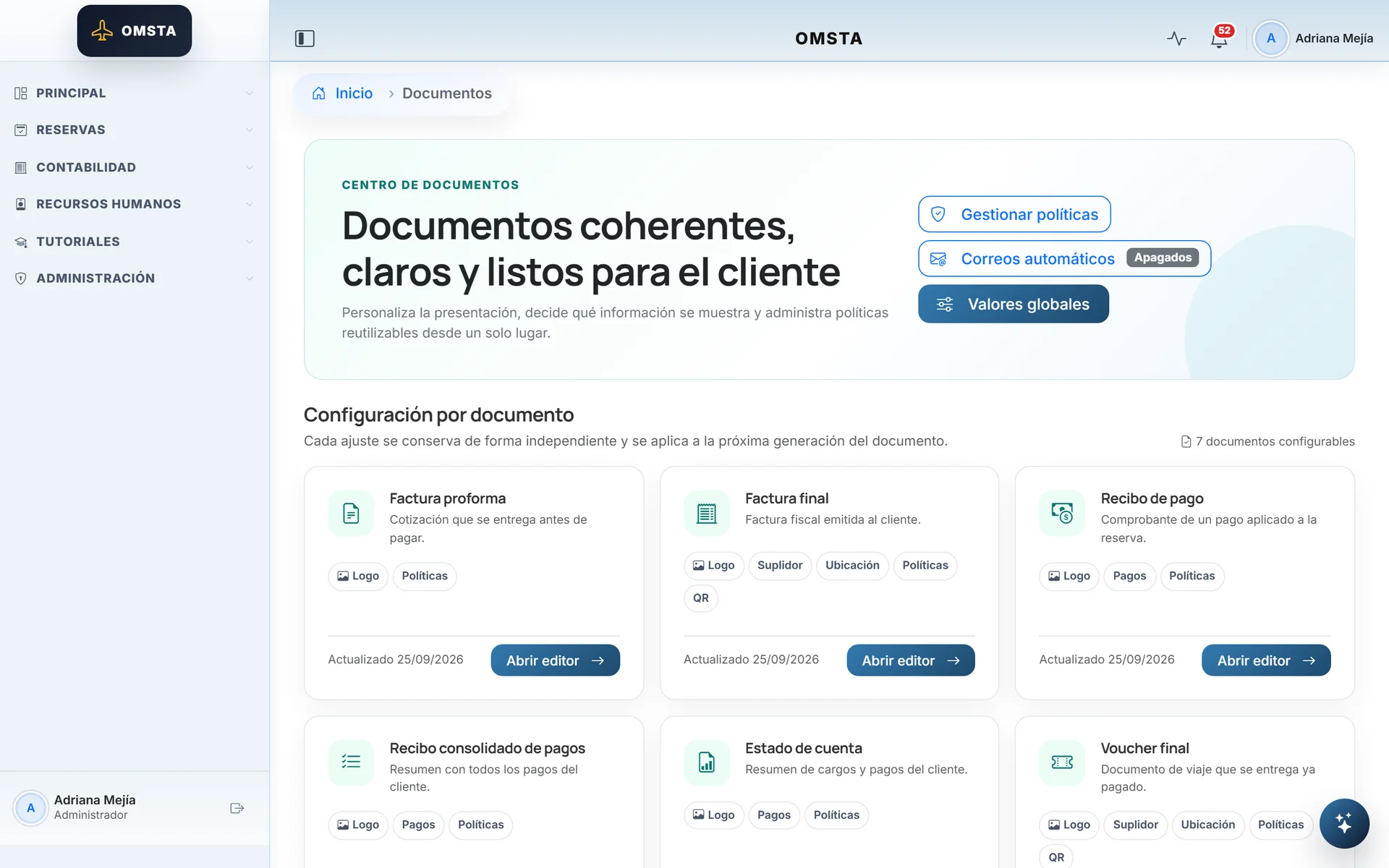
Seven client-facing documents, configurable.
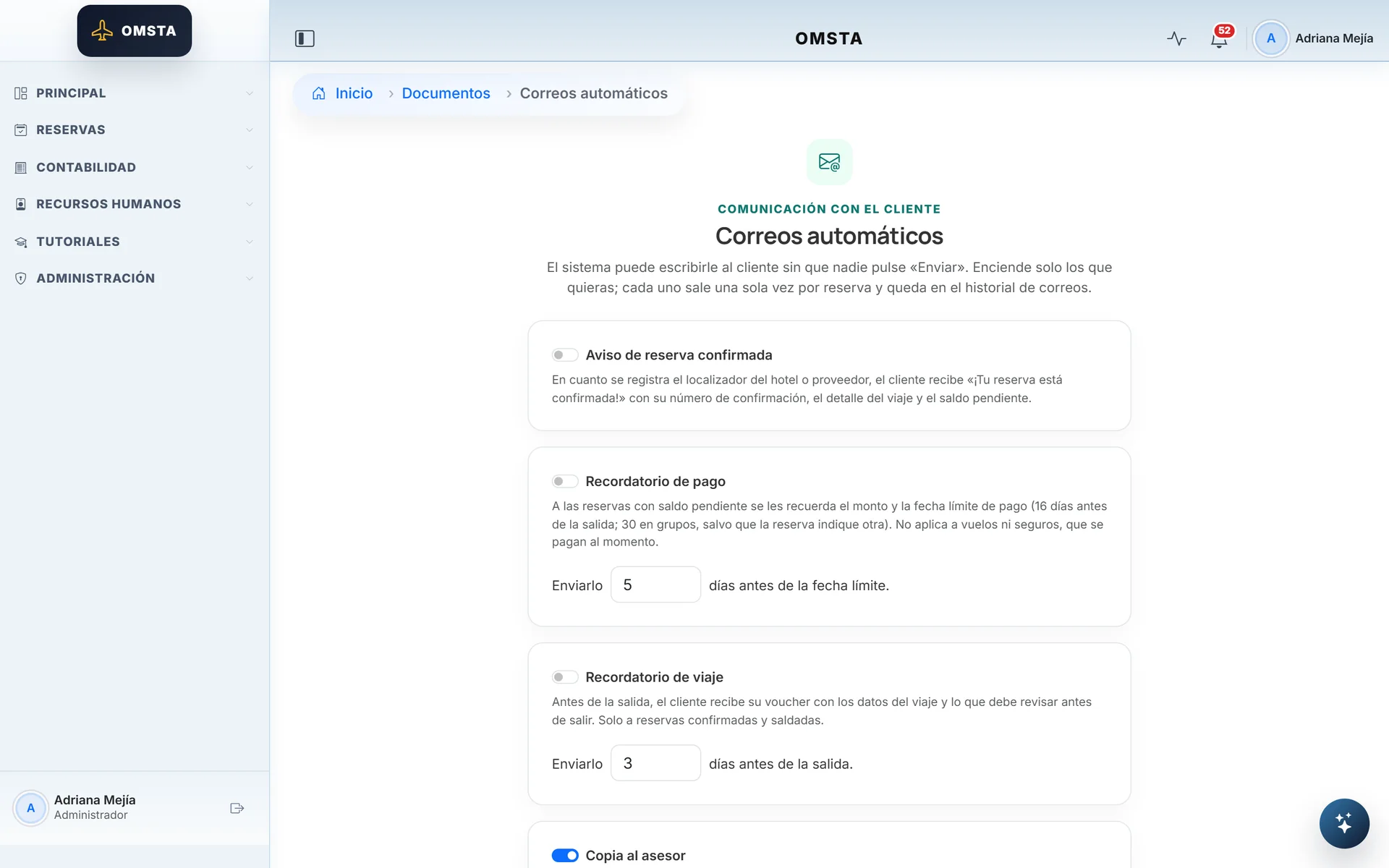
Client emails you switch on one at a time.
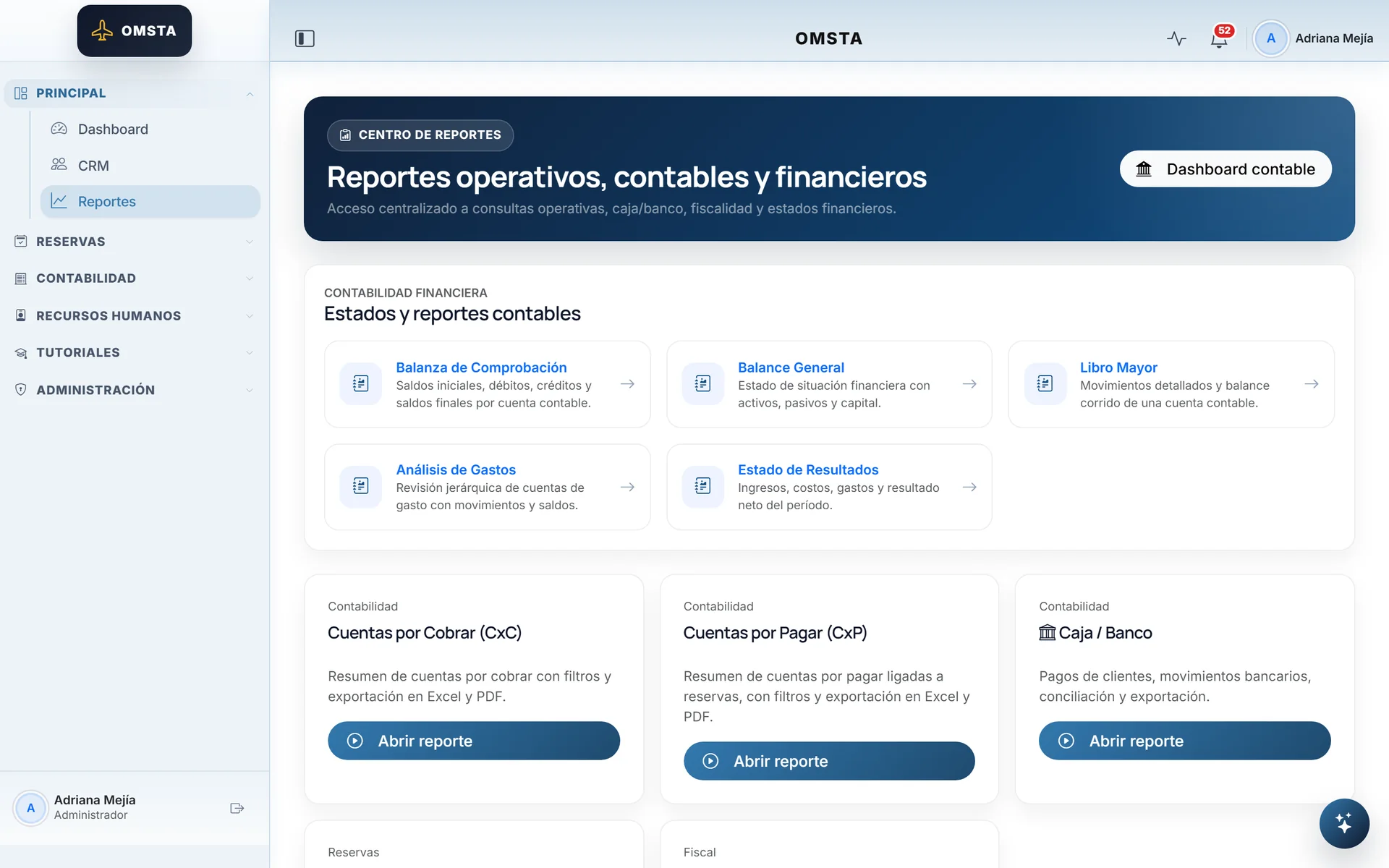
Operational, accounting and tax reports in one place.
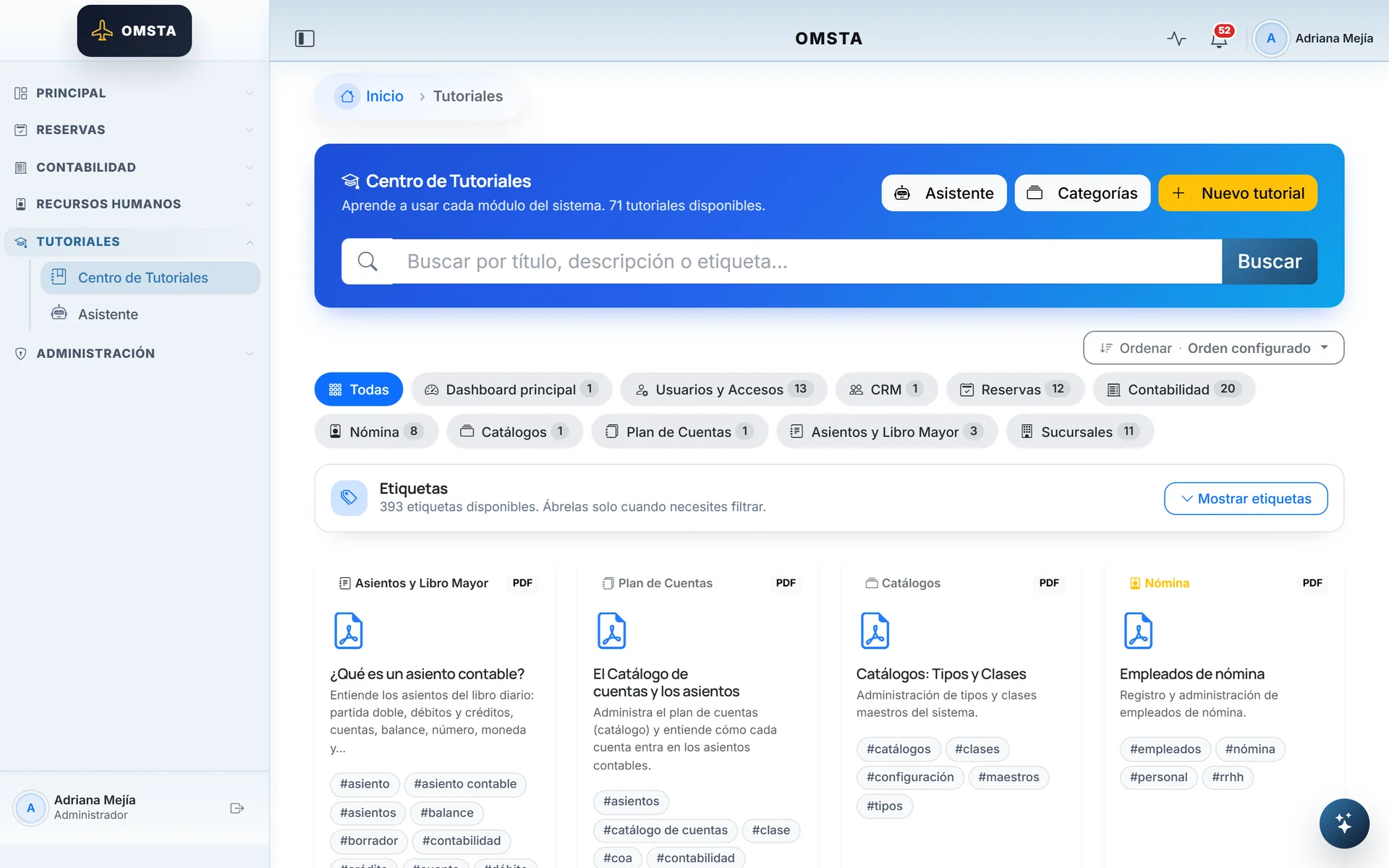
71 in-app tutorials, organized by module.
The web on a phone3 screens
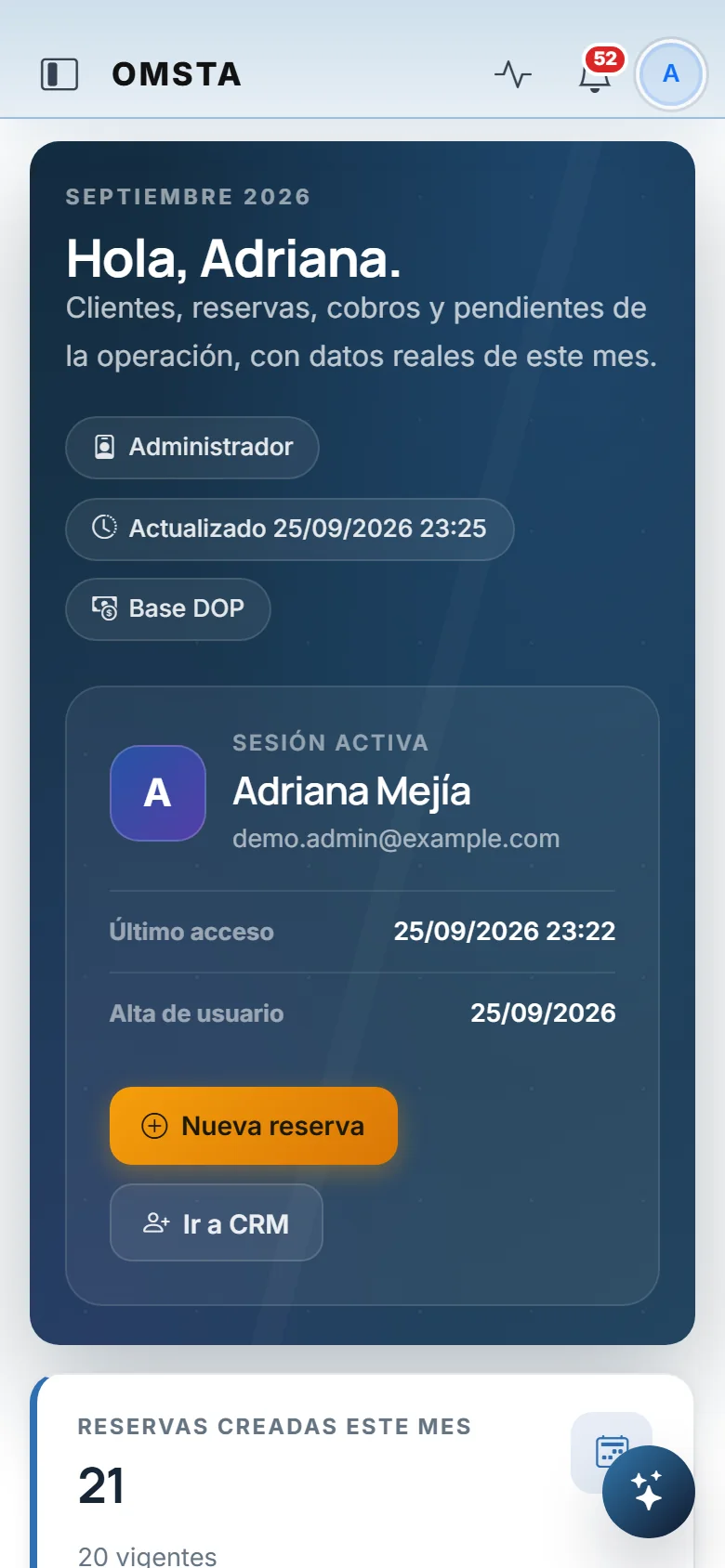
The web app adapts to the phone, too.
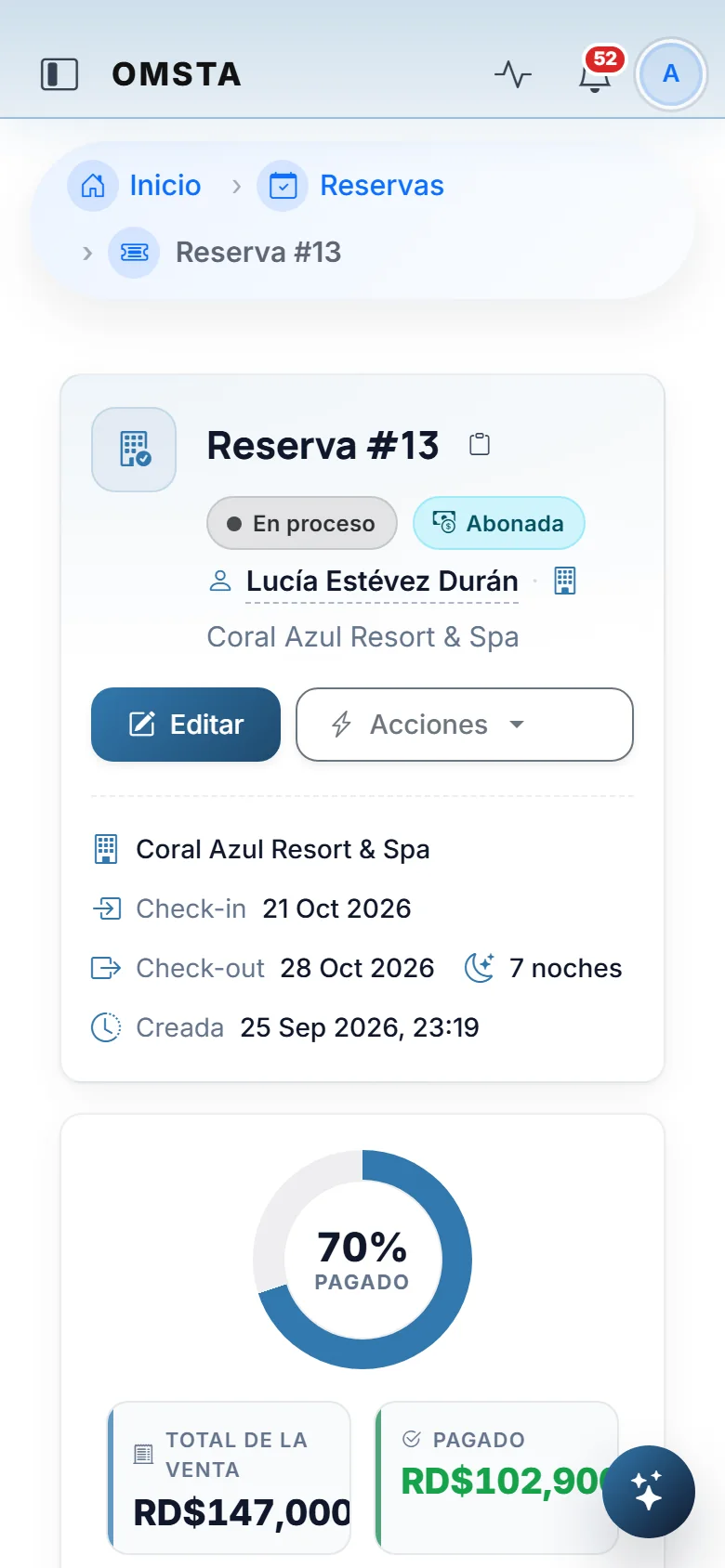
The booking record, readable on a small screen.
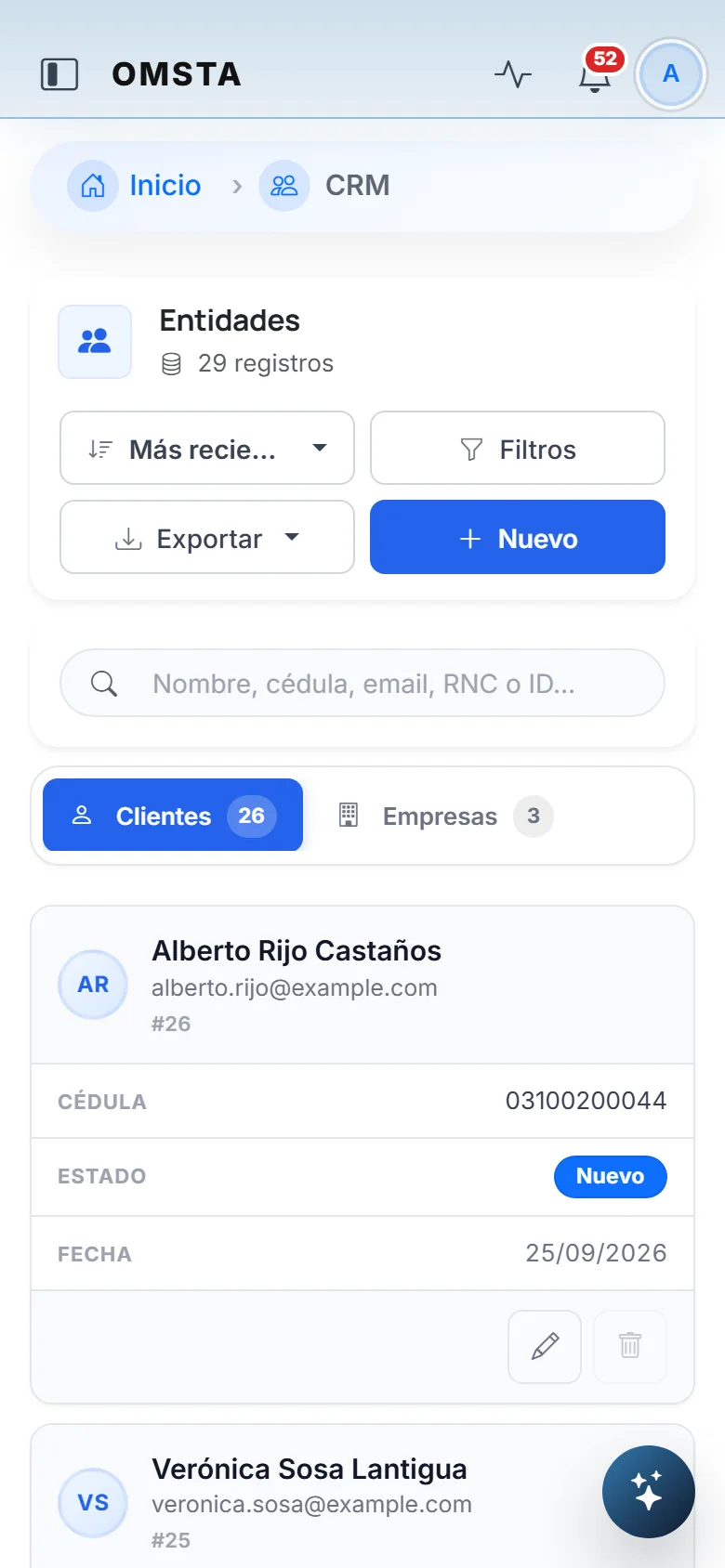
Below 768 px, tables turn into cards.
7 min read
The full case
Context
OMSTA is the system CristegnoViajes SRL, a travel agency in the Dominican Republic, runs on. The agency sells hotels, flights, packages, cruises, insurance and other services, gets paid in pesos and dollars, pays its suppliers, runs payroll and files with the DGII, the Dominican tax authority. It operates two branches, Santo Domingo and Santiago, on a single platform.
The first commit dates from April 2025. Today the web app is in production and 15 people use it every day, and since September 2026 the team also has its own mobile app.
The problem
An agency ties together three worlds that usually live apart: sales, money and accounting. When each one lives in a different tool, the same data gets typed in several times, balances don't match and nobody can reconstruct what happened to a booking.
The challenge was to capture a sale exactly once and have everything else follow from it without retyping a thing: the payment, the NCF tax invoice, the journal entries, the supplier payable, the bank movement and the tax reports. And to let the team do their part away from the office, too.
My role
I'm the system's only developer: I modeled the domain, designed the architecture, built the backend, the web interface, the API and the mobile app, and I handle deployment, maintenance and production incidents. The repository has more than eleven hundred commits.
Users and permissions
Five base roles — super admin, admin, accounting, bookings and clients — with individual modules on top that extend what each user can see. An agent creates bookings and records payments; accounting verifies them, invoices and closes; admin manages users, branches and settings. Permissions are enforced on the server, by URL prefix, and never depend on what the interface happens to hide.
Constraints
- Dominican tax rules: NCF receipts from authorized ranges and the 606, 607, 608 and 623 formats. The system prepares, validates and exports; a person does the actual filing with the DGII.
- Multiple currencies: every payment keeps the rate it was collected at, and every layer balances against its own total.
- Accounting invariants: receivables never go into credit, a posted entry is never rewritten and a closed period accepts no new entries.
- Sensitive data: payment receipts live in private storage behind signed URLs.
- A single developer: the infrastructure had to stay small and predictable.
How I built it
By domain and by layer: bookings and clients first; then the services that move money; then the general ledger and, finally, tax reporting. Views orchestrate, services open the transaction and post the entry, selectors read, and the invariants live in the model and in database constraints, because repair commands don't go through forms.
The boundaries between domains are guarded by tests: the ledger doesn't import accounting, bookings talks to accounting through a neutral contract, and the public surface of the largest models can only shrink. Every change goes through lint, formatting, Django checks, migrations and pytest on GitHub Actions before it ships.
Architecture decisions
- A modular monolith, not microservices. A one-person team and transactions that cross domains call for a single process with clear boundaries.
- Server-rendered HTML. No SPA and no build step: Bootstrap, jQuery and HTMX over Django templates, with the logic only in the backend.
- Django Q2, not Celery. PostgreSQL is the single source of truth, job state included; Redis is queue, cache and sessions, and it can be lost without losing business.
- An atomic accounting package. Issuing an invoice posts the sale, cost, advances and payments in a single service.
- An immutable tax snapshot. What was reported to the DGII doesn't change, even if the source data changes later.
- The app doesn't calculate. The server sends it formatted amounts, statuses with their labels and even the shape of the forms.
The mobile app
The web app used sessions and CSRF, and there was no API designed for a client outside the browser. I built a dedicated REST API with JWT bound to each device (with rotation and a blocklist), an OpenAPI contract generated with drf-spectacular, and the app's TypeScript types generated from that contract: if the API and the app drift apart, continuous integration fails.
The app is built with React Native, Expo and TypeScript. It has 54 screens: a home screen with the month's key numbers, bookings with their record and a step-by-step creation wizard with drafts and a custom calendar, clients, payments, alerts, catalogs and administrative settings. It unlocks with the phone's biometrics, stores tokens in the system keychain, works offline from a persisted cache and records payments with a photo of the receipt using the same service as the web.
The API and the app were built in sixteen days, between September 10 and 25, 2026. Today they're distributed as internal Android builds through EAS and tested on a real phone. The project is already set up for iOS; the iPhone version is waiting on the business's Apple Developer account.
Challenges
Money crosses three domains — bookings, accounting and the ledger — and a payment can be applied, corrected, reversed or leave an overpayment. Keeping idempotency and integrity intact across all those paths was the hardest part. Close behind: Dominican tax rules, and reducing the natural coupling of a large monolith without slowing down daily operations.
Real incidents, solved
- Payments submitted twice: every payment carries an idempotency key with a unique constraint in the database; a retry returns the payment that already exists.
- An app retry came back as "possible duplicate payment" because the form validated before the service did. Now the key is resolved first.
- Broken PDFs in production because of system libraries WeasyPrint needed: the deploy image now installs them at build time and at runtime.
- A health check behind the login made Railway treat a healthy deploy as
down:
/health/is now exempt from login and from the HTTPS redirect. - A discount applied to an already-paid booking created a correct credit balance, but nobody found out. I fixed the notice on save and the receipt, and added a read-only diagnostic to audit overpayments.
Design and UX
The dashboard puts first what drives the day: bookings, payments, commission, balances and alerts that lead to action. The booking record separates sales status from payment status and shows the status ladder, the percent collected and the balance. The six product types share the same entry pattern, with section navigation and a live price summary.
Accounting stops being a black box: each entry explains in plain language what it records, and the booking shows all of its own entries. A posted payment isn't edited; it's corrected through a guided flow or refunded. And below 768 px, tables turn into cards.
About the screenshots
Every screenshot comes from an isolated database, seeded with synthetic data by the same services the system uses: invented names, example emails and fictional tax documents. None of them show data from the agency or its clients. Screens that showed a bug or weren't finished were left out.
What I learned
In software that handles money, communicating the result matters as much as calculating it. Invariants have to live in the model and in the database, not in forms. Idempotency comes before validation: otherwise, a retry looks like a duplicate. And reusing the web's service from the mobile API avoided having two versions of the same business rule.
Current status
The web app is in production and used every day. The mobile app is in active development: bookings, clients, payments and alerts already work on a real phone, with push notifications and the app store releases still ahead. Current work focuses on a phased accounting audit and on paying down technical debt without interrupting operations.
Next step
The repository is private because it's a client's system. If you need a platform that connects operations, money and accounting with real traceability, on the web and on the phone, you can get in touch.